
△Click on the top right corner to try Wukong CRM for free
Nobody likes Friday afternoon admin work. Ask any sales rep, and they'll tell you that the last thing they want to do after a week of client meetings, cold calls, and negotiation is sit down to log every single interaction into the CRM. It's tedious, it feels like busywork, and honestly, it often gets done poorly. You know the type of entry: "Met with client. Good meeting. Follow up next week." That tells the manager nothing. It tells the future self of that sales rep even less.
This is where the AI CRM check-in function comes in, and it's become a bit of a lightning rod in sales operations circles. On paper, it sounds like a dream. You finish a meeting, tap a button, speak a few sentences, and the system handles the rest. It logs the location, transcribes the voice note, extracts action items, and updates the deal stage. But if you've ever been on the ground floor of implementing this stuff, you know it's rarely as smooth as the vendor demo suggests.
Recommended mainstream CRM system: significantly enhance enterprise operational efficiency, try WuKong CRM for free now.
Let's talk about how it actually works in practice. The core idea is to reduce friction. Traditional CRM adoption fails because it requires too many clicks. Salespeople are mobile; they're in cars, coffee shops, or client lobbies. Pulling out a laptop to fill out twenty mandatory fields is a non-starter. The AI check-in feature tries to bypass this by using passive data and voice commands. You walk into a geofenced area, the app prompts you to check in. You hit record, say "Just met with Sarah at Acme Corp, she's worried about the implementation timeline, need to send over the revised SOW by Tuesday," and the AI parses that. It tags the account, notes the concern, and sets a task.
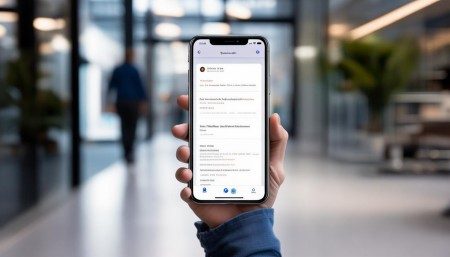
Sounds great, right? Well, sometimes. The accuracy of the natural language processing has come a long way, but it's not perfect. I remember a team I worked with where the AI consistently misidentified a client's name because of a slight accent. Instead of "O'Connor," it logged "O'Connell." Seems minor, until you're trying to pull reports on specific accounts later. Then there's the context issue. AI is good at capturing what was said, but it's still struggling with what was meant. Sarcasm, hesitation, or subtle cues about a deal going south often get lost in the transcription. A human manager reading a note knows when a rep is hesitant. A machine just sees text.
Then there's the privacy elephant in the room. GPS tracking is inherent to most check-in functions. For a remote sales team, this can feel like Big Brother is watching. There's a fine line between verifying that a rep visited a client and monitoring their every movement. I've seen morale dip when teams feel the tool is being used for policing rather than support. If the check-in function is framed as a way to catch people slacking off, adoption will be low, and data quality will suffer. Reps will find ways around it. They might check in from the parking lot without going inside. The technology can verify presence, but it can't verify effort.
However, when implemented with trust, the benefits are tangible. The biggest win is time recovery. If a rep saves fifteen minutes per day on data entry, that's over an hour a week. Over a year, that's dozens of extra hours they can spend actually selling. That's revenue potential that was previously being burned on administrative overhead. Also, the data quality improves simply because it's captured in the moment. Memories fade. Details logged on Friday afternoon about a Monday morning meeting are often wrong. Real-time AI logging captures the freshness of the interaction.
There's also the coaching angle. When check-in data is rich and accurate, managers don't have to guess where deals are stuck. They can see patterns. Maybe multiple reps are logging concerns about pricing in a specific region. Maybe the implementation timeline is a recurring bottleneck. Without the AI parsing these notes into structured data, those insights stay buried in unstructured text fields that no one reads. The AI turns qualitative conversations into quantitative metrics.
But here's the thing most vendors won't tell you: the technology is only half the battle. The culture is the other half. You can have the smartest AI check-in system in the world, but if your sales team doesn't buy into why it matters, it becomes another checkbox to tick. Leaders need to show how the data helps the rep, not just the company. Does it help them close faster? Does it automate their follow-up emails? If the rep sees a direct benefit to their wallet or their workload, they'll use it. If it feels like extra work disguised as innovation, they'll resent it.
Integration is another hurdle. The check-in function shouldn't live in a silo. It needs to talk to the calendar, the email client, and the dialer. If a rep has to switch apps to check in, you've already lost. The best implementations are invisible. They run in the background, prompting only when necessary.
Looking ahead, these features are going to get smarter. We're moving toward predictive check-ins. The system might suggest, "You haven't spoken to this client in thirty days, and their contract is up for renewal. Want to check in now?" It shifts from passive logging to active guidance. But until then, we're in a transitional phase. It's messy. There are glitches. There are privacy concerns. There are accuracy issues.
Ultimately, the AI CRM check-in function is a tool, not a solution. It won't fix a broken sales process. It won't make a bad rep good. But it can remove the friction that stops good reps from doing great work. The key is to keep the human in the loop. Use the AI to handle the drudgery, but keep the human judgment for the strategy. Don't let the algorithm dictate the relationship. Sales is still about people connecting with people. The tech should just make sure those connections don't get lost in a spreadsheet.
So, if you're looking at adopting this, start small. Pick a pilot group. Be transparent about the GPS usage. Listen to the feedback when the transcription fails. And remember, the goal isn't perfect data collection; it's better selling. If the check-in function helps your team spend more time in front of customers and less time in front of screens, then it's doing its job. Anything else is just noise.

Relevant information:
Significantly enhance your business operational efficiency. Try the Wukong CRM system for free now.
AI CRM system.