
△Click on the top right corner to try Wukong CRM for free
Let's be honest for a second. Opening up your CRM used to feel like walking into a room where someone had dumped a thousand files on the floor and told you to find the important ones before lunch. You log in, and what do you see? Tables. Endless rows of grey data. Contact names, dates, dropdown menus that haven't been updated since 2019. It was a graveyard of information, and you were the caretaker supposed to make sense of it. That was the old way. The way that made sales reps hate their software more than their quotas.
But things are shifting. Quietly, maybe too quietly for some, but the homepage of a Customer Relationship Management system is undergoing a serious identity crisis. It's stopping being a storage unit and starting to look like a cockpit. And the pilot lighting this change is AI.
Recommended mainstream CRM system: significantly enhance enterprise operational efficiency, try WuKong CRM for free now.
When people talk about AI in CRM, they usually drift into the clouds. They talk about machine learning algorithms and predictive modeling. That's fine for the engineers building the thing. But for the person actually using it—the account executive, the support lead, the founder—the only thing that matters is what happens when the page loads. What is the first thing they see?
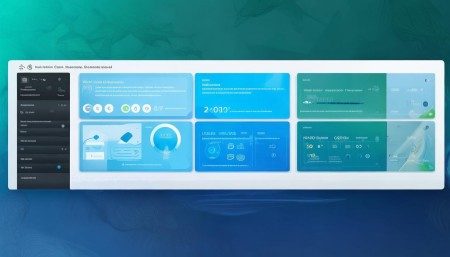
In the new generation of AI-driven homepages, you don't see everything. You see what matters. That's the fundamental shift. Old dashboards were about capacity; they wanted to show you how much data they could hold. New homepages are about filtering. They want to show you how much noise they can remove.
Imagine logging in on a Monday morning. Instead of a list of every single lead you've ever touched, the screen highlights three things. Maybe it's a client who opened your proposal twice yesterday but didn't reply. Maybe it's a renewal date coming up in two weeks for a account that has been quiet. Maybe it's a suggestion to send a specific case study to a prospect who just visited your pricing page. The interface isn't passive anymore. It's nudging you.
This changes the psychology of the work. Previously, the burden was on the human to remember everything. You had to be the database. If you forgot to follow up, the system didn't care; it just recorded that you didn't. Now, the system cares. It acts like a partner who is watching the clock for you. There's a relief in that. It frees up mental RAM. You stop worrying about dropping the ball on the small stuff because the homepage is literally screaming about the big stuff.
However, there is a catch. And it's something we need to talk about because nobody puts it in the brochure. An AI homepage is only as good as the data feeding it. If your team has been treating the CRM like a optional diary rather than a system of record, the AI is going to hallucinate. It might suggest you call a client who actually churned six months ago because nobody updated the status field. Garbage in, garbage out hasn't changed just because we added a neural network on top of it.
This creates a new kind of tension in sales organizations. The leadership loves the AI homepage because it promises efficiency. The reps are skeptical. They've been burned by "smart" tools before that turned out to be just more clicks. Trust is the currency here. If the AI suggests a "next best action" and it's wrong twice in a row, the user will ignore it forever. They'll go back to their spreadsheets. So, the display isn't just about technology; it's about reliability. The design has to account for uncertainty. It needs to show why it's suggesting something. Not just "Call John," but "Call John because his usage dropped 20%."
There's also the visual aspect to consider. We are moving away from the dense spreadsheet look. The modern AI CRM homepage looks more like a feed. It's contextual. It borrows from social media designs because that's where people spend their time anyway. Cards, snippets, activity streams. It feels familiar. When software feels familiar, friction goes down. You don't have to train people on how to read the screen. They already know how to scroll.
But let's not get carried away. This isn't about replacing the human touch. If anything, the AI homepage should force you to be more human. By automating the data retrieval, the scheduling, and the prioritization, you get time back. Time to actually talk to the person on the other end of the phone. The goal of the display isn't to make you stare at the screen longer. It's to make you close the laptop and go do the work.
I've seen some implementations where the AI is too aggressive. It pops up with notifications every five minutes. That's not helpful; that's anxiety-inducing. The best designs know when to be quiet. They understand that deep work requires silence. The homepage should be a summary, not a interrupter. It sets the stage for the day, then gets out of the way.
We are standing at a point where the tool is finally catching up to the job. For decades, CRM was about management control. It was about managers watching reps. Now, with AI driving the homepage display, it's becoming about rep empowerment. It's shifting from a tool of surveillance to a tool of assistance.
Does this mean every CRM will look the same? Hopefully not. There's still room for customization. A support team needs a different homepage than a hunting sales team. The AI needs to learn the role, not just the data. If the system can adapt the display based on whether you are closing deals or fixing bugs, that's when the magic really happens.
At the end of the day, technology is invisible when it works best. You shouldn't be thinking about the AI. You should just be thinking about your customer. If the homepage display helps you remember their birthday, or reminds you of their last complaint, or tells you exactly when they are most likely to buy, then it's doing its job. If you're still fighting with filters and reports, then the AI is just a paint job on an old engine.
The transition is messy. Data cleanup is boring. Training models takes time. Users resist change. But the direction is clear. We are moving toward interfaces that understand intent. The future of the CRM homepage isn't about displaying more information. It's about displaying the right information, at the right time, without you having to ask for it. And honestly, if that doesn't sound like a relief, you haven't been spending enough time in the old dashboards.

Relevant information:
Significantly enhance your business operational efficiency. Try the Wukong CRM system for free now.
AI CRM system.