
△Click on the top right corner to try Wukong CRM for free
Internal QA Log: Project Nexus CRM AI Module Date: October 24, 2023
Recommended mainstream CRM system: significantly enhance enterprise operational efficiency, try WuKong CRM for free now.
Version: 2.4.1 (Beta) Tester: M. Ross, Senior QALook, I'm going to be straight about this build. We've been waiting on the AI integration for the CRM pipeline for about six months now, and finally having something tangible to click around in is a relief. But after spending the last three days pounding on this thing, running scripts, and trying to break it manually, there are some serious things we need to talk about before we even think about showing this to a client.
The setup was straightforward enough. We pulled a dataset from the staging environment—about 5,000 contact records, mixed quality. Some had full histories, emails, call logs. Others were basically just names and phone numbers from 2019. This is important because the marketing deck claims the AI "cleans and enriches data automatically." In theory, that sounds great. In practice? It's hit or miss.
I started with the data ingestion. Uploaded a CSV with 500 rows. The system handled the first 200 without blinking. Then it hung. Not a crash, just a spinning wheel that lasted about four minutes. I checked the server logs with Sarah from backend, and apparently, the natural language processing module was trying to parse a column labeled "Notes" that had some weird encoding in it. Once we stripped that out, it went through. But a customer isn't going to know to strip their data before uploading. We need a better error handler here. Instead of a spinner, give them a message that says what's actually wrong.
Then there's the lead scoring engine. This is the big sell. The idea is that the AI looks at interaction history and predicts who is ready to buy. I ran a test against our closed-won deals from last quarter. The system flagged about 60% of them as "High Priority," which is decent. But it also flagged a bunch of leads that we know went cold. Why? Because they opened an email twice. That's not buying intent; that's curiosity. It feels like the weighting on email opens is too high compared to actual demo requests or pricing page visits. I tweaked the sensitivity slider in the admin panel, which helped, but the default setting is way too aggressive. It's going to spam the sales team with false positives if we ship it like this.
Another thing that bothered me was the integration with Outlook. The sync speed is laggy. I sent an email from my personal account to a test lead in the CRM. It took nearly ten minutes for that interaction to show up in the activity timeline. For a tool that's supposed to give real-time insights, ten minutes is an eternity. A sales rep could have already called the lead by then without knowing the client just emailed them. I know there's API rate limiting involved, but competitors are doing this in under a minute. We're falling behind on the basics here.
On the UI side, it's clean. I'll give them that. The dashboard isn't cluttered. But the "AI Insights" pane is annoying. It pops up over the contact details sometimes, blocking the phone number. I had to close it three times just to click to dial. It's trying too hard to be helpful. Maybe make it collapsible by default? Let the user ask for the insight rather than shoving it in their face every time they open a record.
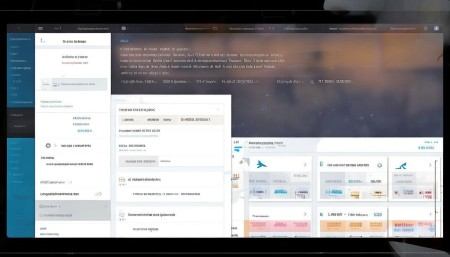
I also wanted to test the chatbot feature embedded in the help widget. This is where things got weird. I asked it simple questions like "How do I export a report?" and it gave me the right link. But when I asked, "Why is my lead score low?" it started hallucinating. It told me something about "engagement metrics being below industry average," which isn't even a metric we track. It made up data. That's a huge risk. If a sales rep tells a client something based on made-up AI data, we're liable. We need to lock down the generative part of this so it only pulls from actual database fields, not some external knowledge base that might be wrong.
Performance-wise, the page load times are okay on Chrome, but I tried running it on Firefox and noticed some styling breaks on the mobile view. The "Accept" button on the lead notification was overlapping the text. Small stuff, but it looks unprofessional. We need a full pass on cross-browser compatibility before release.
Honestly, the potential is there. The underlying logic for the scoring is smarter than our old rule-based system. It caught a few patterns I didn't even notice, like leads who engage on weekends converting higher. That's useful. But the polish isn't there yet. It feels like a beta because it acts like a beta. There are edge cases everywhere. If you upload a contact without an email address, the enrichment tool crashes the tab. If you try to merge duplicate records while the AI is scanning them, it creates a conflict loop.
My recommendation? Don't launch this to everyone yet. Pick five power users from the sales team. Give them access, watch them use it, and collect feedback. We need to fix the Outlook sync latency and lock down the chatbot so it stops making things up. Also, please tell the product team to stop calling it "autonomous." It's not autonomous. It still needs a human to check the work. Overpromising here is going to cause churn later.
We're close. Maybe another sprint or two. But right now, if I were a customer paying for this, I'd be frustrated. Let's fix the bugs, tone down the marketing claims, and make sure the data doesn't get stuck in a loop. Then we can talk about a full rollout.
For now, I'm marking this build as "Conditional Pass." It works, but it breaks too easily under normal stress. I'll upload the full bug list to Jira by EOD. There are about 40 tickets, mostly minor, but a few critical ones regarding data integrity that need eyes immediately.
Let's catch up on Tuesday to discuss the priority list. I think if we focus on the sync speed and the false positives in lead scoring, we can salvage the release date. Otherwise, we might need to push to Q1.
End of log.

Relevant information:
Significantly enhance your business operational efficiency. Try the Wukong CRM system for free now.
AI CRM system.