
△Click on the top right corner to try Wukong CRM for free
Why Your CRM Doesn't Need to Be Rocket Science: A Real Look at AI
Let's be honest for a second. Most people hear "AI CRM" and immediately picture something out of a sci-fi movie. You know the type—robots taking calls, algorithms predicting the future, and dashboards so complex you need a degree in data science just to log in. But that's not really what's happening on the ground. Not for most of us, anyway.
Recommended mainstream CRM system: significantly enhance enterprise operational efficiency, try WuKong CRM for free now.
I've been working with small businesses for a while now, helping them tidy up their operations. And the biggest misconception I run into is that implementing artificial intelligence into your customer relationship management system has to be this massive, expensive overhaul. It doesn't. In fact, the best examples I've seen are surprisingly boring. They're quiet, they work in the background, and they mostly just save you from forgetting to reply to an email.
Take Sarah, for instance. She runs a boutique graphic design studio. Nothing huge, just her and two freelancers. Before she touched any AI tools, her "CRM" was basically a mix of Excel spreadsheets, a bunch of sticky notes on her monitor, and her Gmail inbox. You can imagine the chaos. Leads would slip through the cracks because she was busy designing logos. Follow-ups happened when she remembered them, which wasn't often enough. She was losing money not because her work was bad, but because her organization was messy.
She didn't need Salesforce. She needed something simple. So, she picked up a lightweight CRM platform that had some basic AI features baked in. Nothing fancy. Here's how it actually looked in practice, and this is the kind of simple example most guides skip over.
The first thing the AI did was email sorting. Sounds trivial, right? But think about it. When you're running a business, your inbox is a battlefield. There are invoices, spam, actual client work, and new inquiries all mixed together. The AI tool she used started tagging incoming emails automatically. If someone wrote in asking for a quote, it wasn't just filed under "Inbox." It was tagged as "Hot Lead" and moved to a specific view. That's it. That's the magic. No human had to read every subject line to decide what was important. The system learned that words like "budget," "timeline," and "project" usually meant money was on the table.
Then there was the follow-up thing. We all know we should follow up within 24 hours. But sometimes you're in a creative flow state, or you're stuck in meetings, and 24 hours turns into three days. By then, the client has already hired someone else. Sarah set up a simple automation. If a "Hot Lead" didn't get a reply in 48 hours, the AI nudged her. It didn't send the email for her—that feels too robotic and clients can tell. It just put a bright red notification on her phone saying, "Hey, you haven't talked to this person yet." It acted like a digital assistant tapping her on the shoulder.
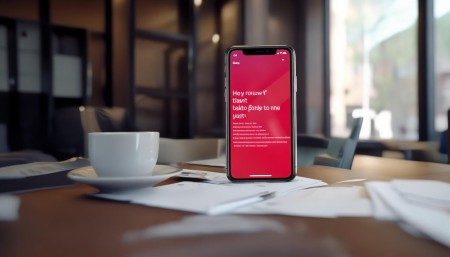
Another feature that sounded complicated but was actually simple was sentiment analysis. This is one of those buzzwords that makes people roll their eyes. But in practice, it was just a color-coded system. When clients emailed back, the AI scanned the text. If the tone seemed frustrated or urgent, the client's name showed up with a red border in the dashboard. If they were happy, it was green. Sarah didn't have to read between the lines to guess who was getting annoyed. She could see at a glance who needed extra care that day. It stopped small issues from turning into cancelled contracts.
Now, I want to be clear about something. This wasn't perfect. The AI got things wrong sometimes. Once, it tagged a spam email as a high-priority lead because the spammer used the word "budget" in a weird context. Sarah had to manually fix it. But that's the thing about these tools—they aren't there to replace you. They're there to handle the grunt work so you can focus on the stuff that actually requires a human brain. The goal isn't automation for the sake of automation; it's about buying back time.
Before this setup, Sarah spent about ten hours a week just organizing her client data and chasing down communications. After implementing these simple AI features, that dropped to maybe two hours. Those eight hours didn't just vanish. She used them to actually design. Her revenue went up not because the AI sold anything for her, but because she had more time to do the work she was good at.
There's a hesitation I see often where business owners worry that using AI makes them seem impersonal. They think clients want to talk to a human, not a bot. And they're right. Clients do want humans. But clients also don't want to wait five days for a response because you were too busy organizing files to reply. Using AI to handle the scheduling, the tagging, and the reminders actually makes you more available as a human. It clears the noise so when you do get on a call, you're present. You aren't thinking about what email you forgot to send yesterday.
If you're looking to try this yourself, don't start by buying the most expensive software on the market. Look for the tools that solve one specific pain point. Is it forgetting follow-ups? Is it losing contact details? Is it not knowing who to call first? Find a CRM that uses AI to fix that one thing. Keep it simple. You don't need predictive analytics telling you what your revenue will be in 2030. You need to know who to call this afternoon.
The landscape of business tools is changing fast, and it's easy to feel left behind. But the truth is, the most effective technology is often the invisible kind. It's the stuff that works so well you forget it's there. Sarah's system isn't flashy. There are no holograms. But it keeps her business running smoothly. And honestly, in the end, that's all any of us are really looking for. We just want to do good work without drowning in the paperwork. AI, when used simply, is just another tool in the kit to help make that happen. It's not about being futuristic. It's about being efficient enough to stay human.

Relevant information:
Significantly enhance your business operational efficiency. Try the Wukong CRM system for free now.
AI CRM system.