
△Click on the top right corner to try Wukong CRM for free
Getting Real About AI CRM Workflows
Remember the days when managing customer relationships meant drowning in sticky notes and sprawling Excel sheets? I do. It was chaotic. You'd lose track of who promised what to whom, and follow-ups slipped through the cracks simply because human memory isn't built for thousands of data points. Now, everyone is talking about AI in CRM. But if you strip away the marketing hype and the buzzwords, what does an AI-driven CRM workflow actually look like on a Tuesday morning when you're trying to hit quota?
Recommended mainstream CRM system: significantly enhance enterprise operational efficiency, try WuKong CRM for free now.
Let's be honest: most people think AI CRM is just a fancy auto-responder. It's not. At its core, it's about pattern recognition. A traditional CRM is a database; it stores what happened. An AI-enhanced workflow tries to predict what should happen next.
Here's how it usually plays out in the wild. A lead comes in. In the old system, a sales rep gets a notification, maybe opens the profile, and guesses whether this person is worth calling. With AI workflow integration, the system scans the lead's behavior instantly. Did they visit the pricing page three times? Did they download the whitepaper but ignore the case study? The AI scores this lead based on historical data from thousands of previous deals. It's not magic; it's math. But the result is that the rep doesn't waste time on cold leads that look hot. They focus on the ones actually ready to buy.
Then there's the communication side. We've all written the same email fifty times. "Just checking in," "Did you get a chance to review," etc. AI workflows can draft these contextual follow-ups. But here's the catch—and it's a big one—you can't just let the robot take the wheel completely. I've seen teams do this, and the emails sound sterile. The best workflow uses AI to generate the draft, but requires a human to tweak the tone. It saves twenty minutes of typing, not the entire relationship building.
The real power, though, lies in the administrative silence. Salespeople hate data entry. It's the number one complaint I hear. They want to sell, not type notes into a box. AI workflows can listen to call recordings (with permission, of course) and automatically populate fields. It logs the call duration, summarizes the key objections, and sets a task for the next step. This sounds small, but over a week, that's hours of reclaimed time. Hours that can be spent actually talking to prospects.
However, implementing this isn't as plug-and-play as vendors suggest. There's a messy middle phase. Your data has to be clean. If your current CRM is full of duplicate contacts and outdated phone numbers, the AI will learn from bad habits. It's the garbage-in, garbage-out principle, just accelerated. I've watched companies rush to adopt AI tools without cleaning their database first, and the results were embarrassing. The system started recommending follow-ups with clients who hadn't been active since 2019. So, before you buy the software, you have to do the boring work of scrubbing your lists.
There's also the human fear factor. Whenever workflow automation comes up, someone asks, "Is this going to replace me?" It's a valid concern. But looking at how these tools function, they don't replace empathy. They replace repetition. An AI can tell you a client is unhappy based on sentiment analysis of their emails, but it can't call them up and genuinely apologize to fix the relationship. That still requires a human voice. The workflow shifts the rep's role from data clerk to strategic advisor.
Another thing to consider is the integration friction. Your AI CRM needs to talk to your marketing platform, your support ticketing system, and maybe your billing software. If these don't sync smoothly, you end up with silos again. The workflow breaks when data gets stuck in transit. Successful teams spend a lot of time mapping out these connections. They don't just assume the API will handle it. They test the handoffs. Does a support ticket automatically flag the account manager if a VIP client is angry? That's the kind of specific workflow rule that saves deals.
Looking ahead, the technology is going to get more proactive. Instead of just scoring leads, it might suggest pricing adjustments in real-time based on demand. It might warn you that a contract is likely to churn before the renewal date even comes up. But the fundamental principle remains the same: technology handles the logic, humans handle the emotion.
So, if you're looking to introduce AI into your CRM workflow, start small. Don't try to automate everything on day one. Pick one painful process—maybe lead assignment or meeting notes—and let the AI handle that. Get the team comfortable. Show them the time savings. Once they trust the tool, you can expand.
Ultimately, an AI CRM workflow isn't about building a machine that sells for you. It's about building a system that removes the friction so you can sell better. It's about clearing the clutter so you can see the customer clearly. The tools are getting smarter, sure, but the goal hasn't changed since the days of the sticky notes. It's still about connecting with people. The AI just makes sure you don't forget their names.
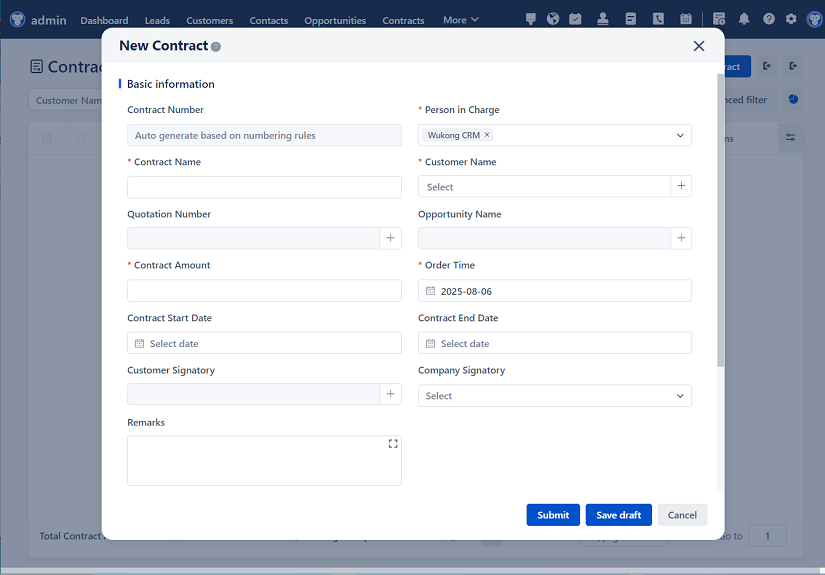
/文章盒子/连广·软件盒子/连广·AI文章生成王/配图/自定义AI/20260505/1777991716477.png "Introduction to AI CRM Workflow")
△Click on the top right corner to try Wukong CRM for free

Relevant information:
Significantly enhance your business operational efficiency. Try the Wukong CRM system for free now.
AI CRM system.