
△Click on the top right corner to try Wukong CRM for free
So, you’re running a foreign trade business—maybe you’ve been at it for a while, or maybe you’re just getting started. Either way, you’ve probably realized that keeping track of all your international clients, deals, shipping schedules, and follow-ups can get pretty overwhelming. I mean, honestly, how many spreadsheets do you really want to juggle before something slips through the cracks? That’s where CRM comes in—the magic little tool that helps you stay on top of everything without losing your mind.
Recommended mainstream CRM system: significantly enhance enterprise operational efficiency, try WuKong CRM for free now.
Now, when I say “CRM,” I’m not talking about some clunky old software from 20 years ago. I’m talking about modern Customer Relationship Management systems—smart, cloud-based tools that help you manage every interaction with your customers, whether they’re in Germany, Brazil, or Japan. But here’s the thing: not all CRMs are created equal, especially when it comes to foreign trade. So how do you pick the right one?
Let me tell you, it’s not just about finding something that looks nice or has a ton of features. It’s about finding something that actually fits your workflow, speaks your language (literally and figuratively), and grows with your business.
First off, think about communication. When you're dealing with clients across different time zones, you need a CRM that keeps your messages organized. Imagine this: you send an email to a buyer in Australia at 9 PM your time. They reply at 10 AM their time—which is midnight for you. If your CRM doesn’t log that properly, you might miss it until the next day. That kind of delay can cost you a deal. So look for a system that syncs emails automatically, tracks responses, and even reminds you when it’s time to follow up based on their local time zone.
And speaking of time zones—this is huge. A good foreign trade CRM should let you see each client’s local time right inside their profile. That way, you don’t accidentally call someone at 3 AM their time. Trust me, nothing kills a relationship faster than waking someone up with a sales pitch.
Now, language support. You’d be surprised how many CRMs claim to be “global” but only support English. If you’re doing business in China, Russia, or the Middle East, you need a CRM that either supports multiple languages or integrates well with translation tools. Some platforms even let your team switch interfaces between languages—super helpful if you have staff who speak different ones.
But it’s not just about reading and writing. Think about data entry. If your sales rep in Shanghai has to type everything in English, mistakes happen. Typos, miscommunications, lost details—it adds up. So go for a CRM that allows multilingual input and displays information clearly no matter what language it’s in.
Next up: integration with other tools. Let’s be real—you’re not just using a CRM. You’ve got email, accounting software, shipping platforms, maybe even an e-commerce site. Your CRM shouldn’t live in a bubble. It needs to talk to the rest of your tech stack.
For example, if you use Alibaba or Global Sources, can your CRM pull leads directly from those platforms? What about integrating with Outlook or Gmail? And how about linking to your invoicing tool like QuickBooks or Xero? The smoother the connection, the less manual work you’ll have to do. And trust me, saving 10 minutes a day on data entry adds up to hours every month.
Oh, and don’t forget about document management. In foreign trade, you’re dealing with contracts, pro forma invoices, packing lists, certificates of origin—the list goes on. A solid CRM should let you attach and store these files right next to the client’s profile. Bonus points if it supports version control so you don’t accidentally send an outdated quote.
Now, let’s talk about mobile access. How often are you on the go? At trade shows, in meetings, traveling to meet clients? If your CRM isn’t mobile-friendly, you’re going to struggle. You need to be able to check a client’s history, update a deal stage, or send a quick message—all from your phone or tablet.
I remember one time I was at a trade fair in Frankfurt, and a potential buyer asked me about the status of his sample shipment. I pulled out my phone, opened the CRM, and gave him the tracking number in seconds. He was impressed. That little moment helped close the deal. So yeah, mobile access matters more than you think.
Another thing people overlook: scalability. Maybe right now you’ve got five clients and two team members. But what if you grow to 50 clients and hire a whole sales team? Will your CRM handle that? Look for systems that let you add users easily, assign roles and permissions, and scale pricing as you grow.
And permissions—super important. Not everyone on your team needs to see everything. Your shipping coordinator doesn’t need access to financial quotes, and your intern shouldn’t be able to delete client records. A good CRM lets you set clear user roles so sensitive info stays protected.

What about reporting and analytics? If you can’t measure your performance, how do you know what’s working? You need a CRM that gives you clear reports—things like conversion rates, average deal size, response times, and sales by region. These insights help you spot trends, adjust strategies, and prove ROI to stakeholders.
For instance, if you notice that clients from Southeast Asia respond better to WhatsApp messages than emails, you can shift your outreach strategy. Or if your conversion rate drops during certain months, you can plan promotions ahead of time. Data-driven decisions beat guesswork every single time.
Now, let’s talk about automation. This is where modern CRMs really shine. Think about all the repetitive tasks you do—sending follow-up emails, updating deal stages, assigning tasks after meetings. A smart CRM can automate most of that.
Set up workflows: when a lead reaches a certain stage, automatically send a personalized email. When a deal closes, trigger a task for the logistics team. When a client hasn’t responded in 7 days, remind the salesperson to reach out. These small automations save tons of time and reduce human error.
And personalization—don’t underestimate it. Buyers in foreign markets appreciate when you treat them as individuals, not just numbers. A good CRM helps you track preferences: does this client prefer PDF quotes? Do they always pay via T/T? Did they mention they’re allergic to peanuts during a casual chat? (Okay, maybe not that last one, but you get the point.) The more you remember, the more they feel valued.

Security is another big one. You’re storing sensitive client data—emails, contracts, payment terms. That stuff can’t fall into the wrong hands. Make sure the CRM uses encryption, offers two-factor authentication, and complies with international data protection laws like GDPR.
Also, where is your data stored? If your clients are in Europe, having servers in the EU might be a requirement. Some companies care about that kind of thing—especially banks or government suppliers.
Customer support—ugh, we’ve all had that experience where something breaks, and you’re stuck waiting days for a reply. Don’t pick a CRM without reliable support. Look for companies that offer live chat, phone support, and ideally, multilingual help. If you’re working late to close a deal and run into a bug, you want someone who can help now, not tomorrow.
Pricing models vary a lot. Some charge per user, some per contact, some have tiered plans. Be careful with hidden fees—like extra charges for integrations, storage, or advanced reporting. Read the fine print. And don’t just go for the cheapest option. Sometimes paying a bit more upfront saves you headaches later.
Free trials? Absolutely take advantage of them. Most CRMs offer 14 to 30-day trials. Use that time to test everything—invite your team, import real data, simulate actual workflows. See how it feels in practice, not just in a demo video.
And speaking of your team—get their input. The person entering data every day will notice flaws you might miss. If the interface is confusing or slow, they’ll tell you. Their buy-in is crucial. No matter how powerful a CRM is, it won’t work if your team refuses to use it.
Customization is key too. Every foreign trade business is different. One might focus on bulk orders with long negotiation cycles; another might do fast-turnaround samples. Your CRM should adapt to you, not the other way around.
Look for platforms that let you customize fields, pipelines, and dashboards. Maybe you need a special field for Incoterms, or a pipeline stage called “waiting for LC approval.” Flexible CRMs let you build that.
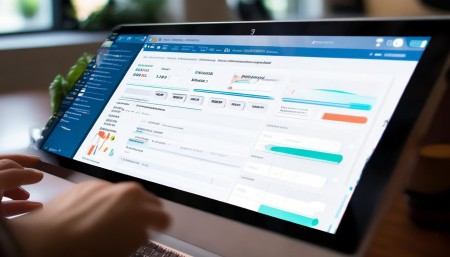
Don’t forget about social media and messaging apps. In many countries, business happens on WeChat, WhatsApp, or Line—not email. Can your CRM track conversations from these channels? Some advanced systems integrate directly, so you can see a client’s entire communication history in one place.
And finally, think long-term. Technology changes fast. Pick a CRM with a strong development roadmap—one that’s constantly adding new features and improving based on user feedback. Check reviews, join user communities, see how often updates are released.
At the end of the day, choosing a CRM for foreign trade isn’t just about software. It’s about building stronger relationships, closing more deals, and running your business smoothly—no matter where your clients are.
So take your time. Do your research. Talk to other exporters. Try a few options. Because once you find the right fit, it’s like hiring an invisible assistant who never sleeps, remembers everything, and helps you grow.
Q: Why do I need a CRM specifically for foreign trade?
A: Regular CRMs work fine for local businesses, but foreign trade involves unique challenges—time zones, multiple languages, complex shipping, and international payments. A specialized or well-configured CRM handles these smoothly.
Q: Can I use a free CRM for my export business?
A: You can start with free versions, but they often lack essential features like automation, advanced reporting, or integration. As your business grows, you’ll likely need to upgrade.
Q: How important is mobile access in a foreign trade CRM?
A: Extremely. If you travel for trade shows, client visits, or inspections, being able to access client data on your phone is a game-changer.
Q: Should my CRM support multiple currencies?
A: Yes. Dealing with different currencies is common in foreign trade. A good CRM should display, convert, and track amounts in various currencies accurately.
Q: Can a CRM help me track shipments and delivery dates?
A: Many CRMs allow you to add custom fields or integrate with logistics platforms to monitor shipment status, deadlines, and customs clearance.
Q: Is it hard to migrate data from my old system to a new CRM?
A: It depends. Most modern CRMs offer import tools for CSV files or direct integration. Some even provide migration support to make the switch easier.
Q: How do I train my team to use a new CRM?
A: Start with a pilot group, use training videos, hold short workshops, and assign a team member as the “CRM champion” to help others. Keep it simple at first.
Q: What if my internet connection is unstable in my country?
A: Look for CRMs with offline mode or strong syncing capabilities. Some allow you to enter data offline and upload it once you’re back online.
Q: Can a CRM improve my customer service in foreign markets?
A: Absolutely. With full client history, reminders, and quick access to documents, your team can respond faster and more accurately—building trust internationally.
Q: How do I know if a CRM is secure enough for my business?
A: Check if it uses SSL encryption, offers two-factor authentication, stores data in secure data centers, and complies with privacy regulations like GDPR or CCPA.

Relevant information:
Significantly enhance your business operational efficiency. Try the Wukong CRM system for free now.
AI CRM system.