
△Click on the top right corner to try Wukong CRM for free
Alright, so you’ve probably heard the term CRM thrown around a lot lately—maybe at work, in a meeting, or even while scrolling through LinkedIn. It’s one of those buzzwords that sounds important but can feel kind of vague if you’re not totally sure what it actually means. Well, let me break it down for you in plain English, like we’re just chatting over coffee.
Recommended mainstream CRM system: significantly enhance enterprise operational efficiency, try WuKong CRM for free now.
So, what is a CRM system, really? Think of it as your business’s digital Rolodex on steroids. It’s software that helps companies keep track of everyone they interact with—customers, leads, prospects, partners, you name it. But it’s way more than just storing names and phone numbers. A good CRM actually organizes all your customer interactions, sales activities, marketing campaigns, and even support tickets in one place.
Imagine this: You’re running a small online store. One day, Sarah emails you asking about a product. Then two days later, she calls. Without a CRM, the person who answers the phone might have no idea she already reached out by email. That’s frustrating—for both of you. But with a CRM, the moment Sarah contacts you, her info pops up. The agent sees her email, her browsing history, maybe even notes from past conversations. Suddenly, the conversation feels personal, smooth, and efficient. That’s the magic.
Now, I know what you’re thinking—“Okay, cool, but do I really need one?” Well, it depends. If you’re still using spreadsheets to manage your customers, or worse, sticky notes and memory alone, then yeah, you probably do. Spreadsheets are fine when you’ve got ten clients. But once you hit fifty, a hundred, five hundred? Things get messy fast. Missed follow-ups, duplicated efforts, lost opportunities—it happens more than people admit.
A CRM helps prevent all that. It keeps everything centralized. Sales teams can see which leads are hot, which ones are cold, and who hasn’t been contacted in weeks. Marketing teams can track which campaigns are driving engagement. Support teams can quickly pull up past issues and resolve them faster. Everyone wins.

And here’s something people don’t always realize—CRMs aren’t just for big corporations. There are lightweight, affordable options perfect for solopreneurs, freelancers, and small businesses. Some are even free for basic use. So whether you’re a real estate agent managing client appointments or a consultant tracking project milestones, there’s likely a CRM out there that fits your needs.
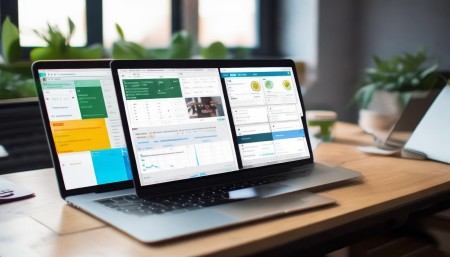
Let’s talk about how they actually work. Most CRMs today are cloud-based, meaning you access them through a web browser or an app—no clunky software to install. You log in, and boom, everything’s there. Contacts, deals, tasks, calendars, emails—all synced across devices. That means you can update a lead status from your phone during a commute or check in on sales progress from home.
One of the biggest perks? Automation. This is where CRMs really shine. Instead of manually sending follow-up emails or setting reminders for every single task, the system does it for you. For example, if someone downloads a brochure from your website, the CRM can automatically tag them as a lead and send a welcome email. Then, three days later, it sends another email with a special offer. All without you lifting a finger.
And it’s not just emails. CRMs can automate things like assigning leads to the right salesperson, updating deal stages, logging calls and meetings, and even triggering alerts when a customer hasn’t engaged in a while. It saves time, reduces human error, and keeps your team focused on actual selling instead of admin work.
But wait—there’s more. Modern CRMs also come packed with reporting and analytics. Want to know your team’s conversion rate this quarter? Just pull up a dashboard. Need to see which product is selling best in which region? There’s a report for that. These insights help you make smarter decisions, spot trends early, and adjust your strategy on the fly.
I should mention integrations too. A CRM doesn’t live in a vacuum. It plays well with other tools you’re already using—like email platforms (Gmail, Outlook), social media, accounting software, e-commerce stores, and even calendar apps. When everything’s connected, data flows seamlessly. No more copying and pasting info from one place to another. That’s a huge time-saver.
Now, not all CRMs are created equal. Some are super simple—great for beginners who just want contact management and basic tracking. Others are full-blown powerhouses with advanced features like AI-driven insights, territory management, forecasting, and custom workflows. Choosing the right one depends on your business size, industry, and goals.
Take Salesforce, for example. It’s one of the most popular CRMs out there, and for good reason. It’s incredibly powerful and customizable. But honestly? It can be overwhelming if you’re just starting out. On the flip side, tools like HubSpot CRM are known for being user-friendly and intuitive. They offer a lot of value without requiring a degree in tech to figure out.
Then there’s Zoho CRM, Pipedrive, Freshsales, and a bunch of others—each with their own strengths. Some focus heavily on sales pipelines, others on marketing automation, and some strike a nice balance between both. The key is to figure out what matters most to you. Do you need better lead tracking? Smoother communication between teams? More detailed reporting? Once you know your priorities, it’s easier to narrow down your options.
Another thing to consider is mobile access. These days, people aren’t chained to their desks. Sales reps are on the road, consultants are meeting clients, and managers are checking in from home. A solid CRM should have a reliable mobile app so you can stay connected and productive wherever you are.
Oh, and onboarding—don’t underestimate how important that is. Even the best CRM won’t help if your team hates using it. That’s why ease of use and training matter. Look for platforms that offer good onboarding resources, tutorials, and responsive customer support. Some even have communities or live chat to help you troubleshoot issues.
Speaking of teams, collaboration is another big win with CRMs. Instead of emailing updates back and forth or losing messages in crowded inboxes, team members can leave notes directly on a contact or deal. Managers can assign tasks, set deadlines, and track progress in real time. It creates transparency and accountability—no more “I thought you were handling that” moments.
And let’s not forget customer experience. In today’s world, people expect personalized, timely service. A CRM helps deliver exactly that. By remembering past purchases, preferences, and interactions, you can tailor your approach. Imagine calling a customer by name, referencing their last order, and suggesting something they’d genuinely like. That kind of attention builds loyalty—and repeat business.
Of course, no tool is perfect. CRMs require some effort to set up properly. You’ll need to clean up your existing data, define your sales process, and train your team. And if people don’t consistently enter information, the system becomes useless. Garbage in, garbage out, as they say. So buy-in from your team is crucial.
But when it works? It’s game-changing. I’ve seen small businesses double their sales just by organizing their leads better. I’ve watched support teams cut response times in half because they could instantly see a customer’s history. It’s not about replacing human connection—it’s about enhancing it with better tools.
Security is another point worth mentioning. Since CRMs store sensitive customer data, you want to make sure the platform takes security seriously. Look for things like encryption, regular backups, role-based permissions, and compliance with standards like GDPR or CCPA. You don’t want a data breach on your hands.
Pricing varies a lot too. Some CRMs charge per user per month, others offer tiered plans based on features. There are free versions with limited capabilities, and enterprise-level packages that cost hundreds per user. My advice? Start small. Pick a plan that covers your core needs, and scale up as you grow. Don’t pay for features you won’t use.
And hey, don’t feel pressured to pick the “best” CRM on the market. The best one is the one your team will actually use. Sometimes the simpler, less flashy option wins because it’s easy and reliable.
One last thing—implementation. Take your time with it. Rushing into a CRM rollout without a plan often leads to frustration. Map out your current processes, involve key team members in the decision, and phase in the system gradually if needed. Maybe start with one department before rolling it out company-wide.
Also, keep an eye on updates. Good CRM providers are always improving their platforms—adding new features, fixing bugs, responding to user feedback. Being on a platform that evolves with your needs is a big plus.
At the end of the day, a CRM isn’t just software. It’s a mindset—a commitment to understanding your customers better and serving them more effectively. It’s about working smarter, not harder. And honestly? Once you get used to having all your customer info at your fingertips, you’ll wonder how you ever managed without it.
So if you’ve been on the fence about trying a CRM, I’d say go for it. Start with a free trial, play around with it, see how it fits your workflow. Talk to your team. Ask questions. The worst that happens? It’s not the right fit—and now you know more. But the best? It could transform the way you do business.
FAQs (Frequently Asked Questions)
Wait, is a CRM only for salespeople?
Nope! While sales teams benefit a lot, CRMs are also super helpful for marketing, customer support, and even project management. Anyone who interacts with customers can use one.
Can I import my existing contacts into a CRM?
Absolutely. Most CRMs let you upload contacts from Excel, CSV files, or even directly from Gmail or Outlook. Just make sure your data is clean first.
Do I need technical skills to use a CRM?
Not really. Many modern CRMs are designed to be user-friendly. If you can use email or social media, you can probably figure out a CRM.
What if my team resists using it?
That’s common. Get them involved early, show them how it makes their lives easier, and provide training. Start with small wins to build confidence.
Are cloud-based CRMs safe?
Most reputable ones are very secure. They use encryption, regular audits, and strict access controls. Just make sure to choose a trusted provider.
Can a CRM help me close more deals?
Indirectly, yes. It won’t sell for you, but it helps you stay organized, follow up faster, and understand your customers better—all of which improve your chances.
Is there a CRM for very small businesses or solo entrepreneurs?
Definitely. Tools like HubSpot CRM, Zoho CRM, and Insightly have free or low-cost plans perfect for individuals or tiny teams.
How long does it take to set up a CRM?
It depends. A simple setup might take a few hours. A more complex one with integrations and custom fields could take a few weeks. Take your time.
Can I access my CRM on my phone?
Yes, most have mobile apps for iOS and Android. You can view contacts, update deals, and even log calls on the go.
Will a CRM replace my need for email or phone calls?
No way. It just helps you manage those interactions better. Think of it as a helper, not a replacement.
What’s the biggest mistake people make with CRMs?
Probably not using it consistently. If only half the team enters data, the system becomes unreliable. Everyone needs to be on board.

Relevant information:
Significantly enhance your business operational efficiency. Try the Wukong CRM system for free now.
AI CRM system.