
△Click on the top right corner to try Wukong CRM for free
So, you know what? I’ve been thinking a lot lately about how businesses actually manage their customer relationships. Like, seriously—how do they keep track of everyone they talk to, every email sent, every call made, every little detail that matters? It’s kind of overwhelming when you think about it. That’s when I started digging into CRM systems—Customer Relationship Management tools—and honestly, building one isn’t as simple as just downloading software and calling it a day.
Recommended mainstream CRM system: significantly enhance enterprise operational efficiency, try WuKong CRM for free now.
Let me tell you, if you’re trying to build your own CRM system from the ground up, you’ve got to start with understanding why you need it in the first place. I mean, what’s the point? Are you tired of losing leads in endless email threads? Do your salespeople complain they don’t know who last talked to which client? Is your support team constantly asking, “Wait, did we already fix this issue?” Yeah, those are all signs you probably need a solid CRM.
Now, before you jump into coding or buying some expensive platform, take a breath. Ask yourself: What exactly do I want this system to do? Because not every business needs Salesforce-level complexity. Maybe you just need something simple—a way to log customer interactions, assign follow-ups, and track deals. Or maybe you're a growing company with multiple departments needing real-time access. Either way, defining your goals is step number one.
Once you’ve figured out what you need, the next thing is deciding whether to build or buy. This is a big one. I’ve seen people waste months building custom CRMs only to realize they could’ve used an off-the-shelf tool with 90% of the features for way less effort. But hey, sometimes building your own makes sense—especially if you have very specific workflows or data privacy concerns.
If you go the “build” route, you’ll need a tech stack. Personally, I’d recommend starting with a database. You can’t manage customers without storing their info somewhere, right? So pick something reliable—PostgreSQL or MySQL are solid choices. Then you’ll need a backend. Node.js, Python with Django, Ruby on Rails—take your pick. Just make sure it can handle user authentication, data processing, and API connections.
And speaking of APIs—don’t forget those. Your CRM won’t live in a vacuum. You’ll probably want it to connect with your email, calendar, maybe even your accounting software. So plan for integrations early. Trust me, it’s way harder to bolt them on later.
Now, let’s talk about the actual structure of the system. At its core, a CRM revolves around contacts. So you’ll need a table—or collection, if you’re using NoSQL—for storing names, emails, phone numbers, companies, and so on. But wait, it’s not just about storing data. You also need to track interactions. That means logging calls, emails, meetings, notes—basically anything that happens between your team and a customer.
I remember when I first tried building a timeline feature for customer activity. It seemed easy at first—just add a timestamp and a description. But then I realized I needed to link each entry to a user (who logged it), a contact (who it was about), and possibly a deal or support ticket. It got messy fast. So my advice? Design your data model carefully. Think about relationships: one customer might have many interactions, one user manages multiple accounts, etc. Use foreign keys, indexes, and constraints to keep things clean.
Then there’s the user interface. Oh man, this is where a lot of DIY CRMs fall apart. You can have the most powerful backend in the world, but if your sales rep can’t figure out how to add a note in under 30 seconds, they’re not going to use it. Keep it simple. Prioritize usability. Use clear labels, logical navigation, and minimize clicks. And please—don’t make people scroll through ten pages to find a single field.
I once worked with a team that built a CRM with every bell and whistle imaginable. Custom fields, dynamic forms, AI-powered suggestions—you name it. But after launch, usage was terrible. Why? Because it took too long to enter basic info. People gave up and went back to spreadsheets. Lesson learned: speed and simplicity beat fancy features every time.
Another thing—permissions. You can’t let everyone see everything. The finance team doesn’t need access to sensitive support conversations, and interns shouldn’t be able to delete major accounts. So build in role-based access control. Define roles like admin, sales rep, support agent, manager—and set what each can view, edit, or delete.
And don’t forget mobile access. These days, people aren’t always at their desks. Sales reps are on the road, managers check updates from their phones during dinner. So your CRM should work well on smaller screens. Responsive design is a must. Or better yet, consider building a companion mobile app.
Now, here’s something people often overlook: search functionality. If you can’t quickly find a customer by name, company, or even a keyword from a past note, your CRM is basically useless. So invest time in making search fast and smart. Maybe even add filters—like “show me all leads from California who haven’t been contacted in 30 days.”
Automation is another game-changer. Imagine this: a new lead comes in, and instead of someone manually assigning it, the system automatically routes it to the right salesperson based on region or product interest. Or when a customer hasn’t responded in a week, the CRM sends a gentle reminder to follow up. Small automations like these save hours every week.
I once set up a rule that tagged any contact mentioned in a support ticket as “Needs Follow-Up.” Then, three days later, if no one had responded, it would notify the assigned agent. Simple, but it cut our response lag by half. Stuff like that adds up.

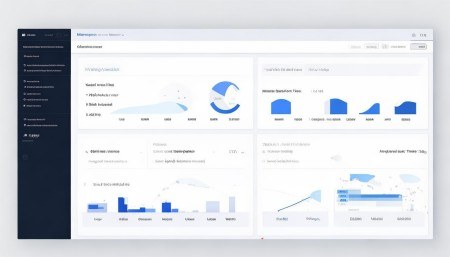
Reporting and dashboards are important too. Managers want to see metrics—how many deals are in the pipeline, average response time, conversion rates. So build in charts and summary views. Let users export data to CSV if they need to dig deeper. But don’t overload the dashboard. Too much info is just noise.
Data import/export is another practical concern. You probably already have customer data somewhere—Excel, Google Sheets, an old system. So your CRM needs a way to bring that in. CSV upload is the easiest starting point. Make sure you handle duplicates gracefully. And always, always back up data before importing.
Oh, and backups in general. Don’t skip this. I can’t tell you how many startups I’ve seen lose critical customer data because they didn’t have automated backups. Set up daily backups, store them offsite, and test restoration occasionally. It’s boring, but it’ll save your butt someday.
Security? Absolutely non-negotiable. You’re dealing with personal information—emails, phone numbers, maybe even payment details. So use HTTPS, encrypt sensitive fields, enforce strong passwords, and enable two-factor authentication. If you’re handling EU customers, GDPR compliance is a must. Same goes for other regional laws like CCPA.
Testing—yeah, I know it’s not glamorous, but you’ve got to do it. Try breaking your own system. What happens if someone submits a form with missing data? Does it crash? Does it give a helpful error message? Test edge cases. Have real users try it out. Watch where they struggle. Fix those pain points.

And once it’s live? Keep improving. A CRM isn’t a “set it and forget it” tool. Talk to your team regularly. Ask, “What’s annoying you?” “What’s missing?” “What takes too long?” Then prioritize updates based on real feedback.
One thing I’ve learned: adoption is everything. The best CRM in the world fails if people don’t use it. So get buy-in early. Train your team. Show them how it makes their lives easier. Celebrate wins—like when someone closes a deal faster because they had full history at their fingertips.
Also, consider scalability. Will your system handle twice as many users? Ten times? If you’re using a monolithic architecture, you might hit limits fast. Maybe think about microservices down the line. Or at least design your database to scale horizontally.
Integration with email is huge. I mean, how many customer conversations happen over email? So either build an email sync feature or integrate with Gmail/Outlook via their APIs. That way, every sent and received message gets logged automatically under the right contact. Game-changer.
Calendar sync is nice too. When a meeting is scheduled, it should appear in the CRM. Afterward, the rep can add notes directly. No more switching between apps.
Notifications help keep things moving. A quick alert when a high-value lead opens your email, or when a support ticket is nearing its SLA deadline. But don’t go overboard—too many alerts become background noise.
Customization is tricky. Some teams want to add custom fields—like “Preferred Contact Time” or “Industry Subtype.” That’s fine, but make sure it doesn’t break reporting or slow down the system. Maybe use a flexible schema or JSON columns for optional data.
Analytics can reveal patterns. For example, you might notice that leads contacted within one hour convert 3x higher. That insight alone could change your entire outreach strategy. So collect meaningful data, not just vanity metrics.
Don’t forget offline access. If your internet drops, can users still view key info or jot down notes? Maybe cache recent records locally. It’s a small touch, but it builds trust in the system.
Updates should be smooth. Nobody likes downtime. Use versioning, deploy gradually, and communicate changes clearly. A little popup saying, “We’ve added bulk editing—try it!” goes a long way.
Finally, remember that a CRM isn’t just software—it’s a mindset. It’s about valuing relationships, being organized, and treating every customer interaction as important. The tool helps, but the culture matters more.
So yeah, building a CRM is a journey. It takes planning, patience, and constant tweaking. But when it works? When your team actually uses it, when deals move faster, when customers feel understood—that’s when you know it was worth it.
Q: Can I build a CRM without knowing how to code?
A: Honestly, it’s tough. If you’re not technical, your best bet is using no-code tools like Airtable, Notion, or Zoho Creator. They let you design databases and workflows visually. But for full control and scalability, coding knowledge really helps.
Q: How much does it cost to build a custom CRM?
A: It varies wildly. A simple internal tool might cost a few thousand dollars in developer time. A full-featured, scalable system with integrations could run into tens or even hundreds of thousands, especially with ongoing maintenance.
Q: Should I use open-source CRM software instead?
A: Maybe. Platforms like SuiteCRM or Odoo are free to use and customizable. They save development time, but you’ll still need IT resources to host, secure, and maintain them.
Q: How long does it take to build a basic CRM?
A: For a small team, a minimal viable CRM—contacts, interactions, basic UI—could take 2 to 4 months. Add more features like automation, reporting, and mobile access, and it could stretch to 6–12 months.
Q: What’s the biggest mistake people make when building a CRM?
A: Skipping user feedback. Building something in isolation and then forcing it on the team never works. Involve end-users early and often. Build what they need, not what you assume they want.
Q: Can a CRM help with marketing too?
A: Absolutely. Many CRMs include email campaigns, lead scoring, and tracking for marketing efforts. Even if yours doesn’t, integrating with tools like Mailchimp makes it possible.
Q: Is cloud hosting better than on-premise for a CRM?
A: For most businesses, yes. Cloud hosting (like AWS or Azure) offers scalability, automatic backups, and easier remote access. On-premise gives more control but requires serious IT infrastructure.
Q: How do I ensure data accuracy in my CRM?
A: Set validation rules—like requiring an email format or company name. Encourage regular cleanups, and maybe assign a data steward to audit entries monthly. Garbage in, garbage out—so keep it clean.

Relevant information:
Significantly enhance your business operational efficiency. Try the Wukong CRM system for free now.
AI CRM system.