
△Click on the top right corner to try Wukong CRM for free
You know, I’ve been using phones for work forever—like, since the days when we had to carry two devices just to check email and make calls. But honestly? Things have changed so much now that it’s kind of mind-blowing. Like, remember when customer relationship management (CRM) meant a giant binder on your desk or some clunky desktop software you could only access from the office? Yeah, those days are gone. Now, everything’s on our phones. And not just emails and calendars—your entire CRM system can live right in your pocket.
Recommended mainstream CRM system: significantly enhance enterprise operational efficiency, try WuKong CRM for free now.
I’m serious. Think about it: how often are you actually sitting at your desk these days? Most of us are out meeting clients, hopping between coffee shops, or working remotely. So if your CRM isn’t mobile-friendly—or better yet, built for mobile—you’re missing out big time. That’s where phone CRM comes in. It’s not just a “nice-to-have” anymore; it’s essential.

So what exactly is a phone CRM? Well, it’s basically a CRM platform that’s optimized for smartphones. Some are standalone apps, others are mobile versions of bigger systems like Salesforce or HubSpot. Either way, they let you manage contacts, track deals, log calls, send follow-ups, and even update tasks—all from your phone. No laptop required.
And let me tell you, once you start using one, you’ll wonder how you ever worked without it. I used to forget half my notes after client meetings because I didn’t write them down until I got back to the office… which sometimes wasn’t until the next day. By then? My memory was foggy, details were lost, and opportunities slipped through the cracks. Not cool.
But with a phone CRM, I can open the app right after a meeting, jot down key points, tag the contact, and even schedule the next follow-up—all while I’m still in the parking lot. It’s instant. It’s efficient. And honestly, it makes me look way more organized than I actually am.
Now, setting up a phone CRM isn’t rocket science, but there are a few things you should think about first. Like, what do you actually need it to do? Are you mostly tracking leads? Managing sales pipelines? Logging support tickets? Your use case matters because not every CRM app does everything well.
For example, if you’re in sales, you probably want something that syncs with your calendar, lets you log calls and emails automatically, and gives you quick access to deal stages. If you’re in customer service, maybe you care more about ticket tracking and response times. So take a minute to figure out your priorities before downloading anything.
Once you’ve picked a CRM—say, Zoho CRM, Freshsales, or Pipedrive—you’ll need to install the app. Just go to your phone’s app store, search for it, and hit download. Easy. Then sign in with your account. If you don’t have one yet, most of these platforms offer free trials, so you can test it out before committing.
After you’re logged in, take a tour of the interface. Swipe around. Tap on things. See where your contacts are, where your deals are listed, how to add a new note. Don’t be afraid to explore. Most modern CRMs are designed to be intuitive—like, seriously, they hire real people to test usability, so they know what works.
One thing I love about phone CRMs is how they integrate with other tools. For instance, my CRM pulls in emails from Gmail automatically. So when a client replies, it shows up right in their contact profile. No forwarding, no copying and pasting. Same goes for calendar events—if I schedule a meeting in Google Calendar, it pops up in my CRM as a task or activity. It saves so much time.
And speaking of time—let’s talk about logging calls. This used to be such a pain. I’d finish a call, promise myself I’d write notes later, and then… never do it. But now, most phone CRMs have this feature where, right after a call ends, they prompt you: “Want to log this call?” You tap yes, pick the contact, add a quick summary, and boom—it’s saved. Done. No excuses.
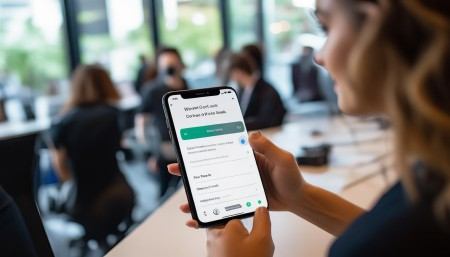
Same with sending follow-up emails. I used to have to switch between apps, copy-paste templates, and hope I didn’t forget someone. Now, I can draft an email right inside the CRM, save it as a template, and send it with one tap. Some apps even suggest the best time to follow up based on past interactions. It’s like having a tiny assistant living in your phone.
Another game-changer? Offline access. I know, sounds small, but hear me out. There are times when I’m on a train, in a basement meeting room, or just somewhere with spotty signal. Before, I’d have to wait until I got back online to update anything. Now, I can make changes offline—add a note, update a deal stage, create a task—and the app syncs everything automatically when I’m back online. No data loss. No stress.
Notifications are another big win. I used to miss follow-ups all the time because I relied on memory or sticky notes. Now, my CRM pings me when a task is due, when a lead hasn’t been contacted in a while, or when a deal is stuck in one stage too long. It keeps me accountable. And honestly, it’s helped me close more deals just by staying on top of things.
But here’s a tip: don’t overload yourself with notifications. At first, I turned on every alert imaginable—new lead, updated contact, calendar reminder, you name it. Within a day, my phone was blowing up like crazy. I ended up silencing the app altogether. Not good.
So now, I only get notified for high-priority items—like upcoming meetings or overdue tasks. Everything else I check manually when I have a quiet moment. It’s about balance. You want the CRM to help you, not distract you.
Another thing people overlook? Customization. A lot of phone CRMs let you tweak the layout, rename fields, or create custom stages in your sales pipeline. Take advantage of that. If your team uses different terminology—like “Qualified” instead of “Lead”—change it. Make it feel natural to you. The more personalized it feels, the more likely you are to actually use it.
And speaking of teams—yes, phone CRMs work great for collaboration too. You can assign tasks to teammates, leave internal notes, and even @mention people in updates. So if you’re handing off a lead or need input on a proposal, you can do it right from your phone. No more “Hey, did you see my email?” nonsense.
Security is also worth mentioning. I mean, you’re putting sensitive customer data on your phone—names, numbers, deal values. That’s not something to take lightly. Make sure your CRM has strong security features like two-factor authentication, data encryption, and remote wipe in case your phone gets lost or stolen.
Most reputable CRMs already have these built in, but it doesn’t hurt to double-check. And hey, use a passcode on your phone. I shouldn’t have to say that, but you’d be surprised how many people don’t.
Now, let’s talk about adoption. Even the best CRM won’t help if you don’t actually use it. I’ve seen teams spend thousands on software and then abandon it because “it’s too slow” or “it’s not user-friendly.” But usually, the problem isn’t the tool—it’s how they’re using it.
Start small. Don’t try to migrate your entire database overnight. Pick one workflow—like logging calls or managing leads—and master that first. Get comfortable. Build the habit. Then add more features as you go.
And involve your team. If you’re leading a group, run a quick training session. Show them how to log a call, update a deal, or assign a task. Let them ask questions. Maybe even set up a little challenge—like “Who can log the most activities this week?” People love a bit of friendly competition.
Oh, and backups. Always make sure your data is being backed up regularly. Most cloud-based CRMs do this automatically, but it’s good to confirm. You don’t want to lose months of customer history because of a glitch.
Finally, give yourself grace. Switching to a phone CRM takes time. You’ll forget to log something. You’ll tap the wrong button. You might even uninstall it once out of frustration. That’s okay. Just re-download it, take a breath, and keep going. The benefits are worth it.
Because at the end of the day, a phone CRM isn’t just about technology—it’s about relationships. It helps you remember birthdays, track promises, and stay connected with people who matter. And in business, that’s everything.
So yeah, I’m all in on phone CRM. It’s made me more productive, more reliable, and honestly, a better communicator. And the best part? It fits in my pocket. How cool is that?
Q: Can I use phone CRM without internet?
A: Yes, most modern phone CRM apps support offline mode. You can view contacts, add notes, and update records even without a connection. Once you’re back online, everything syncs automatically.
Q: Is my customer data safe on a phone CRM?
A: Reputable CRM platforms use encryption, secure login methods (like two-factor authentication), and regular backups to protect your data. Just make sure to enable these features and use a strong password.
Q: Do I need to pay for a phone CRM?
A: Many CRMs offer free plans with basic features. If you need advanced tools like automation, reporting, or team collaboration, you’ll likely need a paid plan. But there are solid options at every price point.
Q: Can I attach files to contacts in a phone CRM?
A: Absolutely. Most apps let you upload documents, contracts, or images directly from your phone’s camera or storage. These files are then linked to the contact’s profile.
Q: Will using a phone CRM drain my battery?
A: It might use a bit more power, especially if you have constant syncing and notifications. To save battery, adjust sync frequency and turn off unnecessary alerts.
Q: Can I access my desktop CRM data on my phone?
A: Yes, if your CRM has a mobile app, your data is synced across devices. Anything you update on your phone will appear on your desktop, and vice versa.
Q: What if I lose my phone?
A: As long as your CRM account is secure and your phone has remote wipe enabled, you can erase your data remotely. Your CRM data stays safe in the cloud and can be accessed from another device.

Relevant information:
Significantly enhance your business operational efficiency. Try the Wukong CRM system for free now.
AI CRM system.