
△Click on the top right corner to try Wukong CRM for free
Sure, let’s talk about something that a lot of businesses are wondering these days — can CRM actually handle inventory and order management? I mean, we’ve all heard how powerful CRM systems are, right? They help you track customer interactions, manage leads, improve sales processes, and keep your marketing campaigns on point. But when it comes to handling things like inventory levels or processing orders, is CRM really up for the job?
Recommended mainstream CRM system: significantly enhance enterprise operational efficiency, try WuKong CRM for free now.
Honestly, this is a question I’ve been asked more times than I can count. People see their CRM doing so much already, and they start thinking — hey, maybe it can do even more. Maybe it can replace that clunky old inventory system we’ve been using forever. That sounds great in theory, but here’s the thing: just because a tool can do something doesn’t always mean it should.
Let me break it down. CRM stands for Customer Relationship Management. The name itself gives you a big clue about its main purpose — managing relationships with customers. It’s built to help sales teams stay organized, remind reps when to follow up, store customer preferences, and give insights into buying behavior. It’s fantastic at helping you understand your customers better. But when we start talking about tracking warehouse stock, managing reorder points, or syncing real-time inventory across multiple locations — that’s where things get tricky.
Now, don’t get me wrong — some modern CRMs have started adding features that look like inventory or order management tools. You might see dashboards showing product availability, or buttons to create an order right from a customer profile. And sure, for very small businesses — maybe a boutique shop or a solo entrepreneur selling handmade goods — that might be enough. If you only have 20 products and sell maybe 10 orders a week, having basic order tracking inside your CRM could work fine.
But what happens when your business grows? What if you suddenly get a surge in demand during the holiday season? Or you start selling through multiple channels — online, in-store, maybe even wholesale? Now you’re dealing with complex logistics, backorders, shipping timelines, supplier lead times — none of which are really what CRM was designed for.
Think of it this way: would you use a hammer to cut vegetables? Technically, maybe you could smash them into pieces, but it’s not safe, efficient, or precise. A knife is made for that job. Same idea here. ERP (Enterprise Resource Planning) systems and dedicated inventory management platforms are built specifically to handle supply chains, stock levels, procurement, and fulfillment workflows. They integrate with warehouses, shipping carriers, accounting software, and point-of-sale systems. They’re designed to prevent overselling, automate reordering, and give real-time visibility into every unit of stock.
So when someone asks me, “Can my CRM handle inventory?” I usually respond with another question: “How complex is your inventory?” If you’re selling digital products or services with no physical stock, then yeah, CRM might cover your needs. But if you’re moving physical goods — especially if you have multiple SKUs, variants, or locations — relying solely on CRM could lead to serious headaches.
I remember working with a client who tried to run their entire e-commerce operation out of their CRM. They had about 300 products, sold through Shopify, Amazon, and their own website. At first, everything seemed okay. They used custom fields in their CRM to track inventory counts. But within a few months, they started running into problems. Orders were getting delayed because the CRM didn’t sync with their warehouse system. They accidentally oversold a popular item because the CRM didn’t update stock levels in real time. Customers got angry. Returns went up. Their team was spending hours every day manually updating numbers across different platforms.
Eventually, they realized they needed a proper inventory management system. Once they integrated it with their CRM and e-commerce platforms, everything smoothed out. Orders flowed correctly, stock levels stayed accurate, and their customer service improved because they could actually tell customers when items would be back in stock.
That’s the key — integration. You don’t necessarily have to choose between CRM and inventory management. The best approach is often to let each system do what it does best and connect them properly. Your CRM keeps track of customer history, preferences, and communication. Your inventory system handles stock, orders, and fulfillment. When they talk to each other through APIs or middleware, you get the full picture without overloading one platform.
And honestly, trying to make CRM do everything can actually hurt your customer experience. Imagine a customer calls asking, “When will my order ship?” If your CRM shows the order was placed, but doesn’t know whether the item is in stock or already packed, you’re stuck putting them on hold while you check three different systems. That’s frustrating for everyone. But if your CRM pulls real-time data from your inventory system, you can answer confidently and quickly — and that’s what builds trust.
Another thing people overlook is reporting. CRMs are great at showing sales trends by customer or region, but they usually can’t tell you things like inventory turnover rate, carrying costs, or dead stock. These metrics matter — a lot. Holding too much inventory ties up cash. Running out of stock means lost sales. You need specialized tools to analyze and optimize these areas.
Also, consider scalability. Let’s say you’re planning to expand into new markets or add subscription models. Inventory needs become even more complex. You might need batch tracking, expiration dates, serial numbers, or drop-shipping capabilities. Most CRMs just aren’t built to handle those requirements without heavy customization — and customization brings its own risks, like system slowdowns or upgrade conflicts.
Now, I should mention that some CRM vendors are pushing into this space. Salesforce, for example, has added Commerce Cloud and Service Cloud features that touch on order management. HubSpot has introduced basic order tracking for smaller businesses. Microsoft Dynamics 365 blends CRM and ERP functionalities more closely. So the lines are blurring — but even in these cases, the inventory features are often limited compared to standalone solutions like NetSuite, TradeGecko (now QuickBooks Commerce), or Zoho Inventory.
Here’s another angle: user experience. Sales reps using CRM want quick access to customer info, past purchases, and next steps. If you load the CRM interface with inventory alerts, warehouse transfer logs, and bin location maps, you’re cluttering their workspace. It becomes harder to focus on selling. Meanwhile, warehouse staff need tools optimized for scanning barcodes, printing packing slips, and managing receiving docks — not browsing customer emails.
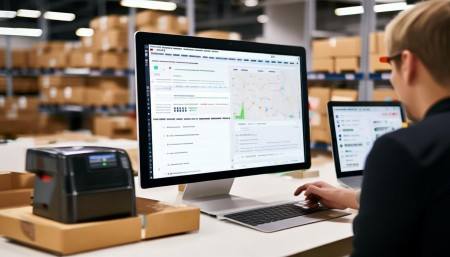
So what’s the practical takeaway? Start by mapping out your actual business needs. How many products do you manage? How many orders per day? Do you have multiple warehouses? Do you deal with perishable goods or complex bundling? Be honest about your complexity level.
Then, look at your current tech stack. Does your CRM play nicely with other systems? Can it send order data to an external inventory platform automatically? Can it receive delivery status updates and push them to the customer? Integration capability is more important than having everything in one place.
And don’t forget about cost. Yes, paying for two systems instead of one might seem expensive upfront. But think about the hidden costs of errors — shipping mistakes, lost inventory, poor customer service, wasted employee time. Those add up fast. Investing in the right tools usually pays off in the long run.
One last thought — technology should serve your business, not the other way around. Just because a vendor says their CRM now includes “inventory management” doesn’t mean it’s the right fit for you. Ask for demos. Test the limits. See how it handles edge cases, like returns, partial shipments, or discontinued items.
At the end of the day, CRM is a powerful tool — but it’s not magic. It excels at building relationships, driving sales, and improving customer engagement. Inventory and order management require precision, automation, and deep operational logic. Trying to force CRM to do both often leads to frustration, inefficiency, and missed opportunities.
So my advice? Use CRM for what it’s brilliant at — understanding and connecting with your customers. Pair it with a solid inventory and order management system that handles the logistics side. Connect them well, and you’ll have a seamless operation that delights customers and scales with your growth.
Because when everything works together — when your sales team knows exactly what’s in stock, when your warehouse knows what’s coming in, and when your customers get accurate delivery promises — that’s when you really start winning.
Q&A Section
Q: Can I use Salesforce to manage my inventory?
A: Salesforce has some inventory-like features, especially in its Commerce and Service Cloud editions, but it’s not a full inventory management system. For basic tracking, it might work. For complex needs, you’ll likely need to integrate with a dedicated platform.
Q: Is HubSpot good for order management?
A: HubSpot offers simple order tracking, mainly for small businesses with straightforward sales. If you’re dealing with multiple products, fulfillment workflows, or syncing across channels, you’ll probably outgrow it quickly.
Q: Should I connect my CRM to an inventory system?
A: Absolutely. Integration lets your CRM show real-time order and stock info without trying to manage it all internally. It’s the best of both worlds — customer insights plus accurate operations.
Q: What happens if I try to manage inventory in CRM without integration?
A: You risk data inaccuracies, overselling, manual errors, and frustrated teams. Without real-time syncing, your CRM’s inventory numbers could be outdated the moment an order is placed elsewhere.
Q: Are there any CRMs that fully handle inventory and orders?
A: Some ERP systems like Microsoft Dynamics 365 blur the line by combining CRM and inventory features. But even then, businesses with complex logistics often add specialized tools for deeper functionality.
Q: How do I know if my business needs a separate inventory system?
A: If you have more than a few dozen products, multiple sales channels, warehouses, or frequent stock issues, it’s time to consider a dedicated solution.
Q: Can CRM help with order fulfillment?
A: CRM can trigger order creation and notify teams, but actual fulfillment — picking, packing, shipping — requires warehouse management systems or inventory platforms built for that workflow.
Q: What’s the biggest mistake businesses make with CRM and inventory?
A: Assuming CRM can do everything. Overloading it with tasks outside its core strength leads to messy data, poor performance, and operational breakdowns.
/文章盒子/连广·软件盒子/连广·AI文章生成王/配图/智谱文生图/20251212/1765473079030.jpg)

Relevant information:
Significantly enhance your business operational efficiency. Try the Wukong CRM system for free now.
AI CRM system.