
△Click on the top right corner to try Wukong CRM for free
So, you run a training institution—maybe it’s a language school, a coding bootcamp, or even a fitness certification center. You’ve got students coming in, inquiries piling up, and staff trying to keep track of everything manually. Honestly, that sounds exhausting. I get it—when you’re passionate about teaching and helping people grow, the last thing you want is to drown in spreadsheets and sticky notes. That’s where CRM comes in. But wait—what exactly is a CRM again?
Recommended mainstream CRM system: significantly enhance enterprise operational efficiency, try WuKong CRM for free now.
Well, CRM stands for Customer Relationship Management. It’s basically a tool that helps you manage all your interactions with current and potential students. Think of it like a super-organized digital assistant that remembers who signed up when, who attended which class, who hasn’t paid yet, and who loved your course so much they referred three friends. Sounds helpful, right?
Now, here’s the real question: what kind of CRM should training institutions actually use? Because not all CRMs are created equal. Some are built for big corporations selling software, others for e-commerce stores pushing products. But training centers? We’ve got our own unique needs.

First off, let’s talk about student lifecycle. In a training institution, someone doesn’t just buy a product and disappear. They go through stages—awareness, inquiry, enrollment, attendance, feedback, maybe even re-enrollment. A good CRM should map out this entire journey. You need to know who’s just browsing your website, who filled out a form, who scheduled a trial class, and who actually showed up. Without tracking these steps, you’re basically flying blind.
And speaking of forms—integration matters. Your CRM should play nicely with your website, landing pages, and social media ads. Imagine someone clicks on your Facebook ad, lands on your site, fills out a contact form, and boom—their info automatically shows up in your CRM. No manual entry, no lost leads. That’s the kind of smooth experience you want.
But it’s not just about capturing leads. What happens after that? You’ve got follow-ups to manage. Let’s be honest—how many times have you meant to call back a prospect but forgot because you were swamped with classes? A solid CRM can automate reminders or even send personalized emails based on behavior. Like, if someone downloaded your course brochure but didn’t enroll, the system could send them a gentle nudge: “Hey, still thinking about joining? Here’s what others are saying about our program.”
Automation saves time, sure, but it also makes your communication feel more personal. And that’s key in education. People don’t just pick a course based on price—they choose based on trust, connection, and how supported they feel. A CRM that helps you stay in touch at the right moments can make all the difference.
Now, let’s talk about payments and billing. In a training setup, you might have one-time fees, monthly subscriptions, installment plans, or even scholarships. Your CRM should handle all that without turning into a financial nightmare. Ideally, it integrates with payment gateways so students can pay online, and you can track who’s paid, who’s overdue, and who needs a friendly reminder (or a not-so-friendly one, depending on your policy).
Attendance tracking is another big one. You can’t rely on paper sign-in sheets forever. A good CRM lets instructors mark attendance digitally—maybe even via a mobile app. Then, if a student misses two classes in a row, the system flags it and suggests reaching out. Maybe they’re struggling, maybe they’re losing interest. Either way, early intervention can help retain them.
And retention—oh man, that’s huge. It’s way cheaper to keep a current student than to find a new one. So your CRM should help you spot patterns. Who’s active? Who’s disengaged? Who completed Course A and might be ready for Course B? With the right data, you can offer personalized upsells or recommend advanced modules before they even ask.
Reporting and analytics? Yeah, they sound boring, but they’re powerful. Imagine being able to see which marketing channel brings in the most enrollments—was it Instagram? Google Ads? Word of mouth? With clear reports, you can stop wasting money on what doesn’t work and double down on what does.
Now, here’s something people don’t always think about—team collaboration. If you’ve got multiple staff members handling inquiries, sales, and support, everyone needs access to the same information. No more “I thought Sarah was following up with that lead.” With a shared CRM, updates are visible in real time. When someone moves from “interested” to “enrolled,” the whole team knows instantly.
And scalability—this is important. Maybe you’re running a small workshop now, but what if you grow? What if you add new courses, hire more instructors, open a second location? Your CRM should grow with you. It shouldn’t force you to switch systems every time you scale up.
So, what are some actual CRM options out there? Well, HubSpot is popular. It’s user-friendly, has great automation, and offers a free version. But is it built for training institutions? Not really. It’s more sales and marketing focused. You can tweak it, sure, but you might end up doing a lot of custom work.
Then there’s Salesforce. Powerful? Absolutely. Flexible? Totally. But also kind of overwhelming. If you don’t have a tech-savvy person on staff, setting up Salesforce for a training center could take months and cost a fortune. Is it worth it for a small to mid-sized institution? Probably not.
What about Zoho CRM? Now that’s interesting. It’s affordable, customizable, and integrates well with other tools. Plus, Zoho has a whole suite—Zoho Books for finance, Zoho Campaigns for email, Zoho People for HR. If you’re already using some Zoho apps, sticking with their CRM makes sense. And honestly, it’s easier to learn than Salesforce.
But here’s one you might not have heard of—Bitrix24. It’s an all-in-one platform that includes CRM, communication tools, task management, and even a learning management system (LMS) component. For training institutions, that’s kind of a big deal. You can manage leads, run webinars, track attendance, and even host course materials—all in one place. It’s like having your admin office, classroom, and marketing team under one digital roof.
And then there’s specialized solutions like Teachable or Thinkific. Wait—are those CRMs? Not exactly. They’re primarily course platforms. But they do include basic CRM features: student profiles, email sequences, sales tracking. If you’re mostly selling online courses and don’t have complex in-person logistics, one of these might be enough. But if you’re running hybrid programs or managing lots of face-to-face interactions, you’ll probably need something more robust.
Ah, and don’t forget about mobile access. How often are you on the go? At a conference, visiting a partner school, or just grabbing coffee between classes? A CRM with a decent mobile app means you can check student statuses, reply to messages, or update records from your phone. That kind of flexibility is gold.
Security is another thing. You’re dealing with personal data—names, emails, phone numbers, sometimes even ID proofs or payment details. Your CRM must be secure. Look for things like SSL encryption, two-factor authentication, and GDPR compliance if you’re dealing with international students. You don’t want a data breach on your hands.

And pricing—let’s be real. Most training institutions aren’t rolling in cash. You need something affordable. Free CRMs are tempting, but they often limit features or number of contacts. Paid ones can range from
Implementation time matters too. You don’t want to spend six months setting up a system while your business keeps running. Look for CRMs that offer quick onboarding, templates for education businesses, and responsive customer support. Bonus points if they have video tutorials or live training sessions.
Oh, and integrations! Does it connect with your email? Calendar? Zoom or Google Meet for virtual classes? Can it sync with your accounting software? The more seamless the connections, the less manual work you’ll have to do.
Let’s not overlook customization. Every training institution is different. One might focus on corporate training with B2B clients, another on kids’ coding camps. Your CRM should let you create custom fields—like “parent’s name,” “preferred class time,” or “certification status.” You shouldn’t have to force your workflow into someone else’s box.
Support and updates—yeah, they matter. Software changes. Platforms evolve. You want a CRM provider that listens to feedback, rolls out useful updates, and actually answers your questions when something goes wrong. Nothing worse than being stuck with a buggy system and no one to help.
Now, here’s a thought: what if your CRM could also help with referrals? Happy students are your best marketers. A smart CRM could automatically send a “Thank you for completing the course!” email with a link to refer friends. Maybe even offer a discount for successful referrals. Turn your alumni into advocates.
And feedback collection—super important. After a course ends, you want to know what worked and what didn’t. A CRM with built-in survey tools can automate post-course feedback requests. Then, you can analyze responses and improve future programs.
Eventually, you might even want to build a community. Alumni networks, exclusive webinars, job placement support. A CRM can help segment those groups and keep them engaged long after the final class.
At the end of the day, choosing the right CRM isn’t about picking the fanciest tool. It’s about finding one that fits how you actually work. One that reduces chaos, strengthens relationships, and gives you more time to do what you love—teaching.
So, take a step back. Look at your current process. Where are the pain points? Are leads slipping through the cracks? Are follow-ups inconsistent? Is your team overwhelmed with admin tasks? Identify those gaps, then find a CRM that closes them.
Talk to other training providers. Ask what they use. Read reviews. Try free trials. Don’t rush into a decision. This is a tool you’ll rely on daily. It should feel like a helper, not a hurdle.
And remember—you don’t need every feature under the sun. Start simple. Focus on core needs: lead capture, follow-up automation, student tracking, and reporting. Add more as you grow.
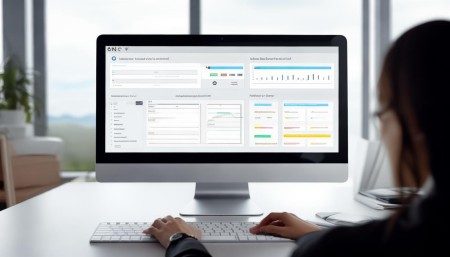
Because when your CRM works well, magic happens. You respond faster. Students feel valued. Retention goes up. Growth feels natural. And you? You get to focus on what really matters—making a difference in people’s lives through education.
Q&A Section
Q: Can I use a regular CRM like HubSpot for my training center?
A: Sure, you can. But you’ll likely need to customize it heavily. It won’t come with education-specific features out of the box, so expect some extra setup work.
Q: Do I need a CRM if I only have 20 students?
A: Even small institutions benefit. A CRM helps you stay organized, avoid missed opportunities, and build stronger relationships—even with a small group.
Q: Is it hard to switch CRMs later?
A: It can be, but most modern CRMs allow data export and import. Just plan the migration carefully and clean your data first.
Q: Can a CRM help me increase course sales?
A: Absolutely. By tracking leads, automating follow-ups, and analyzing what works, you can convert more inquiries into enrollments.
Q: Should my CRM include an LMS?
A: Not necessarily. Some do, like Bitrix24, but many schools use a separate LMS for course content and a CRM for student management. Integration between the two is key.
Q: How much should I budget for a CRM?
A: It varies. You can start with free tools or pay
Q: Can I automate certificate issuance with a CRM?
A: Some CRMs can trigger emails with certificates after course completion, especially if integrated with an LMS or document tool.
Q: Will a CRM reduce no-shows for my classes?
A: Yes—automated reminders via email or SMS can significantly cut down on missed sessions.
Q: What’s the biggest mistake people make when choosing a CRM?
A: Picking one based on features alone without testing how it fits their actual workflow. Always try before you commit.

Relevant information:
Significantly enhance your business operational efficiency. Try the Wukong CRM system for free now.
AI CRM system.