
△Click on the top right corner to try Wukong CRM for free
You know, I’ve been thinking a lot lately about how we manage customer relationships these days. It used to be that everything was on paper or stuck inside some big desktop system in the office. But now? Honestly, it feels like everyone’s got their CRM in their pocket. I mean, have you seen how many people are using mobile CRM apps now? It’s kind of wild.
Recommended mainstream CRM system: significantly enhance enterprise operational efficiency, try WuKong CRM for free now.
I remember just a few years ago, if I wanted to check up on a client’s history or update a sales note, I had to wait until I got back to my desk. That could take hours—sometimes even a whole day. And by then, the moment had passed. The client might’ve already moved on or lost interest. It was frustrating, honestly. But now? All I do is pull out my phone, open the app, and boom—I’m right back in the loop.
It’s not just about convenience either. Think about it: when you’re meeting someone face-to-face—maybe at a coffee shop or during a site visit—you can actually pull up their info right there. You don’t have to pretend you remember everything they told you last time. You can glance at your phone, see their preferences, past purchases, even the little things they mentioned—like their kid’s birthday or that they hate cold calls before 9 a.m. That kind of personal touch? That builds trust.
And let me tell you, being able to update records in real time makes such a difference. Before, I’d scribble notes on a notepad and promise myself I’d enter them later. But “later” never came. Or if it did, half the details were gone. Now, as soon as the meeting ends, I tap a few buttons and log everything while it’s still fresh. My team sees the updates instantly. No more confusion, no more double-follow-ups. It just works.
Another thing—mobility means flexibility. Life doesn’t happen between 9 and 5 anymore. I’ve sent follow-up emails from my couch at 8 p.m. after remembering something important. I’ve approved a contract from the airport while waiting for a flight. I’ve even checked in on my team’s progress during my kid’s soccer practice. Sounds crazy, but it keeps things moving. Work doesn’t stop just because I’m not at my desk.
But hey, it’s not all perfect. I’ll admit, sometimes the mobile interface isn’t as smooth as the desktop version. Some features are missing, or the layout gets cramped on a small screen. Ever tried filling out a long form on your phone? It’s doable, sure, but not ideal. And if the app crashes—or worse, if it logs you out unexpectedly—you can lose your work. That’s happened to me more than once, and let me tell you, it’s annoying.
Then there’s the issue of connectivity. Not every place has great signal. I was out in a rural area last month trying to access a client file, and my phone kept dropping in and out. I couldn’t load anything. Had to rely on memory and hope I didn’t miss anything important. So yeah, mobile CRM is powerful, but it still depends on having a decent internet connection. That’s a real limitation.
Security is another concern. I mean, think about it—your entire customer database is sitting on a device that can be lost, stolen, or hacked. If someone grabs your phone and it’s not properly locked down, they could get access to sensitive info. That’s scary. I make sure mine has a strong password, biometric login, and remote wipe enabled. But not everyone’s that careful. Companies really need to enforce good security policies when rolling out mobile CRM.
Still, despite those issues, I’d say the pros far outweigh the cons. The ability to stay connected, respond quickly, and keep data accurate—it changes how you work. Salespeople aren’t chained to their desks anymore. Customer service reps can help clients on the go. Managers can monitor performance from anywhere. It’s empowering.
And it’s not just for sales teams. Marketing folks use mobile CRM to track campaign responses in real time. Support agents log tickets while walking the floor at an event. Even executives check in on key metrics during downtime. It’s become part of the daily rhythm.
One thing I love is how mobile CRM helps with collaboration. Let’s say I’m in a meeting and realize I need input from my colleague Sarah. Instead of saying, “I’ll get back to you,” I can tag her in a note right then and there. She gets a notification, responds within minutes, and the client sees that we’re on it. No delays, no excuses. It makes the whole team look more responsive and professional.
Notifications are a game-changer too. I get alerts when a lead opens an email, schedules a call, or visits our pricing page. That lets me jump in at the right moment. Timing is everything in sales, and mobile CRM gives me that edge. I can send a quick message while the prospect is still thinking about us. It’s way more effective than following up two days later.
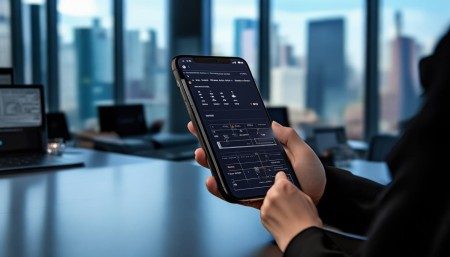
Integration is another big plus. Most mobile CRM apps connect with email, calendars, cloud storage, and even social media. So when I add a new contact, it automatically pulls in their LinkedIn profile or recent tweets. When I schedule a meeting, it shows up in my calendar without me lifting a finger. It saves so much time and reduces manual entry errors.
And let’s talk about training. Getting new employees up to speed used to take weeks. Now, with mobile CRM, they can learn on the go. They shadow a senior rep, pull up real accounts, and see how things are done—all from a phone. It’s hands-on and immediate. Plus, managers can monitor their activity and give feedback in real time.
Customer experience has improved too. When I can access full histories instantly, I don’t make the client repeat themselves. Nothing frustrates people more than having to explain their problem over and over. With mobile CRM, I can pick up right where we left off, even if it’s been months. That kind of continuity builds loyalty.
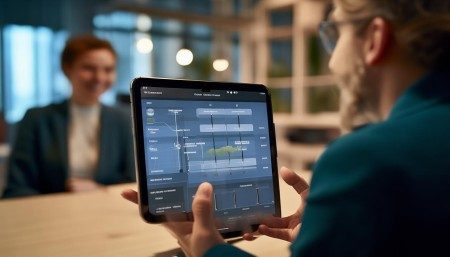
I’ve also noticed that mobile CRM encourages better habits. Because it’s so easy to log interactions, people actually do it. No more “I’ll do it later.” The barrier is low—just a few taps—and the reward is immediate: clean data, better insights, fewer mistakes. Over time, that creates a culture of accountability and accuracy.
Of course, not every CRM is created equal. Some mobile apps are clunky, slow, or missing key features. I tried one last year that took forever to load and crashed every other day. I uninstalled it within a week. But the good ones? They’re slick, intuitive, and reliable. They feel like they were built for mobile, not just shrunk down from desktop.
User experience matters a lot. If the app is hard to navigate, people won’t use it. They’ll go back to spreadsheets or sticky notes. But if it’s simple and fast, they’ll embrace it. That’s why design is so important. Big buttons, clear menus, offline access—those little things make a huge difference in daily use.
Offline mode, by the way, is a lifesaver. I’ve used it on planes, in basements, even in elevators. You can view records, add notes, and save drafts without a connection. Once you’re back online, it syncs automatically. It’s not perfect—some actions still require live access—but it’s way better than nothing.
Customization helps too. Every business is different. Being able to tailor dashboards, fields, and workflows to your team’s needs makes the tool more useful. I’ve set mine up so I only see the info I care about. Less clutter, faster decisions.
Analytics on mobile aren’t as detailed as on desktop, but they’re getting better. I can check my sales pipeline, see conversion rates, and track goals from anywhere. It’s not deep diving, but it’s enough to stay informed and make quick adjustments.
One thing I appreciate is how mobile CRM supports remote work. Since the pandemic, more people are working from home or hybrid setups. Mobile access ensures everyone stays connected, no matter where they are. It levels the playing field between office staff and field reps.
It’s also great for global teams. Time zones don’t matter as much when you can pass information seamlessly. A rep in London can update a record at midnight their time, and the manager in New York sees it first thing in the morning. Collaboration becomes fluid, not delayed.
Let’s not forget about customer-facing uses. Some companies let clients access parts of the CRM through portals. They can check order status, submit requests, or chat with support—all from their phones. That transparency builds trust and reduces friction.

And for businesses with field service teams—like technicians or installers—mobile CRM is essential. They can pull up job details, capture signatures, invoice on the spot, and update inventory in real time. No more paperwork, no more delays. Everything’s digital and instant.
I’ve seen firsthand how it improves efficiency. One company I worked with reduced their billing cycle from five days to same-day just by switching to mobile CRM. Technicians closed jobs on-site, and invoices went out immediately. Cash flow improved almost overnight.
Data accuracy has gotten better too. When entries are made on the spot, there are fewer mistakes. No more misheard names, wrong addresses, or forgotten promises. What you say is what gets recorded.
It’s also helped with compliance. In industries like healthcare or finance, keeping accurate records is mandatory. Mobile CRM logs every action with timestamps and user IDs. Audits are easier, and risks are lower.
But here’s the thing—technology alone isn’t enough. You still need training, buy-in, and clear processes. I’ve seen companies roll out a fancy mobile CRM and wonder why nobody uses it. Turns out, they didn’t train the team or explain the benefits. People stuck to old ways because change felt risky or unnecessary.
So leadership matters. Managers need to model the behavior, encourage usage, and celebrate wins. When the boss is logging notes from their phone, others follow. Culture shifts slowly, but it does shift.
Looking ahead, I think mobile CRM will keep evolving. AI will play a bigger role—predicting next steps, suggesting replies, even automating routine tasks. Voice commands might let us update records hands-free. Augmented reality could overlay client data during meetings. The possibilities are exciting.
For now, though, the core benefit remains the same: staying close to your customers, no matter where you are. That human connection—that’s what business is about. And mobile CRM helps us maintain it, even in a fast-moving world.
So yeah, is mobile CRM convenient? Absolutely. Is it essential? For most businesses today, I’d say yes. It’s not just a tool—it’s a mindset. It’s about being present, responsive, and organized, wherever life takes you.
Q: Can I use mobile CRM without an internet connection?
A: Yes, many mobile CRM apps offer offline mode. You can view data, add notes, and save drafts without Wi-Fi or cellular data. Once you’re back online, your changes sync automatically.
Q: Is mobile CRM secure?
A: It can be, but it depends on the app and your precautions. Use strong passwords, enable two-factor authentication, and make sure your device has remote wipe capabilities. Companies should also enforce security policies.
Q: Do all CRM features work on mobile?
A: Not always. Some advanced reporting or customization tools may only be available on the desktop version. However, most core functions—like viewing contacts, logging calls, and updating deals—are fully supported.
Q: Can my team collaborate using mobile CRM?
A: Definitely. You can assign tasks, mention teammates, share files, and comment on records—all from your phone. Real-time updates keep everyone on the same page.
Q: Will using mobile CRM save me time?
A: Most users find it saves time by reducing data entry delays, improving response times, and cutting down on administrative tasks. Logging info on the spot means less catching up later.
Q: What if I lose my phone?
A: If your phone is lost or stolen, you can remotely log out of the CRM app or wipe company data using mobile device management tools. That’s why setup and security are crucial.
Q: Can I integrate mobile CRM with other apps?
A: Yes, most mobile CRM platforms integrate with email, calendars, cloud storage, and productivity tools. This helps streamline workflows and avoid switching between apps.
Q: Is mobile CRM only for sales teams?
A: No, it’s useful for customer service, marketing, field service, and even management. Anyone who interacts with customers or needs real-time data can benefit from mobile access.

Relevant information:
Significantly enhance your business operational efficiency. Try the Wukong CRM system for free now.
AI CRM system.