
△Click on the top right corner to try Wukong CRM for free
You know, running a training school isn’t just about teaching—it’s also about managing people, schedules, payments, and communication. And honestly, doing all that with spreadsheets and paper notes? That gets messy fast. I’ve seen it happen. One minute you’re tracking student progress, the next you’re digging through emails trying to remember who paid what and when. It’s exhausting.
Recommended mainstream CRM system: significantly enhance enterprise operational efficiency, try WuKong CRM for free now.
That’s why more and more schools are turning to CRM systems—Customer Relationship Management tools—but tailored for education. Think of it like a digital assistant that remembers everything for you. It keeps track of leads, enrolls students smoothly, manages payments, sends reminders, and even helps teachers stay in the loop. Sounds nice, right?
Let me tell you how we built one for our training center. We didn’t want some clunky corporate software—we needed something simple, intuitive, and actually useful for real people working day to day. So we started by asking: What do we struggle with most?
First, lead management. We were getting inquiries from social media, websites, phone calls—you name it. But half the time, someone would call back two weeks later and we’d have no idea who they were or what they wanted. Not great. So we built a section where every lead gets logged automatically. Name, contact info, course interest, how they found us—all stored in one place. Now, when someone calls, we can pull up their info in seconds.
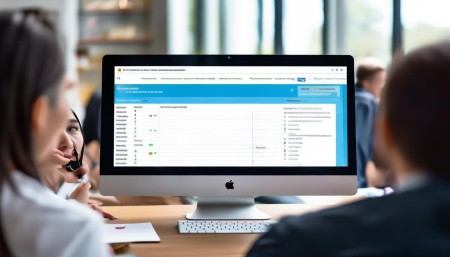
Then there’s enrollment. Before, signing someone up meant filling out forms, chasing down payments, sending confirmations… manually. It took forever. With the CRM, it’s all online. Prospective students fill out a form, pick a course, pay securely, and get an instant confirmation email. The system even adds them to the class roster and notifies the instructor. No more double-checking spreadsheets.
And speaking of instructors—communication is huge. Teachers need to know who’s in their class, any special needs, attendance records. The CRM gives them access to exactly what they need—nothing more, nothing less. They can mark attendance with a few taps, see upcoming sessions, and even send quick updates to students. It saves so much time.
Payments used to be a nightmare. Cash, bank transfers, partial payments—it was hard to keep track. Now, the CRM handles invoicing, tracks due dates, sends payment reminders, and flags overdue accounts. We even set up automatic receipts. Parents love that—they get everything instantly, no follow-up needed.
But here’s the thing: a CRM isn’t just about automation. It’s about relationships. We added features that help us stay personal. For example, the system reminds us to check in with students after their first class. “Hey, how was your session? Any questions?” Small things like that make a big difference. People feel seen.
We also built in feedback collection. After each course ends, students get a short survey. Their responses go straight into the system, so we can spot trends. If three people say the pace was too fast, we adjust. If everyone loves a particular teacher, we take note. It’s not just data—it’s insight.
One feature we didn’t expect to love? The reporting dashboard. At a glance, we can see how many new leads came in last month, which courses are full, how much revenue we made. It helps us plan better. Like, if beginner classes are always packed but advanced ones aren’t, maybe we need to promote differently. Or offer combo packages.
Integration was key too. We didn’t want to juggle five different apps. So we connected the CRM with our email, calendar, and accounting software. When a student enrolls, it automatically shows up in Google Calendar. Payment data flows into QuickBooks. Everything talks to each other. It feels seamless.
Security? Yeah, that mattered. We’re dealing with personal info—names, emails, payment details. So we made sure the system uses encryption, secure logins, and role-based access. Only admins can see financial reports. Teachers only see their class lists. Parents only see their child’s info. Privacy isn’t optional.
Oh, and mobile access! Can’t forget that. We made sure the CRM works on phones and tablets. Whether I’m at home or walking between classrooms, I can check enrollments, reply to messages, or update a record. It keeps things moving.
Was it easy to build? Not really. Took a few months, some trial and error. We started small—just lead tracking and enrollment. Then added pieces as we went. Got feedback from staff, tweaked things, fixed bugs. It wasn’t perfect at first, but it got better every week.
Now? Honestly, I don’t know how we ran the school without it. It’s not just saving time—it’s helping us serve students better. We respond faster, organize smarter, and actually enjoy the admin side of things. Well, maybe “enjoy” is strong. But it’s definitely less painful.
If you’re thinking about building a CRM for your training school, my advice? Start with your biggest pain points. Don’t try to do everything at once. Talk to your team—what drives them crazy? What would make their job easier? Build around real needs, not fancy features.
And remember, it’s not about replacing people. It’s about giving them better tools. A good CRM doesn’t make your school cold or robotic—it helps you be more human. You spend less time on paperwork and more time connecting with students, improving courses, growing your mission.
At the end of the day, education is personal. But running a school doesn’t have to mean drowning in logistics. With the right system, you can stay organized, stay focused, and still keep that personal touch. That’s what we’ve found, anyway.

Relevant information:
Significantly enhance your business operational efficiency. Try the Wukong CRM system for free now.
AI CRM system.