
△Click on the top right corner to try Wukong CRM for free
You know, I used to think CRM was one of those clunky office tools you only accessed from a desktop. Like, seriously, who has time to log in through a computer every time they need to check a client note or update a follow-up? But then I started using my phone more—like, a lot more—and honestly, it changed everything.
Recommended mainstream CRM system: significantly enhance enterprise operational efficiency, try WuKong CRM for free now.
I remember the first time I opened my CRM app on my phone during a coffee break. I was waiting for a meeting, scrolling through emails, and thought, “Hey, why not just pull up that lead I was supposed to call?” So I did. And guess what? It took me two minutes to review their history, jot down a quick reminder, and schedule the call. No laptop, no hassle. That little moment made me realize how powerful mobile CRM can be.
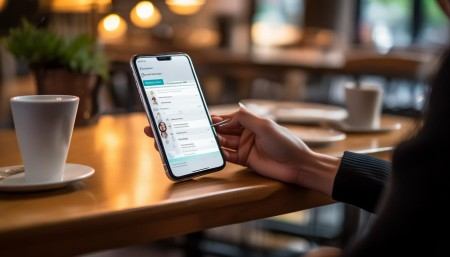
Here’s the thing—your phone is with you all day, right? Whether you’re hopping between meetings, commuting, or even standing in line at the grocery store, it’s there. So if your CRM lives on your phone too, you’ve basically got your entire customer database in your pocket. How cool is that?
One of the best things I’ve learned is to keep updates real-time. Like, if I finish a call with a client, I don’t wait until I get back to my desk. I open the app right then and add notes. Because let’s be honest, memory fades fast. Ten minutes later, I might forget that one key detail they mentioned about their budget concerns. But if I log it immediately, it sticks. Plus, my team sees the update instantly. No delays, no confusion.
Another game-changer? Notifications. I used to miss follow-ups because I’d forget to check my task list. Now, my CRM pings me when something’s due. A little buzz in my pocket reminds me to send that proposal or touch base with a cold lead. It’s like having a tiny assistant whispering, “Hey, don’t forget this.” And honestly, it helps me stay on top of things without feeling overwhelmed.
I also love using voice-to-text when I’m updating records. Sometimes I’m walking or driving (hands-free, of course), and typing isn’t practical. So I just tap the mic icon and say, “Left voicemail for Sarah about Q3 pricing. She’ll call back Thursday.” The app transcribes it, and boom—it’s saved. Super fast, super easy.
And speaking of speed, mobile CRM cuts down so much admin time. Instead of saving tasks for “later,” which often turns into “never,” I handle them on the go. Signed a contract at a client’s office? Snap a photo and upload it directly from my phone. Need to assign a task to my teammate? Done in three taps. It feels like I’m getting twice as much done without working harder.
But here’s a tip I wish I’d known sooner—customize your mobile view. At first, I was frustrated because the app felt cluttered. Too many fields, not enough focus. Then I realized I could hide the stuff I don’t need on my phone. Now, when I open a contact, I see only the essentials: name, recent interactions, next steps. Clean, simple, perfect for quick access.
Oh, and offline mode! That’s been a lifesaver. I was once in a basement meeting room with zero signal, but I still needed to update a deal stage. Thanks to offline access, I made the change, and as soon as I walked into the hallway with service, it synced automatically. No lost data, no stress.
Let’s talk about collaboration too. My team uses the mobile CRM to tag each other in comments. If I’m stuck on a client issue, I can quickly mention my manager and ask for advice—right from my phone. They get the alert, respond, and we keep moving. It keeps communication flowing, even when we’re not in the same place.
I’ve also started using location-based reminders. For example, if I’m near a client’s office, my CRM nudges me: “John works nearby. Want to drop a quick hello?” It sounds small, but those spontaneous touches build stronger relationships. People notice when you remember them, even casually.
And don’t underestimate the power of quick reporting. Before a sales meeting, I pull up my weekly performance stats on my phone. How many calls did I make? What’s my conversion rate? Seeing that data in seconds helps me walk in prepared, confident. No more fumbling with spreadsheets.
Look, I’m not saying mobile CRM replaces deep work. You still need your laptop for detailed reports or complex setups. But for day-to-day customer management? Your phone is where it’s at. It keeps you agile, responsive, and connected.
The more I use it, the more natural it feels. Checking in on leads, logging conversations, setting reminders—it’s all part of my routine now, like checking social media or texting a friend. But instead of wasting time, I’m actually building my business.
So if you’re still treating your CRM like a desktop-only tool, do yourself a favor—download the app. Play with it. Start small. Update one record from your phone today. You’ll be surprised how much smoother your workflow becomes.
Trust me, once you go mobile, you won’t want to go back.

Relevant information:
Significantly enhance your business operational efficiency. Try the Wukong CRM system for free now.
AI CRM system.