
△Click on the top right corner to try Wukong CRM for free
You know, I’ve been thinking a lot lately about how businesses—especially small ones—manage their customer relationships. It’s not always easy keeping track of who you talked to, what they said, when you followed up, and whether that lead ever turned into an actual sale. Honestly, without some kind of system, it’s like trying to remember everyone’s birthday in your head—it just doesn’t work after a while.
Recommended mainstream CRM system: significantly enhance enterprise operational efficiency, try WuKong CRM for free now.
That’s where CRM software comes in. If you’re not familiar with the term, CRM stands for Customer Relationship Management. Basically, it’s a tool that helps companies organize interactions with current and potential customers. Think of it as a digital Rolodex on steroids. But here’s the thing—not every business can afford expensive enterprise-level solutions like Salesforce or HubSpot. That’s why I started looking into free and open-source CRMs. And let me tell you, there are some really solid options out there.
I was actually surprised by how many high-quality, no-cost CRM platforms exist. A lot of people assume “free” means “low quality,” but that’s just not true anymore. Open-source software has come a long way. In fact, because the code is publicly available, these tools often get contributions from developers all over the world, which means constant improvements, better security, and more transparency.
One of the first ones I came across was SuiteCRM. Now, this one’s interesting because it’s actually a fork of SugarCRM, which used to be open source before going proprietary. The community took the last open version and kept building on it. SuiteCRM gives you pretty much everything you’d expect: contact management, sales automation, marketing campaigns, even support ticketing. It’s powerful, customizable, and honestly feels like something you’d pay thousands for.
And the best part? You can install it on your own server. That means you control your data completely. No third-party hosting your customer info. For privacy-conscious businesses—or anyone worried about data leaks—that’s a huge win.
Then there’s EspoCRM. I really liked this one because it’s clean, modern, and super user-friendly. It doesn’t overwhelm you with features right off the bat. Instead, it starts simple and lets you grow into it. You can manage leads, create tasks, log calls, send emails—all within the interface. Plus, it has a built-in email client, so you don’t have to switch between apps constantly.
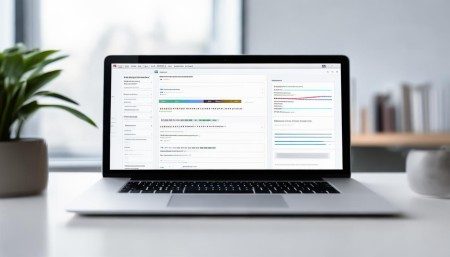
What stood out to me was how well-designed the UI is. It feels intuitive, like it was made by people who actually use CRMs every day. And again, since it’s open source, you can tweak the layout, add custom fields, or even build your own modules if you’ve got a developer on hand.
Odoo is another big name in this space. Now, Odoo isn’t just a CRM—it’s actually a whole suite of business apps, including accounting, inventory, HR, and e-commerce. But their CRM module is quite good. It integrates seamlessly with the other tools, which is perfect if you’re running a small business and want everything in one place.
I’ll admit, Odoo has a bit of a learning curve. There’s a lot going on. But once you get the hang of it, it’s incredibly efficient. And the community edition is completely free. They do offer a paid version with extra features and cloud hosting, but you don’t need it unless you want those bells and whistles.
Now, if you’re someone who loves simplicity, Vtiger might be more your speed. It started as an open-source project and still offers a free version, though they’ve shifted focus toward their paid cloud products. Still, the open-source version is fully functional and great for small teams.
I liked how Vtiger handles workflows. You can set up automation rules—like sending a follow-up email three days after a lead is created—without writing any code. That kind of thing saves so much time. And their mobile app is solid, so you’re not chained to your desk.
Then there’s CiviCRM. This one’s a little different because it’s specifically designed for nonprofits, associations, and political campaigns. So if you’re not in that space, it might not be the best fit. But if you are, wow—this tool is amazing.
It handles donor management, event registration, email marketing, and even grant tracking. Plus, it integrates really well with content management systems like WordPress and Drupal. I’ve seen nonprofits run entire operations through CiviCRM. It’s powerful, purpose-built, and totally free.
Of course, no discussion about open-source CRMs would be complete without mentioning Dolibarr. This one flies under the radar a bit, but it’s worth checking out. It’s lightweight, easy to install, and covers CRM, invoicing, inventory, and project management. It’s not as flashy as some others, but it gets the job done.
I installed it on a test server just to play around, and within 20 minutes, I had contacts imported and a basic sales pipeline set up. It’s not going to win design awards, but it’s reliable and actively maintained by a passionate community.
Now, I should mention—using open-source software does come with some responsibilities. You’re usually responsible for hosting, updates, and security patches. That means either having some technical know-how or working with someone who does. It’s not as plug-and-play as a SaaS product where the company handles everything for you.
But here’s the trade-off: you gain control. You’re not locked into a subscription you can’t afford. You’re not at the mercy of a vendor suddenly changing pricing or shutting down a feature. And you can customize the software to fit your exact needs, not the other way around.

Another thing I appreciate about these tools is the communities behind them. Most of them have active forums, documentation, and user groups. So if you get stuck, chances are someone’s already solved the problem and posted a solution online. That kind of peer support is invaluable.
And let’s talk about cost for a second. I know “free” sounds too good to be true, but in this case, it really is free. No hidden fees, no trial periods, no watermarked reports. You download it, install it, and start using it. Of course, if you want professional support or custom development, that might cost money—but the core software remains free forever.
I also think open-source CRMs are great for learning. If you’re new to sales or marketing operations, installing one of these on a local machine is a fantastic way to understand how CRM systems work behind the scenes. You see how data flows, how automations trigger, how reports are generated. It’s like getting under the hood of a car instead of just driving it.
One thing I’ve noticed is that a lot of these platforms are starting to include AI features. Not full-blown artificial intelligence, but smart suggestions, predictive lead scoring, and automated data entry. It’s still early days, but it’s exciting to see open-source projects keeping up with tech trends.
Security-wise, I was a little nervous at first. I mean, anyone can see the code, right? Doesn’t that make it easier to exploit? But then I learned about the “many eyes” principle—the idea that with more developers reviewing the code, vulnerabilities get spotted and fixed faster than in closed-source software. And most of these projects take security seriously, issuing regular updates and encouraging best practices.
Backups are important too. Since you’re self-hosting, you’ve got to make sure you’re backing up your database regularly. I set up automatic backups on my test server, and it only took a few minutes to configure. Better safe than sorry.
Performance-wise, these CRMs run pretty smoothly, especially if you’ve got decent hosting. I ran SuiteCRM on a basic VPS, and it handled hundreds of contacts without breaking a sweat. Of course, if you’re dealing with tens of thousands of records, you might need to optimize things a bit—index your database, enable caching, that sort of thing.
Integration is another plus. Most of these support APIs, so you can connect them to other tools you use—email services, calendars, payment processors, you name it. Some even have pre-built connectors for popular platforms.
I tried hooking EspoCRM up to Google Calendar, and it synced my meetings automatically. That kind of seamless integration makes life so much easier. No more double-booking or missed appointments.
Mobile access is also important. Luckily, most of these have responsive web interfaces, so they work well on phones and tablets. Some even offer dedicated mobile apps. I tested the Odoo app, and it worked great—let me update deals and check messages on the go.
Customization is where open-source CRMs really shine. Need a special field for tracking customer preferences? Add it. Want to change the color scheme to match your brand? Go ahead. Need to automate a complex approval process? Build a workflow. The flexibility is incredible.
And because the source code is open, developers can extend functionality in ways that would be impossible with closed systems. I saw one user modify SuiteCRM to integrate with a local government database—something no commercial CRM would ever support.
Support options vary. Some projects offer paid support plans. Others rely entirely on community help. I found the forums to be surprisingly helpful. People are generally friendly and willing to share tips. There are also plenty of tutorials on YouTube and blogs.
Deployment can be done in different ways. You can install it on your own server, use a cloud provider, or even run it locally for testing. Docker images are available for many of these, which makes setup a breeze if you’re familiar with containerization.
Updates are something to keep an eye on. You’ll want to stay current to get new features and security fixes. Most projects have clear upgrade paths and detailed release notes. I schedule updates during low-activity periods to avoid disruptions.
Data migration is another consideration. If you’re switching from another CRM or spreadsheets, you’ll need to import your data. CSV imports are standard, and most platforms guide you through the process. I moved a few hundred contacts from Excel to Vtiger, and it took less than ten minutes.
Reporting is solid across the board. You can generate sales forecasts, track conversion rates, monitor team performance—pretty much any metric you’d want. Dashboards are customizable, so you can put the most important info front and center.
Email tracking is a nice touch. Some of these CRMs let you see when a customer opens your message or clicks a link. That’s super useful for following up at the right time. I used it in EspoCRM and was able to close a deal just by noticing someone had opened my proposal twice.
Overall, I’m really impressed by what’s available in the free and open-source CRM space. These aren’t half-baked side projects—they’re mature, reliable tools that can power real businesses. Whether you’re a solopreneur, a nonprofit, or a growing startup, there’s likely a solution here that fits.
They might not have all the polish of billion-dollar SaaS products, but they make up for it in freedom, flexibility, and ownership. And in today’s world, where data privacy and control matter more than ever, that’s a big deal.
So if you’re tired of paying monthly fees for software you barely use, or if you’re frustrated by limitations in your current CRM, do yourself a favor—take a look at what’s out there. You might be surprised by what you find.
Q: Are open-source CRMs really free?
A: Yes, the software itself is completely free to download, use, and modify. You might pay for hosting, support, or custom development, but there’s no licensing fee.

Q: Can I use these CRMs on my phone?
A: Most have mobile-responsive web interfaces, and some offer dedicated mobile apps for iOS and Android.
Q: Do I need technical skills to set one up?
A: Basic technical knowledge helps, especially for installation and maintenance. But many guides and community resources are available to assist beginners.
Q: Is my data safe with self-hosted CRMs?
A: You have full control over your data, which can be safer than third-party hosting. Just make sure to implement strong security practices like regular updates and backups.
Q: Can I migrate my data from another CRM?
A: Yes, most support CSV imports and have tools to help transfer contacts, deals, and activities from other systems.
Q: What if I need help or run into problems?
A: Active communities, forums, documentation, and sometimes paid support options are available depending on the CRM.
Q: Can I customize the CRM to fit my business?
A: Absolutely. One of the biggest advantages of open-source is the ability to modify features, add fields, and build custom workflows.

Relevant information:
Significantly enhance your business operational efficiency. Try the Wukong CRM system for free now.
AI CRM system.