
△Click on the top right corner to try Wukong CRM for free
So, you know when you're trying to keep track of all your customers—like who bought what, when they last reached out, or what they said about your product? Yeah, it gets messy real quick if you’re just using spreadsheets or sticky notes. That’s where a CRM information system comes in. Honestly, I didn’t get how useful it was until I actually started using one at work.
Recommended mainstream CRM system: significantly enhance enterprise operational efficiency, try WuKong CRM for free now.
At first glance, a CRM—Customer Relationship Management—might sound like some fancy tech term that only big companies care about. But trust me, even small businesses can benefit from it. It’s basically a tool that helps you manage every interaction you have with your customers. Think of it like a super-organized digital notebook, but way smarter.
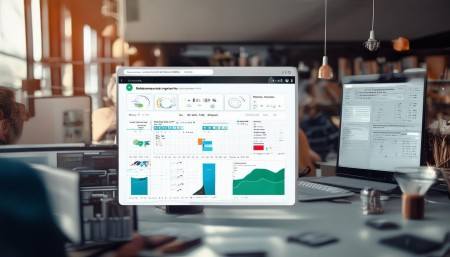
One of the main things a CRM does is store customer data. I mean, everything—names, emails, phone numbers, purchase history, support tickets, even personal details like birthdays or their favorite coffee order (if you’re really on top of things). Instead of digging through old emails or asking coworkers, you just pull up the CRM and boom—there it is. Saves so much time.
But it’s not just about storing info. A good CRM actually helps you use that data. Like, imagine knowing exactly which customers haven’t bought in six months. The system can flag them for you, so you can send a friendly “We miss you” email. Or maybe someone keeps visiting your pricing page but hasn’t purchased—your CRM might suggest sending them a discount code. It’s kind of like having a helpful assistant whispering suggestions in your ear.
Another thing I love? Automation. I used to spend hours copying data from emails into spreadsheets or manually assigning follow-up tasks. Now, the CRM does most of that for me. When someone fills out a contact form on our website, their info automatically goes into the system, and an email gets sent right away. No more dropping the ball because I forgot to respond.
And speaking of responses—communication tracking is huge. Every time I call, email, or chat with a customer, the CRM logs it. So if my coworker takes over the account later, they don’t have to ask, “What did we talk about last week?” They can just check the timeline. It makes teamwork way smoother.
Sales management is another big function. If you’re in sales, you know how important it is to track leads. A CRM lets you see where each lead is in the sales funnel—whether they’re just browsing, considering a purchase, or ready to buy. You can set reminders to follow up, assign tasks, and even predict revenue based on current deals. It gives you a clear picture instead of guessing.
I remember before we had a CRM, our sales team would argue about who was supposed to call which client. Now, everything’s assigned and tracked. No confusion, no overlap. Plus, managers can see performance metrics—who’s closing the most deals, who needs help—so coaching becomes way more effective.
Marketing teams benefit too. With a CRM, you can segment your audience. For example, you might want to send a special offer only to people who bought Product A but not Product B. The CRM pulls that list instantly. Then, after the campaign, you can measure open rates, click-throughs, and conversions—all inside the same system. It closes the loop between marketing efforts and actual results.
Customer service improves dramatically as well. Support agents can see a customer’s entire history the moment they pick up the phone. No more making the customer repeat themselves. “Hi Sarah, I see you called last week about the shipping delay—did that get resolved?” That kind of personalized attention? Customers notice. And they appreciate it.
Also, CRMs often come with ticketing systems. When someone reports an issue, it creates a ticket that moves through different stages—open, in progress, resolved. Everyone on the team knows the status, and nothing slips through the cracks. Plus, you can set SLAs (service level agreements) so urgent issues get prioritized.
Now, here’s something people don’t always think about: analytics and reporting. A CRM collects tons of data, and it can turn that into easy-to-read reports. You can see trends—like which products are selling best in which regions, or which marketing channels bring in the most qualified leads. These insights help you make smarter business decisions instead of just going with your gut.
For example, we noticed through our CRM reports that most of our high-value customers came from webinars. So we doubled down on hosting more webinars and scaled back on less effective ads. That kind of insight paid off quickly.
Integration is another game-changer. Most CRMs play nicely with other tools—email platforms, calendars, accounting software, social media, even e-commerce sites. So your customer data flows seamlessly across systems. No more logging into five different apps to get a full picture.
And let’s talk about mobile access. I’m not always at my desk. Sometimes I’m at a conference, meeting a client, or working from home. With a CRM app on my phone, I can update records, check tasks, or send messages on the go. It keeps me connected without being chained to a computer.
Collaboration features are pretty cool too. You can tag teammates in notes, mention them in updates, or share customer insights across departments. Marketing learns what sales is hearing from clients, and product teams get direct feedback. It breaks down silos and keeps everyone aligned.
Security-wise, CRMs are usually solid. Customer data is sensitive, so good systems have role-based access. That means only certain people can view or edit specific information. Plus, there are audit trails showing who changed what and when. It’s reassuring, especially with privacy laws like GDPR.
Scalability matters too. When we first started using our CRM, we were a team of ten. Now we’re over fifty, and the system has grown with us. We’ve added new users, customized fields, and even built automated workflows for different departments. It adapts instead of holding us back.
Customization is key. Not every business works the same way. A CRM lets you tweak pipelines, create custom fields, design your own dashboards, and automate unique processes. It feels less like using someone else’s tool and more like building your own.
Onboarding new employees is easier now too. Instead of spending days training them on where to find things, we just give them access to the CRM. They can explore customer histories, learn past interactions, and understand our processes faster. It shortens the learning curve.
Oh, and let’s not forget customer retention. It’s way cheaper to keep existing customers than to find new ones. A CRM helps you stay in touch, recognize loyalty, and spot warning signs—like declining engagement—before someone leaves. You can reach out proactively instead of reacting too late.
Personalization is huge these days. People don’t want generic messages. With CRM data, you can tailor communications. “Hey John, since you loved our hiking boots, here’s a heads-up on our new trail running line.” That feels thoughtful, not robotic.
Feedback loops are better too. After a sale or support call, the CRM can trigger a survey. You collect honest opinions, spot areas to improve, and show customers you value their input. Then, that feedback can be shared across teams to drive change.
Even forecasting becomes more accurate. Instead of guessing next quarter’s revenue, you can look at active deals, historical close rates, and sales cycles. The CRM crunches the numbers and gives you a realistic projection. Executives love that.
And honestly, it reduces stress. Knowing that nothing is falling through the cracks—that every lead is followed up, every promise is tracked—gives you peace of mind. You’re not constantly worried you forgot something important.

It also encourages accountability. When tasks are logged and deadlines are visible, people are more likely to follow through. Plus, it’s fairer—performance reviews are based on actual data, not just impressions.
Look, no system is perfect. Setting up a CRM takes time. You have to clean your data, train your team, and figure out your workflows. There’s a learning curve. But once it clicks, the benefits far outweigh the effort.
Plus, modern CRMs are designed to be user-friendly. They have intuitive interfaces, drag-and-drop builders, and great support. You don’t need to be a tech expert to get started.

And the return on investment? Pretty solid. Better sales conversion, improved customer satisfaction, saved time, fewer errors—it adds up. Most companies see results within a few months.
So yeah, a CRM isn’t just a database. It’s a central hub for your customer relationships. It connects people, processes, and data in a way that makes your whole business run smoother.
Whether you’re in sales, marketing, support, or leadership, a CRM gives you the tools to do your job better. It helps you build stronger relationships, make smarter decisions, and grow sustainably.
If you’re still managing customers with spreadsheets and memory alone… well, you’re working harder than you need to. A CRM doesn’t replace human connection—it enhances it. You get more time to focus on what really matters: understanding and helping your customers.
Q: What exactly does CRM stand for?
A: CRM stands for Customer Relationship Management. It’s a system designed to help businesses manage all their interactions with current and potential customers.
Q: Can small businesses benefit from a CRM?
A: Absolutely! Even small teams can use a CRM to stay organized, improve customer service, and scale efficiently without losing personal touch.
Q: Is a CRM only for sales teams?
A: Nope. While sales teams use it heavily, marketing, customer support, and even product teams can benefit from the insights and organization a CRM provides.
Q: Do CRMs integrate with other tools?
A: Yes, most modern CRMs integrate with email, calendars, social media, e-commerce platforms, and more, so your data stays connected across apps.
Q: Is my customer data safe in a CRM?
A: Reputable CRM systems have strong security measures, including encryption, access controls, and compliance with privacy regulations like GDPR.
Q: How long does it take to set up a CRM?
A: It depends on the size of your business and complexity, but many teams get basic functionality up and running in a few days to a few weeks.
Q: Can I access my CRM on my phone?
A: Definitely. Most CRMs offer mobile apps so you can manage contacts, tasks, and communications from anywhere.
Q: Will a CRM make my team lose the personal touch?
A: Actually, the opposite. By automating routine tasks, a CRM frees up time for your team to focus on meaningful, personalized interactions with customers.

Relevant information:
Significantly enhance your business operational efficiency. Try the Wukong CRM system for free now.
AI CRM system.