
△Click on the top right corner to try Wukong CRM for free
You know, I’ve been thinking a lot lately about how we manage customer relationships in today’s fast-paced world. It’s not like the old days when everything was on paper or locked inside a desktop computer at the office. Now, people are constantly on the move—sales reps visiting clients, managers hopping between meetings, support teams responding from home or while traveling. So naturally, I started wondering: does mobile CRM actually make us more efficient? I mean, it sounds great in theory, but is it really delivering on that promise?
Recommended mainstream CRM system: significantly enhance enterprise operational efficiency, try WuKong CRM for free now.
Honestly, I’ve seen both sides of this. I remember working with a sales team a few years ago where everyone had access to the company’s CRM system—but only through their office laptops. If someone was out meeting a client and needed to update a record or check a quote, they’d have to wait until they got back. That delay sometimes meant missed follow-ups or outdated info being shared. Frustrating, right?
Then came the shift to mobile CRM. All of a sudden, people could pull up customer details, log calls, schedule appointments, and even close deals—all from their phones or tablets. I’ll tell you, the change was noticeable. One rep told me, “I used to come back from the field with three pages of scribbled notes. Now I enter everything right after the meeting. My memory isn’t what it used to be, so this saves me big time.”
And it’s not just about convenience. Think about how much time gets wasted when information is delayed. A customer calls with a question, but the support agent has to say, “Let me get back to you after I check with the team.” With mobile CRM, that same agent can look up the account history instantly, even if they’re working remotely. No more bouncing emails around or playing phone tag.
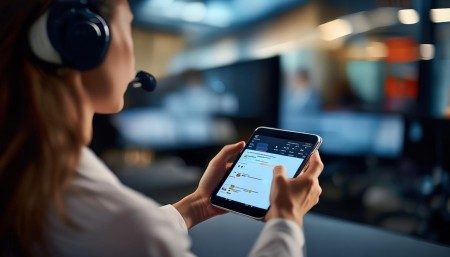
But here’s the thing—not every company sees these benefits right away. I’ve talked to some folks who said their mobile CRM rollout was a flop. Why? Because they didn’t train people properly. Or worse, they picked a clunky app that took forever to load. Can you imagine trying to use a CRM on your phone that freezes every time you open a contact? Nobody’s going to use that, no matter how many features it has.
So usability matters—a lot. The best mobile CRMs feel natural, almost like any other app you’d use daily. Clean interface, quick search, offline access… those little things add up. I remember downloading a demo version of one popular CRM app and being shocked at how fast it was. I could find a client, see their last interaction, and send a follow-up email in under 30 seconds. That kind of speed changes how you work.
Another thing I’ve noticed is how mobile CRM helps with collaboration. Let’s say two team members are working on the same account. In the past, one might update a note in the system while the other wasn’t aware. Miscommunication city. But now, with real-time syncing across devices, updates show up instantly. You get alerts, activity feeds, even chat functions built in. It’s like having your whole team in the room, even when you’re miles apart.
And don’t forget about data accuracy. When reps enter information right after a meeting, it’s fresh and detailed. But if they wait until the end of the day—or worse, the next week—details get fuzzy. They might forget a key concern the client mentioned or mix up timelines. Mobile CRM reduces that risk by making data entry part of the workflow, not an afterthought.
I also think about managers. Before mobile CRM, checking in on your team meant waiting for reports or sitting through status meetings. Now, a sales manager can glance at their phone and see who’s hitting targets, who’s behind, and which deals are stuck in negotiation. That visibility lets them step in early, offer coaching, or reassign tasks before things go off track.
Of course, there are challenges. Security is a big one. Putting sensitive customer data on mobile devices? That makes some IT departments nervous—and rightfully so. But modern mobile CRMs usually come with strong encryption, multi-factor authentication, and remote wipe capabilities. As long as companies set the right policies and educate their teams, the risks can be managed.
Another hurdle is adoption. Just because you roll out a mobile CRM doesn’t mean people will use it. I’ve seen cases where employees kept using spreadsheets or personal notebooks because they didn’t trust the new system or found it too complicated. Change takes time, and leadership has to lead by example. If the boss is using the mobile CRM to check in and give feedback, others are more likely to follow.
Integration is another factor. A mobile CRM that doesn’t talk to your email, calendar, or marketing tools isn’t going to save much time. Ideally, it should fit seamlessly into your existing tech stack. For instance, if a salesperson logs a call in the CRM, it should automatically sync with their Outlook calendar and attach any related emails. That kind of automation cuts down on duplicate work and keeps everything in one place.
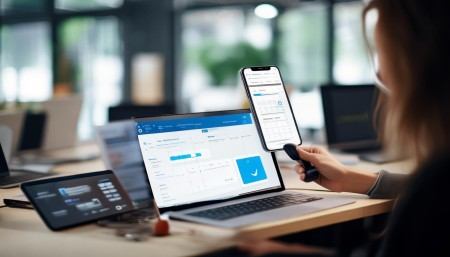
Let me share a real example. A friend of mine works for a mid-sized software company. They switched to a mobile-first CRM last year, and she said the difference was night and day. Her team used to spend hours every week just updating records and chasing down information. Now, they handle most of that on the go. She told me, “We’re spending more time selling and less time admin-ing. That’s what we’re paid for, right?”
And it’s not just sales. Customer service teams benefit too. Imagine a technician arriving at a client’s site and being able to pull up the full service history on their tablet. They can see past repairs, parts used, and even notes from previous visits. That means faster diagnoses, fewer return trips, and happier customers.
Marketing teams aren’t left out either. With mobile CRM, they can track campaign responses in real time, see which leads are engaging, and adjust strategies on the fly. No more waiting for weekly reports. If a certain message is resonating, they can double down immediately.
Now, let’s talk about analytics. One underrated feature of mobile CRM is the ability to generate insights from the field. Managers can spot trends—like which regions are closing more deals or which products are getting the most inquiries—based on real-time data. That helps with forecasting, resource allocation, and strategic planning.
But—and this is important—technology alone isn’t the answer. I’ve seen companies throw money at the fanciest mobile CRM and still struggle. Why? Because they didn’t rethink their processes. If your workflows are broken, a shiny app won’t fix them. You need to clean up your data, define clear roles, and set expectations for how the tool should be used.
Also, feedback from users is crucial. The people using the CRM every day will tell you what’s working and what’s not. Maybe the form fields are too long, or the notification settings are annoying. Listening to that feedback and making adjustments shows your team that their experience matters.
Another point: offline access. Not everyone has perfect internet, especially when visiting remote clients or traveling. A good mobile CRM lets you view and edit records even when you’re offline. Once you’re back online, everything syncs automatically. That small feature can prevent a lot of headaches.
And let’s not overlook the psychological side. When employees feel equipped with the right tools, they feel more confident and capable. There’s a sense of control. Instead of feeling overwhelmed by scattered information, they can act quickly and decisively. That boosts morale and job satisfaction.
I’ve also noticed that mobile CRM encourages accountability. When every interaction is logged and visible, people tend to be more thorough. No more “I thought someone else handled that.” The system creates a transparent trail of responsibility.
Still, it’s not magic. Some companies expect instant results and get discouraged when efficiency gains take time. Real change happens gradually. It might take a few months for habits to shift and for the full benefits to emerge. Patience and ongoing support are key.
One last thing—customization. Every business is different. A mobile CRM that works for a retail chain might not suit a consulting firm. The ability to tailor dashboards, fields, and workflows to your specific needs makes a huge difference. Otherwise, you’re forcing your team to adapt to the tool instead of the other way around.
So, after all this, do I think mobile CRM enhances efficiency? Absolutely—but with caveats. It’s not automatic. It depends on choosing the right platform, training your team, integrating it well, and fostering a culture that embraces digital tools.
When done right, mobile CRM doesn’t just save time. It improves decision-making, strengthens customer relationships, and empowers employees. It turns scattered efforts into coordinated action. And in today’s competitive market, that’s not just nice to have—it’s essential.
Q&A Section
Q: Is mobile CRM only useful for sales teams?
A: Not at all. While sales teams benefit a lot, customer service, marketing, and even project management teams can use mobile CRM to stay connected and efficient.
Q: What if my team doesn’t have company phones? Can they still use mobile CRM?
A: Yes, many companies allow BYOD (Bring Your Own Device) setups. Just make sure you have security policies in place, like requiring passcodes and enabling remote wipe.
Q: Does mobile CRM work without internet?
A: Most modern mobile CRMs offer offline mode. You can view and edit data, and it syncs once you’re back online.
Q: How do I get my team to actually use the mobile CRM?
A: Start with proper training, show real-life benefits, and lead by example. Also, gather feedback and make improvements based on their input.
Q: Is mobile CRM secure enough for sensitive customer data?
A: Reputable mobile CRM platforms use strong encryption, authentication, and compliance measures. But it’s important to configure settings properly and educate users on best practices.
Q: Can mobile CRM integrate with other tools like email or calendars?
A: Yes, most top mobile CRMs integrate seamlessly with tools like Gmail, Outlook, Slack, and productivity apps to streamline workflows.
Q: Will switching to mobile CRM disrupt our current operations?
A: There might be a short adjustment period, but with proper planning and support, the transition can be smooth and ultimately improve how you work.

Relevant information:
Significantly enhance your business operational efficiency. Try the Wukong CRM system for free now.
AI CRM system.