
△Click on the top right corner to try Wukong CRM for free
So, you’ve probably heard the term CRM before—Customer Relationship Management. It’s one of those buzzwords that gets thrown around a lot in business meetings, right? But here’s the thing: not all CRMs are the same. I mean, sure, they all help companies keep track of customers, but some go way beyond just storing contact info and sales history. That’s where collaborative CRM comes in. Honestly, once I learned what it really meant, it kind of blew my mind a little.
Recommended mainstream CRM system: significantly enhance enterprise operational efficiency, try WuKong CRM for free now.
Let me break it down for you like we’re having a coffee chat. Imagine this: you're working at a company, and your sales team talks to a customer. Then, later that week, the customer calls support with an issue. But guess what? The support agent has no idea what was discussed during the sales call. They’re basically starting from scratch. Frustrating, right? For the customer, it feels like they’re repeating themselves over and over. And for the company, it looks disorganized. That’s exactly the kind of problem collaborative CRM is built to fix.
So, what is collaborative CRM, really? Well, it’s a system designed to make communication across different departments smooth and seamless. Instead of each team—sales, marketing, customer service—working in their own little bubble, collaborative CRM connects them all. It’s like giving everyone a shared notebook where they can see everything that’s happened with a customer. No more guessing, no more missed details.
I remember when my old job first implemented a collaborative CRM. At first, people were skeptical. “Another software to learn?” they’d groan. But within a few weeks, things started changing. Sales reps could see past support tickets. Marketing could tailor campaigns based on real-time feedback from service teams. Even executives loved it because they finally had a clear picture of the customer journey from start to finish.
One of the coolest things about collaborative CRM is how it breaks down silos. You know what I mean—those invisible walls between departments that make sharing information feel like pulling teeth. With collaborative CRM, information flows freely. If a customer mentions they’re interested in a new product during a support call, that note shows up instantly in the sales team’s dashboard. Suddenly, follow-up becomes natural, timely, and way more personal.
And let’s talk about the customer experience for a second. Because honestly, that’s what this is all about. Customers don’t care which department they’re talking to—they just want to feel heard and valued. When every employee has access to the same information, the customer doesn’t have to repeat their story. That builds trust. It makes them feel like the company actually knows who they are. And trust me, that kind of experience keeps people coming back.
Now, I should mention that collaborative CRM isn’t just about sharing data. It’s also about tools that help teams work together in real time. Think chat features, shared calendars, task assignments, even video calls—all integrated into the CRM platform. So if a complex customer issue comes up, the sales rep can tag in a technical expert with one click. No emails flying back and forth. No delays. Just quick, coordinated action.
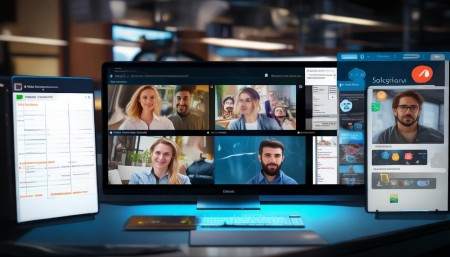
Another thing I love? How collaborative CRM supports remote teams. These days, so many of us work from different locations. Without a solid system, it’s easy to lose track of what others are doing. But with collaborative CRM, whether someone’s in New York or Nairobi, they’re seeing the same customer history, the same notes, the same goals. It keeps everyone aligned, no matter where they log in from.
Of course, it’s not magic. You still need people who are willing to use the system and update it regularly. I’ve seen companies spend thousands on a fancy CRM only to have employees ignore it because “it’s too much work.” But when leadership sets the tone—when managers actually use it and encourage transparency—that’s when it starts to click.
Training is huge too. You can’t just drop a new system on people and expect them to figure it out. I’ve been in trainings where the instructor just clicks through screens without explaining why any of it matters. Total waste of time. But when training focuses on real-life scenarios—like how to log a customer complaint so the next person can pick up right where you left off—that’s when people start seeing the value.
And hey, let’s be real—collaborative CRM isn’t perfect. Sometimes the interface is clunky. Sometimes syncing takes forever. And yes, there’s always that one guy who refuses to enter data properly. But overall, the benefits far outweigh the headaches. Faster response times, fewer mistakes, better customer satisfaction—it all adds up.
One example that sticks with me: A customer called in super frustrated because their order was delayed. The support agent pulled up the CRM and saw that the delay was due to a manufacturing issue that marketing had already prepared a message about. Instead of just apologizing, the agent shared the update and offered a discount on the next purchase. The customer calmed down immediately and even thanked them for being transparent. That kind of resolution? That doesn’t happen without collaboration.
You know what else changes? Employee morale. When teams can actually work together instead of stepping on each other’s toes, it feels good. People aren’t constantly blaming each other for dropped balls. There’s less stress, more teamwork. I’ve seen coworkers who barely spoke before start collaborating daily because the CRM made it so easy.

And let’s not forget analytics. Collaborative CRM platforms usually come with reporting tools that show how different departments are performing together. Like, how fast does support resolve issues after sales hands off a new client? Or how often do marketing leads turn into actual sales? These insights help leaders make smarter decisions—not just about processes, but about hiring, training, and strategy.
Integration is another big plus. Most collaborative CRMs play nicely with other tools—email, social media, billing systems, you name it. So instead of jumping between five different apps, everything lives in one place. It saves time, reduces errors, and honestly, makes the job a lot less annoying.
Security-wise, these systems are usually pretty solid. Access controls mean that only the right people see sensitive info. Managers can set permissions so interns don’t accidentally delete important records, and executives can view high-level reports without getting buried in details. It’s flexible like that.
But here’s something people don’t talk about enough: collaborative CRM encourages accountability. When your actions are logged and visible, you tend to be more careful. If you promise a customer a callback, it’s right there in the system. Your colleague can see it. Your boss can see it. That gentle pressure actually improves performance across the board.
And let’s be honest—customers can tell when a company is organized. They notice when you remember their name, their preferences, their last conversation. It makes them feel special. In a world where so many interactions feel robotic, that human touch is priceless. Collaborative CRM doesn’t replace the human element—it enhances it.
I’ve also noticed that companies using collaborative CRM tend to innovate faster. Why? Because when information flows freely, ideas spread quicker. A support agent hears a common complaint, logs it, and suddenly product development is brainstorming a fix. That kind of agility is hard to beat.
Onboarding new employees gets easier too. Instead of spending weeks shadowing different teams, new hires can explore the CRM to see how things work. Real customer interactions, real workflows—it’s like a living training manual. I wish I’d had that when I was starting out.
Look, I’m not saying collaborative CRM is a cure-all. It won’t fix bad culture or poor leadership. But in the right environment, with the right mindset, it can transform how a company operates. It turns customer relationships from a series of isolated transactions into a continuous, meaningful conversation.
And honestly, isn’t that what business should be about? Building real connections, solving problems together, making people’s lives a little easier? Collaborative CRM helps make that possible—one shared note, one team chat, one happy customer at a time.
Q&A Section
Q: Is collaborative CRM only for big companies?
A: Not at all! While larger organizations might benefit more from its scale, small and medium businesses can gain a ton by improving internal communication. If you have more than one team dealing with customers, it’s worth considering.
Q: Do all employees need to use the CRM?
Ideally, yes—especially anyone who interacts with customers. The more people who contribute, the richer the data becomes. But even partial adoption can still improve coordination.
Q: Can collaborative CRM integrate with email?
Absolutely. Most modern systems sync with email platforms like Outlook or Gmail, so conversations get automatically logged against customer profiles.
Q: What happens if someone forgets to update the CRM?
It happens. That’s why regular check-ins and a culture of accountability matter. Some CRMs even send reminders or highlight incomplete records.
Q: Is it expensive to implement?
Costs vary, but many cloud-based options offer flexible pricing. Consider it an investment—better collaboration usually leads to higher customer retention and sales.
Q: Does it require IT support?
Some setup and maintenance might need tech help, especially with integrations. But most platforms are designed to be user-friendly and don’t demand constant IT oversight.
Q: Can remote workers use it effectively?
Yes, that’s one of its biggest strengths. Since it’s usually cloud-based, anyone with internet access can log in from anywhere and stay in sync.
Q: How is it different from operational CRM?
Operational CRM focuses on automating processes like sales pipelines or marketing campaigns. Collaborative CRM is more about connecting people and sharing information across teams.
Q: Will it slow down my team with extra steps?
At first, maybe. But once it becomes routine, it actually saves time by reducing confusion, duplicate work, and miscommunication.
Q: Can customers see the CRM data?
No—not directly. But they experience the results through more personalized, informed service. The CRM is a behind-the-scenes tool for employees, not a customer-facing portal.

Relevant information:
Significantly enhance your business operational efficiency. Try the Wukong CRM system for free now.
AI CRM system.