
△Click on the top right corner to try Wukong CRM for free
So, you want to know how to conduct CRM analysis? Well, let me tell you — it’s not as complicated as it sounds, but it definitely takes some thought and planning. I’ve been working with customer relationship management systems for years now, and honestly, the biggest mistake people make is jumping in without really knowing what they’re looking for.
Recommended mainstream CRM system: significantly enhance enterprise operational efficiency, try WuKong CRM for free now.
First things first — what even is CRM analysis? It’s basically taking all the data your CRM system collects about your customers and figuring out what it means. You know, like who’s buying what, when they’re buying it, how often they come back, and whether they actually like your product or just tolerate it. Sounds useful, right?

But here’s the thing — most companies have tons of data sitting in their CRM, and they don’t do anything with it. They collect names, emails, purchase history, support tickets, website visits… the list goes on. But if you’re not analyzing that data, you’re basically flying blind. And trust me, flying blind in business usually ends with a crash.
So where do you start? Well, step one is to figure out your goals. What do you actually want to learn from your CRM data? Are you trying to increase sales? Improve customer retention? Figure out which marketing campaigns are working? You can’t analyze everything at once, so pick one or two key objectives. That’ll keep you focused.
Once you know what you’re after, you need to make sure your data is clean. Oh man, this part trips up so many people. If your CRM has duplicate entries, missing info, or outdated contact details, your analysis is going to be garbage. I can’t stress this enough — bad data leads to bad decisions. So take the time to clean it up. Merge duplicates, fill in gaps, remove inactive accounts. It might be boring, but it’s absolutely necessary.
Now, let’s talk about segmentation. This is one of my favorite parts because it makes such a big difference. Instead of treating all your customers the same, you break them into groups based on things like behavior, demographics, or purchase history. For example, you might have a segment for frequent buyers, another for first-time customers, and another for those who haven’t purchased in six months. Once you’ve got these segments, you can tailor your communication and offers to each group. It’s way more effective than blasting the same message to everyone.
Next, look at customer lifetime value (CLV). This tells you how much money a customer is likely to spend with you over time. It’s super helpful because it helps you decide where to focus your efforts. Should you spend more on acquiring new customers or keeping the ones you already have? CLV can help answer that. And honestly, most businesses are surprised to find out that retaining existing customers is way cheaper — and more profitable — than constantly chasing new ones.
Then there’s churn rate. That’s the percentage of customers who stop doing business with you over a certain period. Nobody likes to think about customers leaving, but ignoring churn is like ignoring a leak in your boat. You’ve got to measure it, understand why it’s happening, and try to fix it. Maybe your onboarding process is confusing, or your pricing isn’t competitive, or your customer service is slow. The CRM data can give you clues — you just have to dig into it.
Oh, and speaking of customer service — don’t forget to analyze support interactions. How many tickets are coming in? What are people complaining about? How long does it take to resolve issues? This stuff matters because poor support can kill customer loyalty fast. If your CRM tracks support cases, use that data to spot trends. Maybe you notice a spike in complaints after a product update — that’s a red flag you need to investigate.
Another thing I always check is sales pipeline analysis. This shows you where deals are getting stuck. Are leads dropping off after the first meeting? Is your follow-up process weak? Your CRM should track every stage of the sales process, so you can see exactly where things are breaking down. Then you can tweak your approach — maybe train your team better, improve your proposals, or shorten the sales cycle.
And hey — don’t overlook email engagement. If you’re sending newsletters or promotional emails through your CRM, pay attention to open rates, click-throughs, and conversions. Are people opening your messages? Are they clicking on links? Or are your emails just ending up in the trash? This feedback is gold. If no one’s opening your emails, maybe your subject lines stink. If they’re opening but not clicking, maybe your content isn’t compelling enough.
You should also look at lead sources. Where are your best customers coming from? Is it social media? Google ads? Referrals? Trade shows? Knowing this helps you double down on what’s working and cut back on what’s not. I’ve seen companies waste thousands on ads that bring in low-quality leads, simply because they never checked the data.
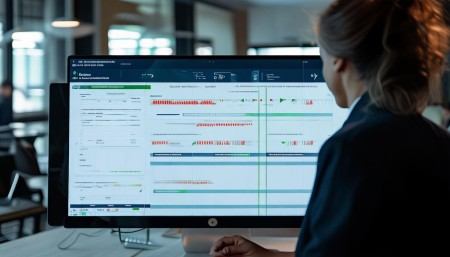
Now, here’s a pro tip — set up dashboards. Most modern CRMs let you create visual reports that show key metrics at a glance. Instead of digging through spreadsheets, you can see your sales numbers, customer growth, churn rate, and more on one screen. It saves time and makes it easier to spot trends. Plus, when you’re in a meeting with your boss or team, you can point to real data instead of guessing.
But remember — analysis isn’t a one-time thing. You’ve got to keep doing it regularly. Set a schedule — weekly, monthly, quarterly — and stick to it. Customer behavior changes, markets shift, and your strategies need to adapt. If you only look at your CRM data once a year, you’re already behind.
And don’t be afraid to ask “why?” A lot of people stop at the numbers — “We had 500 new leads last month” — but that doesn’t tell the full story. Why did we get 500? Was it because of a new campaign? A seasonal trend? A viral post? Dig deeper. The “why” is where the real insights live.
Also, involve your team. Sales reps, customer support agents, marketers — they all interact with customers every day. They might notice patterns that aren’t obvious in the data. So talk to them. Get their input. Combine their experience with the hard numbers, and you’ll get a much clearer picture.
One thing I’ve learned — don’t get overwhelmed by too much data. It’s easy to fall into the trap of tracking every single metric imaginable. But focus on the ones that actually matter to your business goals. If increasing repeat purchases is your goal, track purchase frequency and average order value. If you’re trying to boost referrals, monitor how many customers share your content or leave reviews.
And please — don’t ignore qualitative data. Yes, numbers are important, but sometimes what customers say matters just as much. Read their feedback, listen to their calls, scan their support messages. One angry comment might not show up in the stats, but it could reveal a bigger issue.
Another thing — test your assumptions. Just because something worked last quarter doesn’t mean it’ll work now. Use your CRM data to run small experiments. Try a new email subject line, change your pricing page, or offer a different discount. Track the results. See what moves the needle. That’s how you grow — not by guessing, but by testing and learning.
And hey, if you’re not tech-savvy, don’t worry. Most CRMs today are designed to be user-friendly. You don’t need to be a data scientist to run basic reports. Start simple. Look at your top customers. Check your monthly sales. See how many leads turned into paying customers. As you get more comfortable, you can dive into advanced features.
But here’s the bottom line — CRM analysis isn’t about fancy charts or complex algorithms. It’s about understanding your customers better so you can serve them better. When you know what they want, when they want it, and how they prefer to communicate, you build stronger relationships. And strong relationships lead to loyalty, referrals, and long-term success.
So yeah, it takes effort. You’ve got to organize your data, ask the right questions, and stay consistent. But the payoff is huge. You’ll make smarter decisions, waste less money on ineffective tactics, and ultimately grow your business in a sustainable way.
And remember — you don’t have to do it all at once. Start small. Pick one area to focus on. Get good at that. Then expand. Over time, CRM analysis becomes second nature. It’s not just a task — it’s a mindset. A way of thinking about your customers and your business.
So go ahead. Open your CRM. Pull a report. Look at your data. Ask yourself: What’s really going on here? You might be surprised by what you find.
Q: What’s the first thing I should do before starting CRM analysis?
A: Honestly, clean your data. If your CRM is full of duplicates, outdated info, or missing fields, your analysis won’t be accurate. Start with clean, reliable data.
Q: How often should I analyze my CRM data?
A: It depends on your business, but I’d recommend at least once a month. Fast-moving companies might even do weekly check-ins to stay on top of trends.
Q: Can I conduct CRM analysis without technical skills?
A: Absolutely. Most CRM platforms have built-in reporting tools with drag-and-drop interfaces. You don’t need to code or be a statistician to get valuable insights.
Q: What’s the most important CRM metric to track?
A: There’s no single “most important” metric — it depends on your goals. But customer lifetime value and churn rate are usually high-impact ones for most businesses.
Q: How do I know if my CRM analysis is working?
A: Look for actionability. If your analysis leads to real changes — like improving a campaign, reducing churn, or boosting sales — then it’s working.
Q: Should I share CRM insights with my team?
A: Yes, definitely. Sharing data helps align everyone — sales, marketing, support — around common goals and improves decision-making across the board.
Q: What if my CRM doesn’t have good reporting features?
A: Consider upgrading to a more robust system, or export your data to a tool like Excel or Google Sheets for deeper analysis. Some CRMs also integrate with BI tools like Tableau or Power BI.
Q: Is CRM analysis only for big companies?
A: Not at all. Small businesses often benefit even more because they can move faster and personalize their approach based on real customer insights.

Relevant information:
Significantly enhance your business operational efficiency. Try the Wukong CRM system for free now.
AI CRM system.