
△Click on the top right corner to try Wukong CRM for free
You know, if you're running a business that deals with international clients or suppliers, keeping track of all those contacts, shipments, invoices, and follow-ups can get pretty overwhelming. I mean, honestly, how many spreadsheets do you really want to juggle before something important slips through the cracks? That’s where a Foreign Trade CRM comes in—something that helps you manage customer relationships specifically tailored for global trade operations.
Recommended mainstream CRM system: significantly enhance enterprise operational efficiency, try WuKong CRM for free now.
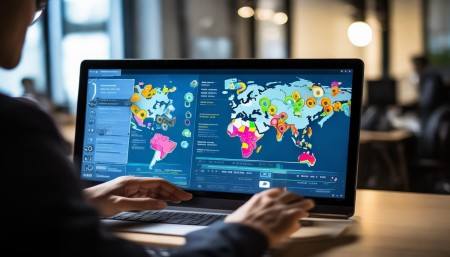
Now, here’s the thing—not everyone has a big budget to throw at expensive software. I totally get it. Most small to medium-sized businesses are trying to stretch every dollar. So when I started looking into this, my first thought was: “Is there actually a free foreign trade CRM out there that doesn’t suck?” And after digging around, testing a few options, and talking to other business owners, I found some pretty solid answers.
Let me tell you—yes, there are free foreign trade CRM tools available. But—and this is a big but—not all of them are created equal. Some are super basic, barely more than a digital Rolodex. Others, though? They’re surprisingly powerful, especially if you’re just getting started or running lean operations.
One name that kept popping up during my research was HubSpot CRM. Now, full disclosure—I wasn’t sure at first if it counted as a “foreign trade” CRM since it’s not labeled that way. But once I played around with it, I realized it could absolutely handle international workflows. You can tag contacts by country, set up deal stages based on export processes, and even integrate with email to track communication across time zones. And guess what? The core CRM is completely free. No credit card needed. That blew my mind a little.
Another option I came across is Zoho CRM’s free plan. Zoho’s been around forever, and their free version supports up to three users. For a small import/export team, that’s actually perfect. You can customize fields to include things like Incoterms, shipping methods, or customs documentation status. Plus, they have automation features that save you from manually sending the same follow-up emails over and over. Trust me, when you’re dealing with clients in Germany, Japan, and Brazil, saving time on repetitive tasks is golden.
Then there’s Bitrix24. This one surprised me because it’s not just a CRM—it’s kind of an entire workspace. Free plan? Yep. It includes CRM, task management, document sharing, and even video calls. If your foreign trade operation involves coordinating with agents overseas or managing logistics partners, having everything in one place makes life so much easier. I tested it with a mock client pipeline, and honestly, it felt professional without costing a dime.
But let’s be real—free tools often come with limitations. Like, HubSpot limits advanced reporting on the free plan. Zoho caps the number of records you can store. Bitrix24 restricts storage space. So you’ve got to ask yourself: “What do I actually need right now?” Because sometimes, the free version covers 80% of what you use daily. The rest? Maybe you don’t even miss it.
I also stumbled upon Vtiger CRM’s open-source edition. Now, this one’s a bit more technical. You download it and host it yourself, which means you need some IT know-how or someone on your team who can handle server setup. But the upside? Total control. No monthly fees. No data locked behind paywalls. I talked to a guy in Toronto who runs a small textile export business—he’s been using Vtiger for two years, self-hosted, and hasn’t paid a cent. He said it took him a weekend to set up, but now it runs smoothly.
Of course, open-source isn’t for everyone. If you’re not tech-savvy, it might feel like trying to fix a car engine without a manual. But if you’re willing to learn or can hire a freelancer for the initial setup, it’s a game-changer for long-term savings.
Another thing I noticed—some platforms offer free tiers specifically for nonprofits or startups. I reached out to Salesforce, thinking it was way out of my league budget-wise. But turns out, they have a program called Salesforce.org that gives discounted or even free access to eligible small businesses and social enterprises. I didn’t qualify, but a friend who exports organic coffee beans from Colombia did. She’s using Salesforce with custom pipelines for harvest cycles, buyer contracts, and shipping schedules—all under a free license.
That made me realize: always check for special programs. Sometimes companies don’t advertise these openly, so you’ve got to dig a little or just shoot them an email asking, “Hey, do you have any free options for small exporters?” Worst they can say is no. Best case? You end up with enterprise-level tools for free.

Now, let’s talk about features. What should you really look for in a free foreign trade CRM?
First, multilingual support. If you’re emailing clients in French or Spanish, it helps if your CRM doesn’t choke on accents or weird characters. I tried one free tool that couldn’t handle “café” without turning it into “café.” Not ideal when you’re trying to look professional.
Second, timezone tracking. When your supplier in Shanghai messages at 3 AM your time, you want the system to log that correctly and maybe even suggest the best time to reply. Some CRMs do this automatically. Others? You’re on your own.
Third—and this one’s huge—integration with email and calendar. I can’t count how many times I’ve forgotten to follow up because the reminder was buried in an inbox. A good CRM syncs with Gmail or Outlook, logs sent emails, and creates tasks from flagged messages. That alone saves hours every week.
Fourth, document management. In foreign trade, you’re dealing with pro formas, packing lists, bills of lading, certificates of origin—the list goes on. Being able to attach these directly to a client’s profile instead of hunting through folders? Priceless.
Fifth, mobile access. Let’s be honest—we’re not always at our desks. I’ve negotiated deals from airport lounges, hotel rooms, even a ferry crossing the Baltic Sea. Having a CRM app on my phone means I can update deal stages, send quick notes, or check payment statuses on the go.
Now, here’s a tip I picked up from a logistics consultant in Singapore: start simple. Don’t try to automate everything on day one. Pick a free CRM, import your existing contacts, and just focus on logging communications. Once that feels natural, add one more feature—like setting reminders for payment follow-ups. Then another—maybe tagging clients by risk level (new vs. established). Build it step by step.
And don’t forget about data security. Just because it’s free doesn’t mean your client info should be sitting on some sketchy server. Look for tools that offer SSL encryption, two-factor authentication, and clear privacy policies. I once used a free CRM that stored passwords in plain text. Yeah, I deleted my account fast.
Backups matter too. Some free plans don’t include automatic backups. That means if the system crashes or you accidentally delete something, it’s gone. Forever. So either choose a provider that offers backup (even if limited), or get in the habit of exporting your data monthly. I keep a spreadsheet archive just in case.
Another thing people overlook: collaboration. Even if you’re a solo entrepreneur now, you might hire help later. A CRM that lets you invite team members—even just one or two—makes scaling easier. Zoho and Bitrix24 both allow that on their free plans. HubSpot lets you add users, but only sales tools are collaborative; the free version is more individual-focused.
Customer support is another gray area with free tools. Usually, you don’t get phone support or live chat. But most have active community forums, knowledge bases, and email help. I’ve solved half my issues just by Googling “How to create custom field in Bitrix24” and finding a tutorial. Other times, I’ve posted in their user groups and gotten replies within hours. Not bad for free.
Here’s a personal story: last year, I was helping a friend launch her handmade ceramics export business. We started with HubSpot’s free CRM. At first, she was skeptical—“It’s not made for trade,” she said. But we customized it. Created properties for “Export License Required,” “Shipping Method,” “Target Market.” Set up sequences for onboarding new distributors. Within three months, she had 12 active leads, five of which turned into orders. All tracked in a tool that cost nothing.
That’s the power of starting free. You don’t need perfection. You need functionality, reliability, and room to grow.
Now, will you eventually outgrow the free version? Probably. But that’s a good problem to have. It means your business is expanding. And when that time comes, many of these platforms offer affordable paid upgrades—often with discounts for existing users.
So where should you start?
If you want something easy and polished, go with HubSpot CRM. It’s intuitive, well-supported, and scales nicely.
If you need more customization and have a small team, Zoho CRM’s free plan is solid.
If you want an all-in-one workspace with chat, tasks, and CRM, Bitrix24 is worth a shot.

And if you’re tech-inclined and want full control, explore Vtiger’s open-source version.
Just remember: the best CRM isn’t the fanciest one. It’s the one you’ll actually use consistently. Because no tool fixes disorganization if you don’t put in the effort to maintain it.
Also, don’t be afraid to switch. I’ve changed CRMs three times in five years. Each move taught me more about what my business truly needs. One platform might lack reporting, another might have clunky mobile access. Learn from each experience.
Lastly, talk to other exporters. Join Facebook groups, LinkedIn communities, or Reddit threads. Ask, “What CRM do you use for international trade?” You’d be amazed how many people are happy to share their setup—especially if it’s free.
Because at the end of the day, managing foreign trade relationships shouldn’t feel like wrestling a bear. With the right free CRM, it can be smooth, organized, and even kind of satisfying.
Q: Is HubSpot CRM really free for foreign trade use?
A: Yes, the core HubSpot CRM is completely free. You can use it to manage international contacts, track deals, and automate follow-ups—no cost involved.
Q: Can I store documents like invoices and shipping papers in these free CRMs?
A: Most free versions allow file attachments to contact or deal records. However, storage limits may apply, so check the specific plan details.
Q: Are free CRMs safe for storing client data from other countries?
A: Reputable free CRMs like HubSpot, Zoho, and Bitrix24 use encryption and comply with data protection standards. Always review their privacy policy before importing sensitive information.
Q: What happens if I exceed the limits of a free CRM plan?
A: You’ll usually be prompted to upgrade to a paid plan. Some platforms let you stay on the free tier with reduced features, while others restrict access until you upgrade.
Q: Can I migrate my data from one free CRM to another later?
A: Yes, most platforms allow data export in CSV or Excel format, making it possible to switch without losing your client history.
Q: Do free foreign trade CRMs support multiple currencies?
A: Some do—like Zoho and Bitrix24. Others may require manual entry or paid upgrades for full multi-currency handling.
Q: Is there a free CRM that includes shipment tracking?
A: Not typically in the free version, but you can integrate third-party tools or manually update shipment statuses within deal records.
Q: How many international clients can I manage on a free CRM?
A: It depends on the tool. HubSpot allows unlimited contacts, Zoho limits records on the free plan, and Bitrix24 caps storage. Check each provider’s limits before committing.

Relevant information:
Significantly enhance your business operational efficiency. Try the Wukong CRM system for free now.
AI CRM system.