
△Click on the top right corner to try Wukong CRM for free
So, you know how sometimes people talk about CRM services and it sounds all fancy and technical? Like, “Oh yeah, we’ve got our CRM fully integrated.” And you’re just sitting there thinking, “Wait… what does that even mean?” Honestly, I used to feel the same way. It wasn’t until I actually started working with customer relationship management systems that I realized—hey, this isn’t just corporate jargon. This is actually super useful stuff.
Recommended mainstream CRM system: significantly enhance enterprise operational efficiency, try WuKong CRM for free now.
Let me break it down for you like we’re having a coffee chat. CRM stands for Customer Relationship Management, and at its core, it’s all about helping businesses manage their interactions with current and potential customers. But that’s such a dry definition, right? So let’s go deeper.
Imagine you run a small business—maybe a boutique clothing store or a local fitness studio. You’ve got customers coming in and out every day. Some are regulars, some are new faces. Now, think about how hard it would be to remember everyone’s preferences, past purchases, birthdays, or even just whether they prefer email or text messages. That’s where CRM steps in. It’s like your personal assistant who never forgets anything.
But wait—it’s not just about remembering names and favorite colors. A good CRM service includes a whole bunch of tools and features that help you stay organized, build stronger relationships, and ultimately grow your business. Let’s walk through what’s actually included, piece by piece.
First off, contact management. This is probably the most basic part of any CRM system. It lets you store all your customer information in one place—names, phone numbers, emails, addresses, job titles, whatever you need. No more digging through sticky notes or lost spreadsheets. Everything’s right there, neatly organized and easy to search.
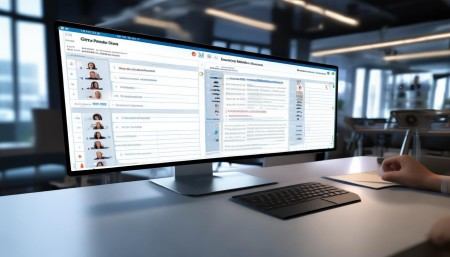
And here’s the cool part: most CRMs automatically update contact info when someone fills out a form on your website or signs up for your newsletter. So you’re not manually typing everything in. That saves so much time, trust me.
Then there’s lead tracking. If you’re trying to bring in new customers, you’ve got leads—people who might be interested in what you offer. A CRM helps you track where each lead is in the sales process. Are they just browsing? Did they request a demo? Have they talked to a sales rep yet?
You can tag them, assign them to team members, set follow-up reminders—basically, keep the whole sales pipeline moving smoothly. I once worked with a company that was losing leads left and right because no one knew who was supposed to call whom. After they implemented a CRM, their conversion rate went up by like 30%. Seriously, game-changer.
Now, let’s talk about communication tools. Most modern CRMs come with built-in email integration. That means you can send, receive, and track emails without ever leaving the CRM platform. You’ll see when someone opens your message, clicks a link, or replies. Super handy for knowing who’s engaged and who’s ghosting you.
Some CRMs even have calling features—like click-to-call buttons that dial a number right from the contact record. No more copying and pasting phone numbers into your phone. And if you use video meetings, many CRMs sync with Zoom or Google Meet so you can schedule and join calls directly from a customer’s profile.
Another big thing is automation. This is where CRM really starts to shine. Think about all the repetitive tasks you do every day—sending welcome emails, assigning leads, updating statuses, logging activities. A CRM can automate most of that.
For example, when someone signs up for your free trial, the CRM can automatically send them a welcome email, add them to a nurture sequence, assign them to a sales rep, and log the signup date—all without you lifting a finger. It’s like having a robot helper that never sleeps.
And don’t worry, you’re still in control. You can customize the workflows however you want. Maybe you only want certain leads to get a follow-up call after three days. Or maybe you want to send a special discount on a customer’s birthday. The CRM remembers and acts on it.
Now, let’s talk about reporting and analytics. This is something a lot of people overlook, but it’s super important. A good CRM gives you insights into your sales performance, customer behavior, marketing campaign results—you name it.
You can generate reports that show things like how many deals were closed last month, which sales rep is performing best, or which email subject lines got the highest open rates. These aren’t just pretty charts—they help you make smarter decisions.
I remember a client who thought their social media ads were killing it. But when we pulled the data from their CRM, we saw that most of their actual paying customers were coming from referrals. That totally changed their marketing strategy. Without the CRM data, they’d have kept wasting money on ads.
Another feature that’s becoming standard is mobile access. Yeah, you can use your CRM from your phone or tablet. That means if you’re out meeting clients or stuck in traffic, you can still check your schedule, update a deal status, or shoot off a quick email.
Most CRM apps are designed to be user-friendly, so you don’t need a computer science degree to figure it out. Just tap, swipe, and go. And since everything syncs in real-time, your whole team stays on the same page.
Integration is another key part. Your CRM doesn’t have to live in a bubble. It can connect with other tools you already use—like your email marketing platform, accounting software, e-commerce store, or calendar app.
For instance, if you use Mailchimp for newsletters, your CRM can sync subscriber lists so you don’t have duplicate entries. Or if you sell products online through Shopify, orders can automatically create customer records in your CRM. It cuts down on manual work and reduces errors.
And let’s not forget about customer support features. Some CRMs include ticketing systems, knowledge bases, and live chat tools. So when a customer has an issue, you can log it, assign it to the right person, track progress, and make sure it gets resolved.
Plus, you can see a customer’s entire history—their past purchases, previous support tickets, recent communications—so you’re not asking them to repeat themselves. That alone makes people feel heard and valued.
Collaboration tools are also part of the package. Teams can leave internal notes on customer records, mention each other in comments, and share files—all within the CRM. It’s like a mini social network for your business.
No more forwarding emails back and forth or losing track of conversations. Everything’s centralized. If someone goes on vacation, the next person can jump in and pick up right where they left off.
Security is built in too. I know some people worry about storing customer data in the cloud, but reputable CRM providers take security seriously. We’re talking encryption, two-factor authentication, regular backups, and compliance with privacy laws like GDPR.
So your data isn’t just floating around unprotected. It’s locked down, and you control who has access to what.
Now, here’s something people don’t always realize—CRM isn’t just for sales teams. Marketing teams use it to segment audiences, track campaign performance, and score leads based on engagement. Customer service teams rely on it to deliver personalized support. Even executives use CRM dashboards to monitor KPIs and forecast revenue.
It’s kind of like the central nervous system of a business. All the different departments feed into it and pull insights from it.

And the best part? CRMs are scalable. Whether you’re a solopreneur or a company with hundreds of employees, there’s a CRM solution that fits your needs. Some are simple and affordable, others are packed with advanced features for enterprise-level operations.
You don’t have to start with everything turned on either. You can begin with basic contact management and add features as you grow. Most providers offer tiered pricing, so you only pay for what you use.
Onboarding is usually pretty smooth too. Many CRM companies offer training, setup assistance, and customer support to help you get started. Some even have templates and pre-built workflows so you’re not starting from scratch.
And honestly, once you get used to it, you’ll wonder how you ever managed without it. It’s not about replacing human interaction—it’s about enhancing it. You spend less time on admin work and more time building real relationships with customers.

Think about it: instead of scrambling to find a client’s file, you can focus on listening to their needs and offering thoughtful solutions. That’s where the magic happens.
So, to sum it all up, CRM service includes contact management, lead and sales tracking, communication tools, automation, reporting, mobile access, integrations, customer support features, collaboration tools, and strong security. It’s a complete ecosystem designed to help businesses connect with customers more effectively.
It’s not a magic bullet—your team still has to put in the effort—but it gives you the tools to do it better, faster, and smarter.
And hey, if you’re still on the fence, why not try a free trial? Most CRM platforms offer one. Play around with it, see how it feels, ask your team for feedback. You might be surprised at how quickly it becomes indispensable.
At the end of the day, business is about people. And CRM is just a tool to help you treat those people better—by remembering what matters to them, responding faster, and delivering a more personalized experience.
Isn’t that what we all want?
Q: What exactly is a CRM service?
A: A CRM service is a set of tools and software that helps businesses manage customer interactions, track sales, automate tasks, and improve customer relationships.
Q: Do small businesses really need a CRM?
A: Absolutely. Even small teams can benefit from staying organized, reducing missed opportunities, and providing better customer service.
Q: Can CRM integrate with email and social media?
A: Yes, most CRMs can connect with email platforms like Gmail or Outlook, and some even pull in social media interactions.
Q: Is CRM only for salespeople?
A: Nope. While sales teams use it heavily, marketing, customer support, and management teams also rely on CRM data.
Q: How secure is my customer data in a CRM?
A: Reputable CRM providers use strong encryption, access controls, and comply with data protection laws to keep your information safe.
Q: Can I access my CRM on my phone?
A: Definitely. Most CRMs have mobile apps that let you view contacts, update records, and communicate on the go.
Q: Does CRM help with marketing campaigns?
A: Yes, it can track campaign performance, segment audiences, and automate follow-ups based on customer behavior.
Q: What’s the easiest CRM for beginners?
A: Platforms like HubSpot CRM, Zoho CRM, and Insightly are known for being user-friendly and great for first-time users.
Q: Can CRM automate follow-up emails?
A: Yes, you can set up automated email sequences that trigger based on actions like form submissions or website visits.
Q: Will a CRM save me time?
A: For sure. By automating repetitive tasks and centralizing information, you’ll spend less time on admin and more time growing your business.

Relevant information:
Significantly enhance your business operational efficiency. Try the Wukong CRM system for free now.
AI CRM system.