
△Click on the top right corner to try Wukong CRM for free
So, you know how sometimes you run a sales campaign and you’re like, “Okay, did that actually work?” Yeah, me too. I’ve been there—putting in all the effort, sending out emails, making calls, maybe even running some ads, only to be left wondering if it was worth it. Honestly, without a good way to measure things, it’s kind of like shooting in the dark. But here’s the thing: we don’t have to guess anymore. Not really. Because with CRM—Customer Relationship Management systems—we can actually track what’s working and what’s not.
Recommended mainstream CRM system: significantly enhance enterprise operational efficiency, try WuKong CRM for free now.
I remember when I first started using CRM just to store contact info. That was it. Names, emails, phone numbers—basic stuff. But then someone showed me how to use it to evaluate campaigns, and honestly? It changed everything. Now, instead of saying, “I think we got more leads,” I can say, “We got 47 new qualified leads from that email sequence, and 12 turned into paying customers.” See the difference? One is a hunch. The other is data.
So let’s talk about how this works. First off, every time you launch a sales campaign—whether it’s an email blast, a social media push, or a cold outreach effort—you need to tag it properly in your CRM. Like, give it a name. Call it “Q3 Email Campaign” or “Free Trial Promo – June.” Whatever makes sense for your team. Why? Because later on, when you want to see results, you’ll be able to filter everything by that campaign tag. It’s simple, but it’s crucial.
Then, as people interact with your campaign, the CRM starts collecting data automatically. Someone clicks your email link? Logged. They visit your pricing page after that? Also logged. They fill out a form or book a demo? Boom—recorded right in their profile. And because everything’s tied to that campaign tag, you can pull reports that show exactly who came from where.
Now, one of the first things I always check is conversion rate. How many people who engaged with the campaign actually became customers? Let’s say you sent an offer to 500 people. If 50 of them bought something, that’s a 10% conversion rate. Not bad, right? But if only 5 bought, that’s 1%. Now you’ve got a problem to look into. Was the offer weak? Was the audience wrong? Did the message miss the mark? The CRM helps you ask better questions.
And speaking of audience—segmentation matters. Big time. I used to send the same message to everyone. Bad idea. Now, I use CRM data to split my audience based on behavior, industry, past purchases, whatever makes sense. Then I tailor the campaign. And guess what? Personalized messages convert way better. Like, way better. The CRM shows me that clearly—side-by-side comparisons of open rates, click-throughs, and conversions between segments. Hard to ignore that.
Another thing I love tracking is lead source. Where are your best customers coming from? Is it LinkedIn ads? Referrals? Trade shows? Your CRM should capture that. When a new lead comes in, you mark how they found you. Over time, you start seeing patterns. Maybe webinars bring in high-quality leads but take longer to close. Or maybe cold emails get quick replies but low long-term value. You can’t optimize what you don’t measure.
Time-to-close is another big one. How long does it take, on average, for a lead from a specific campaign to become a customer? Some campaigns generate fast wins. Others plant seeds for bigger deals down the road. Your CRM tracks the timeline—first contact, follow-ups, meetings, proposals, close. You can see which campaigns shorten the sales cycle and which ones… well, don’t.
And don’t forget about revenue attribution. This one trips people up. Like, if a customer saw your ad, then read your blog, then got an email, and finally called—how do you credit the sale? First touch? Last touch? Multi-touch? Your CRM can help model this. Some systems even assign partial credit to each touchpoint. It’s not perfect, but it’s way better than guessing.
Oh, and cost! Can’t forget cost. So you had a campaign that brought in
Here’s a pro tip: set clear KPIs before you launch anything. What are you trying to achieve? More leads? Faster sales? Higher deal size? Customer retention? Define it upfront. Then, use your CRM to track progress toward those goals. Otherwise, you’re just collecting data without direction.
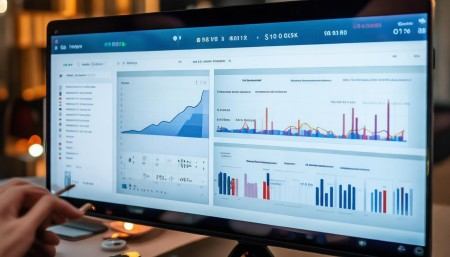
And dashboards—man, dashboards are life. Instead of digging through spreadsheets, I’ve got a live dashboard showing campaign performance in real time. Open rates, response rates, pipeline value, conversion stages—all updated automatically. I can glance at it during team meetings and say, “Hey, Campaign A is underperforming. Let’s tweak the subject line.” No drama. Just facts.
One thing people overlook is feedback loops. CRM data tells you what happened, but not always why. So I make it a habit to talk to the sales team. Did leads from Campaign B seem hotter? Were they asking different questions? Did they hesitate on price? Combine CRM insights with human insight, and you get the full picture.
Also—don’t just look at wins. Analyze the losses too. Why did promising leads from Campaign C go cold? The CRM shows when they stopped engaging. Maybe they downloaded a brochure but never opened follow-up emails. That tells you something. Maybe your nurture sequence needs work. Or your offer wasn’t compelling enough after the first touch.
And hey, not every campaign has to be about immediate sales. Some are about brand awareness or relationship-building. That’s fine. But even then, your CRM can help. Track content downloads, webinar attendance, repeat visits. These are engagement signals. Over time, they build trust. And trust leads to sales—just maybe not right away.

Integration is key, by the way. Your CRM shouldn’t be a silo. Connect it to your email platform, your website analytics, your ad accounts. That way, data flows in automatically. No manual entry. Less room for error. More accurate reporting.
I’ll admit—I used to hate reporting. Felt like busywork. But now? I look forward to it. Because every campaign review teaches me something. Maybe the messaging needs to be clearer. Maybe the timing was off. Maybe we targeted the wrong job titles. The CRM doesn’t lie. It shows what worked and what didn’t. And that’s power.
Another cool thing: A/B testing. Most CRMs let you run two versions of a campaign and compare results. Try two subject lines. Two call-to-action buttons. Two landing pages. Send them to similar audiences, track performance, and see which one wins. Then scale the winner. It’s like science for sales.
And don’t forget about scalability. Once you find a campaign that works, your CRM helps you replicate it. Same audience, same message, same timing—just bigger reach. And because you’ve tracked everything, you can predict outcomes with more confidence.
But here’s the truth: CRM is only as good as how you use it. If your team doesn’t enter data consistently, or if you skip tagging campaigns, the reports will be garbage. So culture matters. Train your team. Make data entry part of the process. Show them how it helps them—like giving them better leads or shorter sales cycles.
And keep improving. Just because a campaign worked last quarter doesn’t mean it’ll work next time. Markets change. Buyers evolve. Use your CRM to stay agile. Monitor trends. Adjust fast.
Look, evaluating sales campaigns isn’t about vanity metrics. It’s not just about how many likes or opens you got. It’s about impact. Did it move the needle? Did it grow revenue? Did it strengthen relationships? Your CRM helps you answer those questions—not with guesses, but with evidence.
So yeah, I used to wing it. Not anymore. Now, every campaign starts with a plan, runs through the CRM, and ends with a review. We learn. We adapt. We get better. And honestly? It feels good to know what’s working—and why.
Q: How do I start tracking a sales campaign in my CRM?
A: First, create a unique campaign name or ID in your CRM. Then, tag every lead or interaction connected to that campaign. Make sure your team uses the same tag every time.
Q: What are the most important metrics to track?
A: Start with conversion rate, cost per lead, customer acquisition cost, and ROI. Also track engagement metrics like open rates and click-throughs.
Q: Can CRM tell me which part of my campaign was most effective?
A: Yes—especially if you use UTM parameters, track email clicks, and log interactions. Many CRMs show which touchpoints led to conversions.
Q: What if my team doesn’t enter data consistently?
A: That’s a common issue. Solve it with training, clear processes, and regular audits. Show the team how accurate data helps them close more deals.
Q: How often should I review campaign performance?
A: Check key metrics weekly during the campaign. Do a full analysis within a week after it ends. Use those insights for the next one.
Q: Can CRM help with future campaign planning?
A: Absolutely. Past performance data helps you refine targeting, messaging, timing, and budget allocation for better results next time.
Q: Is it worth using CRM for small campaigns?
A: Yes. Even small efforts teach you something. Tracking them builds habits and reveals patterns that scale over time.

Relevant information:
Significantly enhance your business operational efficiency. Try the Wukong CRM system for free now.
AI CRM system.