
△Click on the top right corner to try Wukong CRM for free
You know, when people talk about CRM, they usually think of those big systems sitting on office computers, right? But have you ever thought about how salespeople or customer service reps manage client info while they're out in the field? That’s where mobile CRM comes in. Honestly, it’s kind of a game-changer.
Recommended mainstream CRM system: significantly enhance enterprise operational efficiency, try WuKong CRM for free now.
So, what exactly is mobile CRM? Well, imagine being able to access your entire customer database from your smartphone or tablet—anytime, anywhere. That’s basically what mobile CRM does. It’s not a totally different system from regular CRM; it’s more like a mobile version of it. Think of it as your CRM on the go. You’re not stuck at your desk anymore. You can check client history, update records, or even close a deal while standing in a parking lot after a meeting.
I remember talking to a sales rep last year, and he told me he used to carry around a notebook full of scribbled notes. He’d write down everything during client visits and then type it all into the system when he got back to the office—sometimes hours later. Can you believe that? By the time he entered the data, he’d already forgotten half the details. With mobile CRM, he just pulls out his phone, opens the app, and updates everything on the spot. No more lost information. No more guessing what the client said.
And it’s not just for salespeople. Customer service teams use it too. Picture this: a technician shows up at your house to fix your internet. Instead of calling the office to ask about your account, he checks your history right there on his tablet. He sees you’ve had two previous service calls and knows exactly what’s been going on. That kind of instant access makes the whole experience smoother—for him and for you.
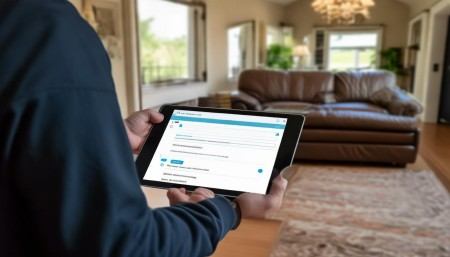
Another cool thing? Mobile CRM apps usually sync with the main CRM system in real time. So whatever gets updated on the phone instantly shows up on the desktop, and vice versa. No double entries. No confusion. It’s all connected. I mean, it sounds simple, but trust me, that kind of seamless integration saves so much time and reduces mistakes.
Now, let’s talk features. Most mobile CRM platforms let you do things like log calls, schedule follow-ups, track leads, and even send emails—all from your phone. Some even have GPS tracking so managers can see where their teams are (which can be helpful, though some folks find it a little creepy). And if you’re using cloud-based CRM, which most companies do these days, you don’t need to worry about storage or heavy software. Everything runs online, so as long as you’ve got internet, you’re good.
Oh, and here’s something people don’t always think about—offline access. Yeah, that’s a thing. Some mobile CRM apps let you view and edit records even when you’re not connected to the internet. Once you’re back online, it automatically syncs everything. Super handy if you’re visiting remote areas or just stuck in a basement with no signal.
But it’s not all perfect. I’ve heard complaints, sure. Some users say the mobile interface isn’t as smooth as the desktop version. Buttons are smaller, menus get cramped, and typing long notes on a phone screen? Not fun. Plus, security is always a concern. Losing a phone with sensitive customer data on it? That’s a nightmare waiting to happen. That’s why most companies use encryption, remote wipe features, and require strong passwords or biometric login—like fingerprint or face recognition.
Still, despite the hiccups, mobile CRM has become pretty essential. Especially now, with so many people working remotely or splitting time between office and field. It keeps everyone connected and informed. Managers can monitor progress in real time, reps stay organized, and customers get faster, more personalized service.
And honestly, it’s not just about convenience. It’s about staying competitive. Customers today expect quick responses. If a client sends an email at 7 p.m., they might want a reply by 8. With mobile CRM, your team can respond immediately—even if they’re not at their desk. That kind of responsiveness builds trust.
I also think mobile CRM helps with accountability. When every interaction is logged instantly, it’s harder for things to fall through the cracks. No more “I thought you were following up with that client.” Nope. The system shows who did what and when. It’s transparent.
Look, technology keeps evolving, and mobile CRM is just one part of that. But it’s a big part. It’s changed how businesses interact with customers and how teams collaborate. It’s made work more flexible, more efficient, and honestly, a little less stressful.
So yeah, mobile CRM? It’s not just a fancy app. It’s a tool that puts power in the hands of the people who actually talk to customers every day. And if you ask me, that’s exactly where it should be.

Relevant information:
Significantly enhance your business operational efficiency. Try the Wukong CRM system for free now.
AI CRM system.