
△Click on the top right corner to try Wukong CRM for free
You know, if you’re running a business these days, especially one that connects with customers through smartphones or apps, you’ve probably heard about mobile marketing CRM. But honestly, a lot of people hear the term and just kind of nod along without really knowing how to use it. I get it — it sounds techy, maybe even a little intimidating. But trust me, once you break it down, it’s actually pretty straightforward — and super powerful when used right.
Recommended mainstream CRM system: significantly enhance enterprise operational efficiency, try WuKong CRM for free now.
Let me tell you something — your customers are on their phones all the time. Like, seriously, check your own screen time. We’re constantly checking messages, scrolling social media, shopping online, or booking services. So if your business isn’t meeting them where they already are, you’re missing out. That’s where mobile marketing CRM comes in. It’s not just about sending random texts or pop-up ads. It’s about building real relationships using tools that live right in your customer’s pocket.
So how do you actually use it? Well, first things first — you need a CRM system that works well on mobile devices. A lot of platforms now have apps for iOS and Android, so your team can access customer data from anywhere. Imagine being at a coffee shop and getting a notification that a loyal customer just walked into your store. You pull up their profile, see they love a certain product, and shoot them a quick message: “Hey Sarah, we just restocked your favorite flavor — want us to set one aside?” That’s the kind of personal touch that turns customers into fans.
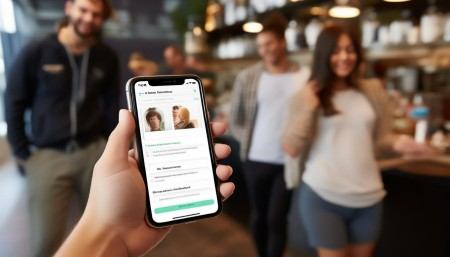
And speaking of messages, SMS and in-app messaging are huge here. People open text messages way faster than emails — like, within minutes. So if you’ve got a flash sale or an event coming up, a simple, well-timed text can drive serious traffic. But don’t go overboard. Nobody likes spam. Be helpful, be relevant, and always give people a way to opt out. Respect goes a long way.
Another thing I’ve learned — push notifications aren’t just for games or social media. If your business has an app, you can use push alerts to remind users about abandoned carts, upcoming appointments, or exclusive offers. Just keep them short and useful. Something like, “Your cart is waiting! Complete your purchase in 10 minutes and get 10% off.” See? Feels personal, creates urgency, and adds value.
Now, here’s a game-changer — location-based marketing. Your CRM can track when customers are near your store (with their permission, of course) and send them a geofenced message. Picture this: someone walks past your bakery, and their phone buzzes: “Fresh croissants just came out of the oven — stop by and mention this message for a free coffee!” How cool is that? It’s like having a friendly employee waving at people from the sidewalk, but digital.
But none of this works unless your CRM is actually collecting good data. Every interaction matters — every call, every email, every purchase, every support ticket. When your system tracks all that, you start seeing patterns. Maybe you notice that customers who buy Product A usually come back for Product B two weeks later. Boom — now you can automate a follow-up message suggesting Product B at just the right time. That’s smart marketing.
And don’t forget about segmentation. Not everyone wants the same thing. Your CRM should let you group customers based on behavior, preferences, location, or purchase history. That way, you’re not sending surfboard deals to someone who lives inland and hates the ocean. Instead, you tailor your messages so they actually make sense to the person getting them.
Oh, and feedback — that’s gold. Use your mobile CRM to send quick surveys after a purchase or service. Keep them short — one or two questions max. “How was your experience today?” with a smiley face scale. People are more likely to respond when it’s easy. Plus, those little insights help you improve everything from products to customer service.
One thing I always say — automation is great, but don’t lose the human touch. Sure, you can schedule messages and set up drip campaigns, but sometimes you’ve got to jump in manually. If a customer sends a direct message complaining about an issue, respond fast — and personally. Nothing kills trust faster than robotic replies when someone’s upset.
Also, train your team. If your sales or support staff are using the mobile CRM, make sure they know how to update records, log conversations, and follow up properly. The whole system only works if everyone’s on the same page. And hey, encourage them to use it in real time — like during a call or after helping a customer. Fresh notes are accurate notes.
Look, mobile marketing CRM isn’t magic. It won’t fix a bad product or terrible service. But when you’ve got something good to offer, it helps you share it in a smarter, more personal way. It turns random contacts into real relationships. And in today’s world, that’s what keeps people coming back.
So if you haven’t given it a serious try yet, maybe now’s the time. Start small — pick one feature, like SMS campaigns or customer tagging, and see how it feels. Learn as you go. Tweak your approach. Pay attention to what gets responses and what falls flat. Because at the end of the day, it’s all about connecting — just in a way that fits how people actually live now. And right now? That means mobile.

Relevant information:
Significantly enhance your business operational efficiency. Try the Wukong CRM system for free now.
AI CRM system.