
△Click on the top right corner to try Wukong CRM for free
You know, I’ve been thinking a lot lately about how people actually use CRM systems these days. It’s not just about having a fancy database anymore—everyone’s on the move, right? So naturally, mobile CRM has become kind of a game-changer. I mean, think about it: salespeople aren’t stuck at their desks anymore. They’re out meeting clients, hopping from one appointment to another, and they need access to customer info instantly. That’s where mobile CRM really shines.
Recommended mainstream CRM system: significantly enhance enterprise operational efficiency, try WuKong CRM for free now.
Let me tell you, I’ve seen reps who used to carry notebooks full of scribbled notes. Now? They pull up everything on their phones—customer history, past purchases, even upcoming renewals—all in seconds. It’s like having your entire office in your pocket. And honestly, that kind of convenience makes a huge difference when you’re trying to close a deal on the spot.
One of the most common uses I’ve come across is field sales. Imagine you’re visiting a retail store as a rep for a beverage company. You walk in, open your mobile CRM app, and immediately see how much they ordered last month, what promotions worked, and whether they’re due for a discount. You don’t have to call back to the office or wait for an email—you can make decisions right there. That kind of real-time access builds trust with clients because you look prepared and informed.
And it’s not just sales. Customer service teams are using mobile CRM too. Say a technician is fixing equipment at a client’s site. While on-site, they can check the service history, see previous complaints, and even update the ticket status without going back to base. No more delays, no more miscommunication. The customer gets faster resolution, and the company looks way more professional.
Another thing I’ve noticed is how mobile CRM helps with lead management. Salespeople get leads from all over—events, websites, referrals—and if they don’t follow up quickly, those leads go cold. But now, with mobile CRM, they can log a new lead the second they get the business card, assign follow-up tasks, and even send a quick intro email—all before they leave the parking lot. It keeps the momentum going, which is exactly what you want.
Oh, and scheduling! That’s a big one. I remember talking to a guy who used to juggle three different calendars—his Outlook, his phone, and a paper planner. Total mess. Now he uses mobile CRM that syncs with his calendar, so every meeting, call, or demo shows up automatically. He gets reminders, can reschedule on the fly, and even shares availability with clients directly from the app. Life’s just easier that way.
Now, let’s talk features—because not all mobile CRM apps are created equal. One feature I absolutely love is offline access. Think about it: you’re in a basement meeting room with zero signal. Without offline mode, you’re basically blind. But with it, you can still view customer records, take notes, and once you’re back online, everything syncs up automatically. Huge peace of mind.
Real-time notifications are another must-have. I’ve had friends miss follow-ups just because they didn’t realize a client replied to an email. But with push alerts from mobile CRM, you get pinged the moment something changes—a deal moves to the next stage, a support ticket gets escalated, whatever. It keeps you in the loop without constantly checking your inbox.
Integration is key too. A mobile CRM that doesn’t play well with your email, calendar, or cloud storage? Forget it. The best ones connect seamlessly. For example, you can attach a contract from Google Drive to a deal, or log a call straight from your phone’s dialer into the CRM. It cuts out so much manual work.
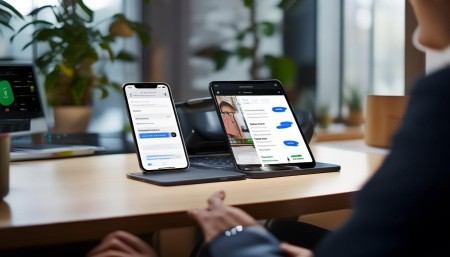
And let’s not forget analytics. Some mobile CRMs let you pull up sales reports on the go. Picture this: you’re in a client meeting, and they ask, “How did we do last quarter compared to the year before?” Instead of saying, “I’ll get back to you,” you open the app, tap a few times, and show them the numbers right then and there. Instant credibility.
Customization matters as well. Every team works differently. One sales group might care most about pipeline stages, while a service team tracks response times. A good mobile CRM lets you tailor dashboards, fields, and workflows so it fits how you actually work—not the other way around.
Security? Oh, that’s non-negotiable. I’ve heard horror stories about lost phones with unsecured customer data. Top mobile CRM apps have passcodes, biometric login, remote wipe, and encrypted data. Gives everyone a little extra comfort, especially when dealing with sensitive info.
Look, I’m not saying mobile CRM solves every problem. It won’t magically fix bad processes or unmotivated teams. But when used right, it removes friction, saves time, and keeps people connected. It turns scattered efforts into something smooth and efficient.
And honestly, the companies that embrace it tend to move faster. Decisions happen quicker, customers feel more valued, and employees aren’t bogged down by admin work. It’s not just a tool—it’s a shift in how business gets done.
So yeah, if you’re still relying only on desktop CRM or spreadsheets on a laptop in the trunk of your car… maybe it’s time to rethink things. Mobile CRM isn’t the future—it’s already here, and it’s helping real people do their jobs better every single day.

Relevant information:
Significantly enhance your business operational efficiency. Try the Wukong CRM system for free now.
AI CRM system.