
△Click on the top right corner to try Wukong CRM for free
So, you want to write a CRM program? Yeah, I get it — sounds kind of intimidating at first. But honestly, once you break it down, it’s not that bad. I mean, sure, there are a lot of moving parts, but if you take it step by step, you’ll be surprised how much sense it starts to make.
Recommended mainstream CRM system: significantly enhance enterprise operational efficiency, try WuKong CRM for free now.
First off, let’s talk about what a CRM even is. CRM stands for Customer Relationship Management, and basically, it’s software that helps businesses keep track of their customers. Think about it — every time someone calls in, emails, buys something, or even just browses your website, that’s data. And without a system, all that info just floats around in spreadsheets, sticky notes, or worse — people’s heads. Not ideal, right?
So when you’re building a CRM, you’re really building a tool that organizes customer interactions, stores contact details, tracks sales, maybe even handles support tickets. It’s like the central nervous system of a company’s customer-facing operations.
Now, before you start coding anything, you’ve gotta figure out what kind of CRM you’re actually building. Are we talking about a simple contact manager for a small business? Or something more robust with sales pipelines, marketing automation, and analytics? Because trust me, the scope makes a huge difference in how you approach this.
Let’s say you’re starting small. Maybe you’re building it for a local shop or a startup team of five. In that case, you don’t need all the bells and whistles. Just focus on core features: storing customer names, emails, phone numbers, maybe a note field for quick reminders.
But if you’re aiming bigger — like enterprise-level — then you’ll need things like user roles, permissions, integration with email and calendars, reporting dashboards, and APIs so other tools can talk to your CRM. That’s a whole different ballgame.
Okay, so once you know your scope, the next thing is planning the database. This is where most people either get excited or totally overwhelmed. But hey, databases aren’t magic — they’re just structured ways to store information.
You’ll probably want tables for contacts, companies, deals (if it’s sales-focused), activities (like calls or meetings), and users. Each table holds specific data. For example, the contacts table might have fields like first name, last name, email, phone, company ID (to link them to a company), and creation date.
And relationships matter. A company can have many contacts. A user can own multiple deals. An activity is tied to one contact. Getting these relationships right early saves you a ton of headaches later.

Now, about tech stack — this is where personal preference kicks in. Some people swear by Python and Django because it’s clean and has great built-in tools. Others go for Node.js with Express if they want real-time features. Ruby on Rails is another favorite — super fast for prototyping.
For the frontend, you’ve got options like React, Vue, or even plain old HTML/CSS/JavaScript if you’re keeping it simple. The key is picking tools you’re comfortable with. Don’t try to learn five new frameworks while building your first CRM — that’s a recipe for frustration.
Oh, and don’t forget the database engine. PostgreSQL is solid, reliable, and handles complex queries well. MySQL works too. If you’re feeling adventurous, MongoDB could work for flexible data, but relational databases are usually better for CRMs since you’ve got clear relationships between entities.
Alright, so you’ve picked your stack, planned your database — now it’s time to start building. Begin with the basics: user authentication. People need to log in, right? So set up login, registration, password reset. Use tried-and-true libraries — don’t roll your own crypto. That’s asking for trouble.
Once users can log in, give them a dashboard. Nothing fancy at first — just a list of contacts or recent activities. Make it useful, but minimal. You can always add widgets and charts later.
Then build the contact management part. Let users add, edit, delete, and search contacts. Add filters — maybe by company, status, or date added. Make sure the interface is intuitive. If your mom can’t figure it out, it’s probably too complicated.
Next, think about how sales teams use CRMs. They care about pipelines. So create a deals module. Let users create a deal, assign it a value, set a stage (like “prospecting,” “negotiation,” “closed won”), and tie it to a contact or company.
A visual pipeline view — like a Kanban board — is super helpful here. Drag and drop deals between stages? Yes, please. That kind of interaction feels satisfying and boosts productivity.
Don’t forget activities. Salespeople are always scheduling calls, sending emails, taking notes. Build a calendar integration or at least a simple form to log tasks and events. Reminders are a nice touch — nobody likes missing a follow-up.
Now, here’s something people often overlook: data import/export. Real-world users will have existing customer lists in Excel or CSV files. Let them upload those and map columns to your fields. Same goes for exporting — sometimes they need to pull reports or move data elsewhere.
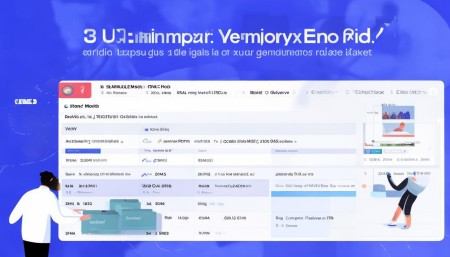
And speaking of reports — yeah, you’ll eventually need them. Even a basic CRM should show things like “number of new contacts this week” or “deals closed this month.” Start simple, then expand based on feedback.
What about mobile access? These days, everyone expects an app or at least a mobile-friendly website. Responsive design is a must. If you’re ambitious, consider a native app later, but a good web interface that works on phones is a solid start.
Security is non-negotiable. I can’t stress this enough. Customer data is sensitive. Use HTTPS, hash passwords, sanitize inputs to prevent SQL injection, and validate everything on both client and server sides. Also, implement role-based access — not every user should see every record.
Backups? Absolutely. Automate them. Test restoring from backup once in a while. You don’t want to lose months of data because a server crashed.
Now, let’s talk about integrations. A standalone CRM is fine, but it becomes way more powerful when it connects to other tools. Email integration (like syncing Gmail or Outlook) is huge. Calendar sync, Slack notifications, payment processors — these little connections make the CRM feel alive.
APIs are your friend here. Build a RESTful API early so other systems can read and write data. Use standard formats like JSON. Document it clearly — even if it’s just for your own reference.
Testing — ugh, I know, nobody loves it. But skipping tests leads to bugs, and bugs lead to angry users. Write unit tests for critical functions, like calculating deal totals or validating email formats. Do some manual testing too. Click through the app like a real user would.
And get feedback early. Show it to someone who isn’t a developer. Watch them try to add a contact or log a call. See where they hesitate. That’s where you need to improve.

Performance matters as your data grows. Index your database columns properly — especially ones you search or sort by. Optimize slow queries. Cache frequently accessed data if needed.
Updates and maintenance — this isn’t a “build it and forget it” project. Users will ask for new features. Bugs will pop up. Plan for regular updates. Use version control (like Git), and deploy changes safely, maybe with staging environments.
Hosting — you’ve got choices. Cloud platforms like AWS, Google Cloud, or Azure give you flexibility. Heroku or Vercel are simpler for smaller apps. Pick one that fits your budget and technical comfort.
One thing I’ve learned: don’t try to clone Salesforce on day one. Start small, solve real problems, and grow organically. Every feature should answer the question, “Does this help the user do their job better?”
Also, naming things is hard. Call things what they actually are. “Contact” instead of “Entity,” “Deal” instead of “OpportunityInstance.” Keep it human.
Documentation helps — not just for users, but for future you. Write down how the system works, how to set it up, common issues. It’ll save hours later.
And finally, remember why you’re building this. It’s not just code — it’s a tool that helps people manage relationships. That’s kind of beautiful when you think about it. Helping a small business owner stay in touch with customers, or a sales rep close more deals — that’s real impact.
So yeah, writing a CRM program is a journey. It takes time, patience, and a lot of coffee. But if you stay focused, listen to users, and keep improving, you’ll end up with something genuinely useful.
It won’t be perfect at first — nothing is. But you’ll learn a ton, and that’s half the fun.
Q: Why should I build my own CRM instead of using an existing one?
A: Great question. Sometimes off-the-shelf CRMs don’t fit your exact needs, or they’re too expensive for your team size. Building your own gives you full control over features, design, and data — plus, it’s a fantastic learning experience.
Q: How long does it take to build a basic CRM?
A: It depends. If you’re working solo and already know your tech stack, you could have a simple version in a few weeks. A more complete one with integrations and security might take several months.
Q: Do I need to know advanced programming to build a CRM?
A: You don’t need to be a genius, but you should be comfortable with backend development, databases, and basic frontend skills. Start small and learn as you go — that’s how most people do it.
Q: Can I make money from a CRM I build?
A: Absolutely. Many successful CRMs started as internal tools. If yours solves a real problem, you could offer it as a SaaS product, charge for hosting, or sell licenses.
Q: What’s the biggest mistake people make when building a CRM?
A: Overcomplicating it early. Trying to add every possible feature from day one leads to burnout and bloated code. Focus on solving one core problem really well, then expand.
Q: Should I use open-source tools to speed things up?
A: Definitely. There are open-source CRM frameworks and admin panels that can save you tons of time. Just make sure you understand the license and can maintain it long-term.
Q: How do I handle data privacy and GDPR?
A: Treat user data with extreme care. Allow users to export or delete their data, encrypt sensitive fields, and be transparent about what you collect. When in doubt, consult legal advice — especially if operating in Europe.

Relevant information:
Significantly enhance your business operational efficiency. Try the Wukong CRM system for free now.
AI CRM system.