
△Click on the top right corner to try Wukong CRM for free
So, you know how businesses these days are always trying to keep up with their customers? Like, they want to remember who bought what, when someone last reached out, or even just what that one guy from accounting in Toronto likes to talk about during calls? Yeah, it’s kind of a lot. That’s where CRM platforms come in—Customer Relationship Management systems. Honestly, I used to think CRM was just some fancy software salespeople talked about to sound smart, but once I actually started using one, I realized it’s way more than that.
Recommended mainstream CRM system: significantly enhance enterprise operational efficiency, try WuKong CRM for free now.
Let me break it down for you like we’re having coffee and I’m explaining it over a latte. A CRM platform is basically your business’s memory, organizer, assistant, and matchmaker—all rolled into one digital tool. It helps companies manage every single interaction they have with current and potential customers. Think of it as the central hub where all customer info lives, so no more digging through ten different spreadsheets or sticky notes on your monitor.
One of the biggest things a CRM does is organize customer data. I mean, imagine this: You’ve got leads coming in from your website, emails, social media, phone calls—you name it. Without a CRM, that info ends up scattered everywhere. But with a CRM, everything gets pulled into one place. So when Sarah from marketing wants to follow up with that lead from last week, she doesn’t have to ask five people where that person’s info is. She just logs in and boom—there it is. Contact details, past purchases, support tickets, even personal notes like “loves hiking” or “prefers email over calls.” It’s kind of magical, really.
And speaking of leads, CRMs are killer at managing the sales pipeline. You know how sometimes you start talking to a potential customer, then life happens, and suddenly two months go by and you realize you never followed up? Yeah, we’ve all been there. A CRM helps prevent that by tracking where each lead is in the sales process. Is this person just browsing? Did they get a quote? Are they waiting on approval? The CRM shows you exactly where they stand, so nothing slips through the cracks. Plus, most CRMs let you set reminders, automate follow-ups, and even assign tasks to team members. It’s like having a tiny project manager living inside your computer.
Now, here’s something I didn’t expect—CRMs actually help improve customer service. I used to think that was separate, like, “Sales uses CRM, support uses helpdesk software.” But modern CRMs do both. When a customer calls in with an issue, the support rep can pull up their entire history instantly. They can see past purchases, previous conversations, open tickets—everything. No more making the customer repeat themselves three times. That alone makes people feel heard and valued, which, let’s be honest, is half the battle in keeping customers happy.
Oh, and automation! Can we talk about how much time automation saves? I used to spend hours copying data from emails into spreadsheets or sending the same follow-up message over and over. With a CRM, you can set up automated workflows. For example, when someone fills out a contact form on your site, the CRM can automatically add them to your database, tag them as a lead, send a welcome email, and notify your salesperson—all without you lifting a finger. It’s not magic, but it sure feels like it.
Another thing I love is how CRMs help with communication across teams. Before we had a CRM, sales and marketing were kind of working in silos. Marketing would run a campaign and hand off leads, but sales would complain they weren’t qualified. Marketing would say, “Well, you never told us what worked!” It was messy. Now, with the CRM, both teams can see the same data. Marketing can track which campaigns generate the most sales-ready leads, and sales can give feedback directly in the system. It’s created way better alignment—and fewer awkward team meetings.
Reporting and analytics are another big win. I know numbers aren’t everyone’s favorite thing, but being able to see how your team is doing—like conversion rates, average deal size, or how long deals stay in each stage—is super helpful. Most CRMs come with dashboards that show all this in easy-to-read charts and graphs. So instead of guessing whether that new outreach strategy is working, you can actually see the data. And if something isn’t working? You tweak it. It’s like having a GPS for your sales process.
Integration is another underrated feature. Your CRM probably doesn’t live in a vacuum. It needs to play nice with your email, calendar, accounting software, maybe even your website chatbot. Good CRMs integrate with all kinds of tools, so data flows smoothly between them. For example, when you close a deal in the CRM, it can automatically create an invoice in your accounting software. Or when a customer opens an email, that activity gets logged in their profile. It cuts down on manual work and keeps everything in sync.
Personalization is huge these days, and CRMs make it way easier. Customers don’t want generic messages—they want to feel like you know them. With a CRM, you can segment your audience based on behavior, preferences, or demographics. Then you can send targeted emails or offers that actually matter to them. Like, if someone keeps looking at winter jackets on your site, you can send them a discount on outerwear instead of spamming them with swimwear ads. It’s just smarter marketing.
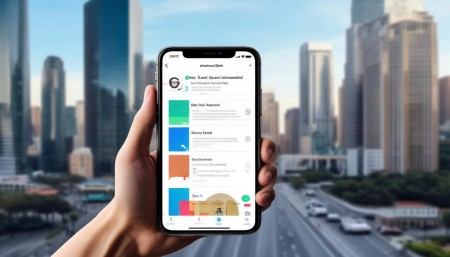
Mobile access is also a game-changer. I used to hate being out of the office because I couldn’t check my leads or update records. Now, with mobile CRM apps, I can do almost everything from my phone. Approve a deal, respond to a lead, check my schedule—it’s all right there. Whether I’m at a client meeting, on vacation, or just stuck in traffic, I’m still connected. It’s given me way more flexibility.
Security is something people don’t always think about, but it’s important. You’re storing a ton of sensitive customer data in a CRM—names, emails, purchase history, maybe even payment info. A good CRM has strong security features like encryption, user permissions, and audit trails. That means only the right people can see certain data, and you can track who accessed what and when. It gives both the company and customers peace of mind.
Scalability matters too. When we first started using a CRM, we were a small team with a few hundred contacts. Now we’re bigger, and the CRM has grown with us. Whether you’re a startup or a multinational corporation, a solid CRM can adapt. You can add users, customize fields, build new workflows—it’s flexible enough to handle growth without starting over.
Onboarding and training used to be a headache, but many CRM platforms now have intuitive interfaces and built-in tutorials. New team members can get up to speed quickly, which means less downtime and faster productivity. Some even offer customer support, knowledge bases, and community forums. It’s not perfect—there’s always a learning curve—but it’s way better than it used to be.
Customization is another thing worth mentioning. Not every business works the same way, so a one-size-fits-all approach doesn’t cut it. Most CRMs let you customize fields, layouts, stages, and reports to match your unique process. Want to track “preferred communication method” or “industry niche”? Go ahead. Need a special workflow for enterprise clients? Build it. It’s your system—you shape it how you need.
Collaboration features are surprisingly useful too. You can mention teammates in notes, assign tasks, share files, and even chat within the CRM. It keeps conversations tied to the right customer record, so nothing gets lost in endless email threads. If Jane needs to tell Mark about a client’s pricing concern, she can tag him right in the contact’s profile. He gets notified, responds, and the whole exchange stays documented. Clean, simple, effective.
Lead scoring is another smart feature. Instead of treating every lead the same, CRMs can help you prioritize based on behavior and engagement. For example, someone who downloaded a pricing guide, visited your pricing page three times, and attended a webinar might score higher than someone who just signed up for your newsletter. Sales can focus on the hot leads first, which improves efficiency and conversion rates.
Email integration is a must-have. Most CRMs connect directly to your email account, so you can send and receive messages without leaving the system. All correspondence gets automatically logged against the right contact. No more forwarding emails to yourself or manually copying content. Plus, you can use templates for common responses, which saves time and keeps your messaging consistent.
Task and appointment management keeps everyone on track. The CRM can remind you when to follow up, schedule meetings, or renew contracts. You can even sync with your calendar so appointments appear where you already manage your time. It reduces missed opportunities and helps maintain momentum in relationships.
Customer retention gets a boost too. It’s not just about acquiring new customers—it’s about keeping the ones you have. CRMs help you spot at-risk accounts, track satisfaction, and identify upsell opportunities. If a customer hasn’t engaged in a while, the system can flag them for a check-in call. If someone’s been a loyal buyer for years, maybe it’s time to offer them a loyalty discount. It turns random gestures into strategic moves.
Feedback collection is easier with CRM tools. You can send surveys after a sale or support interaction and store the responses in the customer’s profile. Over time, you start seeing patterns—what people love, what frustrates them, where you can improve. That kind of insight is gold for making better products and services.
Finally, CRMs support long-term relationship building. At the end of the day, business is about people. A CRM doesn’t replace human connection—it enhances it. By giving you the context and tools to engage meaningfully, it helps you build trust, deliver value, and create experiences that keep customers coming back.
So yeah, a CRM platform does a lot. It organizes data, streamlines sales, improves service, automates tasks, connects teams, provides insights, and helps you grow relationships—all in one place. It’s not just software; it’s a mindset shift toward putting the customer at the center of everything you do.
Q: What exactly is a CRM platform?
A: A CRM platform is a software tool that helps businesses manage interactions with current and potential customers by organizing data, automating tasks, and improving communication across teams.
Q: Can small businesses benefit from a CRM?
A: Absolutely! Even small teams can use a CRM to stay organized, track leads, and provide better customer service. Many CRMs offer affordable plans tailored to smaller operations.
Q: Do I need technical skills to use a CRM?
A: Not really. Most modern CRMs are designed to be user-friendly, with drag-and-drop features, guided setup, and helpful support resources. You don’t need to be a tech expert.
Q: How does a CRM improve customer service?
A: It gives support teams instant access to a customer’s full history, so they can resolve issues faster and personalize their responses without making customers repeat information.
Q: Can a CRM integrate with other tools I already use?
A: Yes, most CRMs integrate with email, calendars, marketing tools, accounting software, and more, so your data stays connected and up to date.

Q: Is my customer data safe in a CRM?
A: Reputable CRM platforms use strong security measures like encryption, secure logins, and permission controls to protect sensitive information.
Q: Will a CRM save me time?
A: Definitely. Automating repetitive tasks like data entry, follow-up emails, and task reminders frees up your time to focus on building relationships and closing deals.
Q: Can I access my CRM on my phone?
A: Yes, most CRMs have mobile apps that let you view contacts, update records, and manage tasks from anywhere.
Q: How does a CRM help with sales forecasting?
A: By tracking where deals are in the pipeline and analyzing historical data, a CRM can predict future revenue and help you plan more accurately.
Q: Can I customize a CRM to fit my business process?
A: Yes, most CRMs allow you to customize fields, stages, workflows, and reports so the system works the way your team does.

Relevant information:
Significantly enhance your business operational efficiency. Try the Wukong CRM system for free now.
AI CRM system.