
△Click on the top right corner to try Wukong CRM for free
You know, when I first heard about SaaS CRM, I wasn’t really sure what all the hype was about. I mean, I’d been using traditional software for years—installed it on my computer, updated it manually, dealt with crashes and compatibility issues. It worked, kind of, but it always felt like more trouble than it should’ve been. Then a friend of mine at another company mentioned how they switched to a cloud-based CRM, and honestly, I was skeptical at first. But after giving it a real shot, I can tell you—it changed everything.
Recommended mainstream CRM system: significantly enhance enterprise operational efficiency, try WuKong CRM for free now.
Let me break it down for you. One of the biggest things I noticed right away was how easy it was to get started. With old-school CRM systems, setting up could take weeks. You had to install servers, configure networks, train your team… it was a whole project. But with SaaS CRM? All I needed was an internet connection and a login. Seriously, within a day, our sales team was already entering leads and tracking calls. No IT department headaches, no waiting around. Just log in and go.
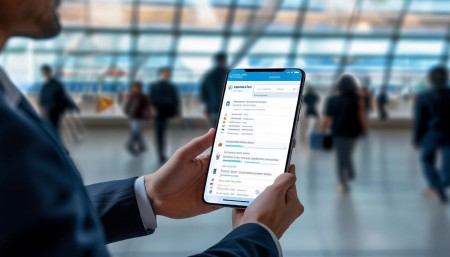
And speaking of access, that’s another thing—being able to use the CRM from anywhere is a game-changer. I remember being stuck at the airport once, missed flight, and instead of just sitting there doing nothing, I pulled out my phone and checked in on our pipeline. I updated a few deals, sent notes to my team, even scheduled follow-ups. That would’ve been impossible with the old system. Now, whether I’m at home, in the office, or halfway across the country, I’ve got full access. My team does too. It keeps us connected and moving forward, no matter where we are.
Another thing people don’t talk about enough is how much money you save. I know, I know—SaaS subscriptions aren’t free, but think about everything you’re not paying for. No upfront costs for hardware, no need to buy expensive servers or maintain them. No hiring extra IT staff just to keep the CRM running. The provider handles all of that. And updates? They happen automatically in the background. I don’t have to schedule downtime or worry about installing patches. One morning I logged in, and suddenly there were new features—smoother interface, better reporting tools. It just… showed up. Like magic.
Oh, and scalability! That’s huge. When our company started growing fast last year, I was nervous about whether our old system could handle it. Would it slow down? Crash under pressure? But with SaaS CRM, scaling up was as simple as adjusting our subscription plan. Need more users? Add them with a few clicks. Want access to advanced analytics or marketing automation? Upgrade your package. No long contracts, no complicated migrations. It grows with your business, not against it.
Integration is another thing I love. Our CRM plays nice with all the other tools we use—email, calendars, social media, even our accounting software. I used to waste so much time copying data from one place to another. Now, everything syncs automatically. When someone opens an email I sent, it logs it. When a meeting ends, it adds notes to the contact record. It’s like having a digital assistant who never sleeps and never forgets anything.
Security used to be a big concern for me. I’ll admit, I was worried about storing customer data “in the cloud.” Sounds risky, right? But the truth is, most SaaS providers invest way more in security than a typical small or mid-sized business ever could. We’re talking enterprise-grade encryption, multi-factor authentication, regular backups, compliance with GDPR and other regulations. Honestly, my data is probably safer with them than if I kept it on our own server. Plus, if something goes wrong—like a power outage or hardware failure—the provider has disaster recovery plans in place. I sleep better knowing that.
Collaboration has gotten so much easier too. Before, if two people tried to edit the same customer record, someone would overwrite the other’s changes. Frustrating, right? Now, multiple team members can work in the system at the same time. We can assign tasks, leave comments, tag each other—kind of like social media, but for sales and service. Managers can see what everyone’s working on without micromanaging. It builds transparency and trust.
Customer support is another area where SaaS CRM shines. Most providers offer 24/7 support, knowledge bases, live chat, training videos—you name it. I’ve had questions at midnight before a big presentation, and guess what? Someone answered me in minutes. Compare that to calling a software vendor during business hours and getting put on hold for an hour. No contest.
The user experience is just better overall. These platforms are designed with real people in mind. The interfaces are clean, intuitive, and mobile-friendly. New team members pick it up quickly—no week-long training sessions. And since the software is constantly being improved based on user feedback, it actually gets better over time. It’s not some static program that stays the same for ten years. It evolves.
Reporting and analytics? Huge upgrade. I used to spend hours pulling data into spreadsheets, trying to make sense of it. Now, I can generate reports with a few clicks. Real-time dashboards show me sales performance, conversion rates, customer satisfaction—all updated instantly. I can drill down into specific regions, teams, or time periods. It helps me make smarter decisions faster. And because the data is accurate and up-to-date, I actually trust it.
Customization is surprisingly flexible too. I thought cloud software would be too rigid, but most SaaS CRMs let you tailor fields, workflows, and automation rules to fit your business. Whether you’re in real estate, healthcare, or e-commerce, you can adapt the system to your needs. And if you hit a limit, many platforms support third-party apps or APIs so you can extend functionality.
Onboarding is smoother now. When we hire someone new, I can set up their account in minutes. They get a welcome email, go through a quick tutorial, and boom—they’re ready to start using the system. No installing software, no configuring settings. And because everything is standardized, everyone follows the same processes. That consistency improves efficiency and reduces errors.
It’s also easier to stay compliant. Industries like finance and healthcare have strict data handling rules. SaaS CRM providers often build compliance features right in—audit trails, permission controls, data retention policies. That takes a lot of legal risk off our shoulders. We know we’re following best practices without having to become experts in regulation.
One thing I didn’t expect? How much innovation happens behind the scenes. Because SaaS companies serve thousands of customers, they’re constantly testing new features, listening to feedback, and rolling out improvements. Machine learning for lead scoring, AI-powered chatbots for customer service, predictive analytics—these aren’t sci-fi anymore. They’re part of the platform, included in the price. I don’t have to wait years for tech upgrades. I get them as soon as they’re ready.
And let’s talk about reliability. Downtime used to scare me. If the server went down, the whole team stopped working. But SaaS providers run on massive cloud infrastructures with redundancy built in. Uptime is usually over 99.9%. I’ve literally never seen our CRM go offline. Even during peak times, it runs smoothly. That kind of reliability lets us focus on selling, not troubleshooting.
Switching was easier than I thought. I expected chaos—data loss, training nightmares, resistance from the team. But most providers offer migration tools and support. We imported our old contacts, deals, and history without breaking a sweat. And once people saw how much easier their jobs became, they embraced it. No pushing, no forcing. They wanted to use it.
Long-term, it’s just smarter. Technology changes fast. With traditional software, you’re locked into versions, forced to upgrade every few years at great cost. But with SaaS, you’re always on the latest version. No disruptive upgrades, no retraining. It’s continuous improvement, not occasional overhauls.
Honestly, I wish I’d made the switch sooner. It’s not just about saving time or money—though those are great. It’s about empowering your team, serving customers better, and staying competitive. In today’s world, agility matters. Being able to adapt quickly, respond to opportunities, and scale without friction—that’s what separates growing businesses from stagnant ones.
So yeah, if you’re still on an old CRM system, I get it. Change is scary. But trust me, the benefits far outweigh the discomfort of switching. It’s not just software—it’s a tool that helps you build stronger relationships, close more deals, and run a smoother operation. And once you try it, you’ll wonder how you ever lived without it.
Q: Isn’t SaaS CRM less secure than keeping data on our own servers?
A: Actually, most SaaS providers have stronger security than the average company can afford. They use encryption, constant monitoring, and comply with international standards—so your data is often safer in the cloud.
Q: What if our internet goes down? Can we still access the CRM?
A: Good question. While you do need internet access, many SaaS CRMs offer offline modes or mobile apps that sync when you’re back online. Plus, internet outages are rare compared to server crashes.
Q: Can we customize a SaaS CRM to fit our unique sales process?
A: Absolutely. Most platforms let you customize fields, workflows, automation, and dashboards. Some even support coding for deeper customization.
Q: Is it expensive in the long run?
A: Not really. You trade large upfront costs for predictable monthly fees. Over time, you save on hardware, maintenance, IT staff, and downtime.
Q: What happens to our data if we cancel the service?
A: Reputable providers let you export all your data easily—usually in common formats like CSV or Excel. Always check the terms before signing up.
Q: Do we lose control by using a third-party system?
A: You’re trusting the provider with infrastructure, but you still control your data, user access, and how you use the system. Most give you full admin rights.

Q: How do updates work? Will they mess up our setup?
A: Updates are automatic and tested thoroughly. Providers design them to avoid breaking existing configurations. You usually gain features, not lose functionality.
Q: Can small businesses benefit from SaaS CRM too?
A: Definitely. In fact, small teams often benefit the most—because they get enterprise-level tools without the enterprise price tag or complexity.

Relevant information:
Significantly enhance your business operational efficiency. Try the Wukong CRM system for free now.
AI CRM system.