
△Click on the top right corner to try Wukong CRM for free
So, you’ve probably heard the term CRM thrown around a lot—especially if you’re in sales, marketing, or customer service. I mean, it’s everywhere these days. But have you ever actually stopped and asked yourself, “Wait… what does CRM even stand for?” Yeah, I know—it sounds kind of silly to wonder about something so common, but honestly, most people just use the acronym without really thinking about what it means.
Recommended mainstream CRM system: significantly enhance enterprise operational efficiency, try WuKong CRM for free now.
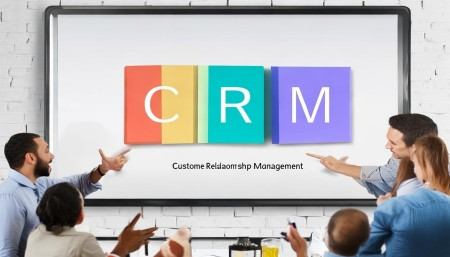
Well, let me tell you: CRM stands for Customer Relationship Management. That’s the full name. Simple, right? But don’t let the simplicity fool you—there’s a whole world behind those three little words. I remember when I first started learning about this stuff, I thought, “Oh, it’s just software that keeps track of customers.” And sure, that’s part of it, but it’s way more than that. It’s actually a strategy, a mindset, and yes, also a set of tools.
Think about it like this: every time you walk into your favorite coffee shop and the barista remembers your usual order, that’s relationship management. They’re not using fancy software (well, maybe they are now), but they’re building a connection with you. That’s the heart of CRM—building and maintaining strong relationships with customers so they keep coming back.
But in the business world, especially as companies grow, you can’t rely on memory alone. You need systems. That’s where CRM software comes in. It helps businesses organize customer information, track interactions, manage sales pipelines, and even automate certain tasks. So while the full name is Customer Relationship Management, what we usually mean when we say “CRM” today is the technology that supports that process.
I’ll admit, when I first heard the term, I pictured some clunky database from the 90s. But modern CRM systems? They’re sleek, intuitive, and incredibly powerful. They can sync with your email, pull in social media activity, schedule follow-ups, and even predict which leads are most likely to convert. It’s kind of mind-blowing when you think about it.
And here’s the thing—not all CRMs are the same. Some are built for small businesses, others for huge enterprises. Some focus on sales, others on marketing or customer support. There’s HubSpot, Salesforce, Zoho, Microsoft Dynamics—you name it. Each has its own flavor, but they all aim to do the same basic thing: help companies understand and serve their customers better.
But let’s go back to the name for a second. Why “Customer Relationship Management”? Why not just “Customer Database” or “Sales Tracker”? Well, because it’s not just about storing data. It’s about managing the entire relationship—from the first time someone hears about your brand, all the way through to repeat purchases and long-term loyalty.
Imagine you run an online store. A customer visits your site, signs up for your newsletter, clicks on a few product pages, adds something to their cart but doesn’t buy. Later, they get an email reminder, come back, and make a purchase. Then, a week later, they get a follow-up asking how they liked the product. Maybe they reach out with a question, and your support team responds quickly. All of that? That’s CRM in action.

It’s not just one moment—it’s the whole journey. And the CRM system helps you see that journey clearly, so you don’t drop the ball. Without it, you might forget to follow up, miss a complaint, or send the wrong message at the wrong time. And trust me, customers notice when you mess up.
I once worked at a company that didn’t use a proper CRM. We kept customer info in spreadsheets—yes, actual Excel files. And emails? Buried in inboxes. It was a nightmare. We’d double-contact people, forget who said what, and lose leads all the time. Once, a customer called and said, “You guys emailed me three times this week about the same thing.” Awkward. After we switched to a real CRM, everything changed. Suddenly, we knew who had been contacted, when, and about what. It made us look way more professional—and we actually closed more deals.

That’s the power of CRM. It’s not magic, but it feels like it sometimes. It brings order to chaos. It turns random interactions into a coherent story. And that story? It’s about your customer.
Now, some people think CRM is only for big corporations with huge budgets. But that’s not true at all. Even solopreneurs can benefit from a simple CRM. If you’re a freelance designer, for example, you can use a CRM to keep track of client projects, send invoices, and schedule check-ins. It helps you stay organized and build stronger connections—without having to juggle ten different apps.
And it’s not just for external customers, either. Some companies use CRM principles internally—like managing relationships with partners, vendors, or even employees. The core idea is the same: understand the person, communicate effectively, and build trust over time.
Another thing people get wrong is thinking CRM is only about technology. Sure, software plays a big role, but CRM starts with culture. If your team doesn’t care about customers, no amount of tech will fix that. I’ve seen companies spend thousands on a fancy CRM system, only to have employees ignore it because “it’s too much work.” That’s when it becomes shelfware—expensive, unused software gathering digital dust.
The best CRMs are the ones that fit naturally into how people work. They make life easier, not harder. For example, if a sales rep can log a call with one click, they’re more likely to do it. If a support agent can see a customer’s history instantly, they can resolve issues faster. It’s all about removing friction.
And let’s talk about data for a second. CRM systems collect a ton of it—names, emails, purchase history, website visits, support tickets, you name it. But data is only useful if you do something with it. That’s where analytics come in. A good CRM doesn’t just store information; it helps you make sense of it.
Like, maybe you notice that customers who attend your webinars are twice as likely to buy. Or that people from a certain region respond better to specific messaging. That kind of insight lets you tweak your strategy and get better results. It’s like having a GPS for your customer relationships—you can see where you’ve been, where you are, and where you should go next.
Integration is another big deal. Your CRM shouldn’t live in a silo. It should connect with your email, calendar, social media, e-commerce platform, and other tools. When everything talks to each other, you get a complete picture of the customer. No more guessing, no more gaps.
I remember helping a friend set up her first CRM for her boutique. She was overwhelmed at first—so many options, so many features. But once she picked one that synced with her Shopify store and Instagram, things clicked. She could see which followers turned into buyers, send personalized offers, and even automate birthday discounts. Her sales went up, and her customers loved the personal touch.
That’s the beauty of CRM—it scales. Whether you’re a one-person show or a multinational corporation, the principles apply. You’re still trying to build better relationships. The tools just get more sophisticated as you grow.
And speaking of growth, CRM can actually help you grow faster. How? By making your team more efficient. Instead of wasting time searching for info or repeating tasks, they can focus on what matters—talking to customers, solving problems, closing deals. Automation handles the boring stuff, like sending reminders or updating records.
Plus, with better tracking, you can measure what’s working and what’s not. Maybe your email campaigns have great open rates but low click-throughs. Or your sales team is great at first meetings but struggles to close. A CRM gives you the numbers so you can coach, improve, and optimize.
Another cool thing? Mobile access. Most modern CRMs have apps, so your team can update records from anywhere. Salespeople on the road, support agents working remotely—they can stay connected and productive. No more waiting until Monday to log Friday’s meeting.
And let’s not forget about collaboration. In a good CRM, team members can leave notes, tag each other, and share updates. It’s like a shared workspace for customer relationships. No more “Who was supposed to call that client?” moments.
Security is important too. Customer data is sensitive, so a solid CRM has strong privacy controls—user permissions, encryption, audit logs. You don’t want just anyone seeing payment details or personal info. Trust is everything in customer relationships, and that starts with protecting their data.
Now, I know what you might be thinking: “This all sounds great, but isn’t CRM expensive?” Well, not necessarily. There are free versions, like HubSpot’s free CRM, that offer solid features for small teams. Paid plans scale up with more users and advanced tools, but even then, the ROI can be huge. Think about how much time you save, how many more deals you close, how much more loyal your customers become. That’s worth investing in.
And setup? It doesn’t have to be painful. Many CRMs are designed for non-techies. Drag-and-drop interfaces, guided onboarding, templates—some even have AI assistants to help you get started. You don’t need a PhD in IT to use them.
Of course, no system is perfect. Sometimes integrations break, updates cause glitches, or users resist change. But the benefits far outweigh the headaches. And honestly, most issues can be solved with training, support, or a little patience.
At the end of the day, CRM is about people. It’s about treating customers like individuals, not just transactions. It’s about listening, responding, and growing together. The software is just a tool—the real magic happens when humans use it to build real connections.
So, to wrap it up: CRM stands for Customer Relationship Management. It’s a strategy, a philosophy, and a set of tools—all focused on one goal: creating better experiences for customers. Whether you’re a startup founder, a sales manager, or a customer support hero, understanding CRM can change the way you work—for the better.
Q: What does CRM stand for?
A: CRM stands for Customer Relationship Management.
Q: Is CRM only for big companies?
A: No, businesses of all sizes can benefit from CRM, including solopreneurs and small teams.
Q: Do I need technical skills to use a CRM?
A: Not really. Most modern CRMs are user-friendly and designed for non-technical users.
Q: Can CRM help with marketing?
A: Absolutely. Many CRMs include tools for email campaigns, lead scoring, and tracking customer behavior.
Q: Is there a free CRM option available?
A: Yes, several platforms like HubSpot offer free CRM versions with essential features.
Q: How does CRM improve customer service?
A: It gives support teams quick access to customer history, enabling faster, more personalized responses.
Q: Can CRM integrate with other tools?
A: Yes, most CRMs can connect with email, calendars, e-commerce platforms, and social media.
Q: Does CRM only focus on sales?
A: No, while sales is a big part, CRM also supports marketing, customer service, and overall relationship building.
Q: What happens if my team doesn’t use the CRM?
A: The system loses value. Adoption depends on ease of use, training, and leadership support.
Q: Can CRM help me understand my customers better?
A: Definitely. By collecting and analyzing data, CRM reveals insights into customer preferences and behaviors.

Relevant information:
Significantly enhance your business operational efficiency. Try the Wukong CRM system for free now.
AI CRM system.