
△Click on the top right corner to try Wukong CRM for free
So, you know how sometimes people throw around terms like ERP and CRM and it sounds like they’re talking about some super high-tech secret code? Yeah, I used to feel that way too. Honestly, I remember sitting in a meeting a few years ago, nodding along like I totally got what they were saying, when in reality, I had no clue. ERP? CRM? To me, they just sounded like alphabet soup. But then I started digging into it, and honestly, once you break it down, it’s not that complicated. Let me walk you through it—like we’re just having a chat over coffee.
Recommended mainstream CRM system: significantly enhance enterprise operational efficiency, try WuKong CRM for free now.
Alright, so first things first—what even is ERP? Well, ERP stands for Enterprise Resource Planning. Sounds fancy, right? But really, it’s just a system that helps companies manage the core parts of their business all in one place. Think of it like the central nervous system of a company. It connects different departments—like finance, HR, manufacturing, supply chain—and makes sure everyone’s on the same page. Without it, you’d have people using spreadsheets, emails flying everywhere, and total chaos. Not fun.
Now, CRM—Customer Relationship Management—is kind of different. It’s focused more on, well, customers. Like, how do you keep track of who your customers are, what they’ve bought, what they might want next, and how happy they are with your service? That’s where CRM comes in. It’s basically a tool that helps sales, marketing, and customer support teams work better together by keeping all customer info in one spot.
So here’s the thing: both ERP and CRM are software systems, and both help businesses run smoother. But they serve different purposes. ERP is more about internal operations—how stuff gets made, shipped, paid for, etc. CRM is about external relationships—how you connect with customers, sell to them, and keep them coming back.
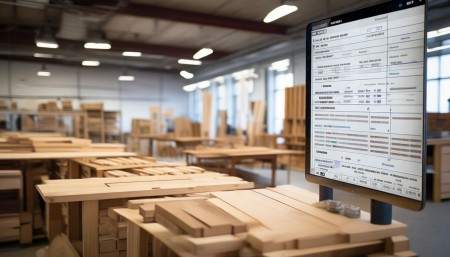
Let me give you an example. Imagine you own a small furniture company. You make chairs, tables, sofas—nice stuff. With an ERP system, you can track how much wood you have in stock, how many hours your workers put in, how much it costs to make each piece, and when you need to reorder supplies. It also handles your accounting—like invoicing, payroll, taxes. Basically, anything related to running the business behind the scenes.
But now, think about your customers. Maybe someone calls and wants to buy a custom sofa. Your sales rep talks to them, takes notes, follows up. Later, the customer has a question about delivery. If you don’t have a CRM, that info might be stuck in someone’s email or notebook. But with CRM, every interaction is logged—calls, emails, orders, complaints, everything. So when the customer service rep picks up the phone, they already know the whole history. No repeating yourself. Feels good, right?
Another way to look at it: ERP is like the engine of a car. It powers everything. CRM is like the steering wheel and dashboard—it helps you navigate and interact with the road (aka your customers). You need both to drive smoothly, but they do different jobs.
And get this—they actually work better together. A lot of companies use both ERP and CRM, and when they’re integrated, magic happens. For example, when a sale closes in the CRM, that info can automatically flow into the ERP system. So inventory gets updated, shipping gets scheduled, and the finance team knows to send an invoice. No manual data entry. No mistakes. Just smooth sailing.
But wait—can’t one system do both? I mean, why have two separate tools? That’s a fair question. Some big software platforms, like SAP or Oracle, offer both ERP and CRM features in one suite. And yeah, that can work. But honestly, a lot of companies prefer specialized tools. Like, Salesforce is amazing at CRM—super user-friendly, great for sales teams. But it doesn’t handle payroll or inventory. On the other hand, an ERP like NetSuite can do a lot, including some CRM stuff, but it might not be as strong in managing complex sales pipelines.
So it really depends on what your business needs. If you’re a sales-heavy company—say, a tech startup selling software—you might care more about CRM. But if you’re in manufacturing or distribution, ERP is probably your best friend.
Also, let’s talk about who uses these systems. ERP is usually used by people in operations, finance, logistics—those behind-the-scenes heroes. CRM is mostly used by sales reps, marketers, and customer service agents—the front-facing folks. Different teams, different goals, different tools.
And the data? Oh man, the data is different too. ERP deals with transactional data—numbers, dates, quantities. How many units sold? What was the cost? When did we pay the supplier? CRM deals with behavioral data—what did the customer click on? Did they open the email? When did they last talk to a rep? It’s more about patterns and relationships.
Here’s another thing—implementation. Getting either system set up is no joke. It takes time, money, and serious planning. With ERP, you’re often changing how the whole company operates. That means training people, cleaning up old data, maybe even rethinking processes. It can take months—or even years. CRM implementations are usually faster, but still tricky. You’ve got to get your sales team on board, make sure they actually use it, and avoid turning it into a digital graveyard where leads go to die.
And cost? Yeah, both can be expensive. ERP systems tend to cost more because they’re bigger, more complex. You’re talking tens or even hundreds of thousands of dollars, depending on the size of your company. CRM can be cheaper, especially if you go with cloud-based options like HubSpot or Zoho. Some even have free versions for small teams.
But here’s the real deal—both ERP and CRM are investments. They’re not just software; they’re tools that can help you grow, save time, reduce errors, and make smarter decisions. I’ve seen companies go from drowning in paperwork to running like a well-oiled machine just by picking the right system.
And let’s not forget scalability. As your business grows, you’ll need systems that can grow with you. A good ERP can handle more products, more locations, more complexity. A solid CRM can manage more leads, more campaigns, more customer touchpoints. You don’t want to outgrow your tools six months after buying them.
Security is another factor. Both systems hold sensitive data—financial records, customer info—so they need strong security measures. Access controls, encryption, regular updates. You don’t want a breach messing everything up.
Oh, and customization! This is a big one. Every business is different. Your workflows, your reporting needs, your industry quirks—your software should fit you, not the other way around. Both ERP and CRM systems offer customization, but it varies. Some are very flexible; others are more rigid. You’ve got to find the right balance between out-of-the-box functionality and the ability to tweak things.
Integration with other tools matters too. You probably use email, project management apps, e-commerce platforms, analytics tools. Your ERP and CRM should play nice with those. APIs, pre-built connectors, Zapier—these things make life easier.
And user experience? Super important. No matter how powerful a system is, if people hate using it, they won’t. And then the whole thing fails. CRM tools tend to be more intuitive—designed for non-tech users. ERP systems can be clunkier, more technical. But that’s improving. Modern cloud ERPs are getting much friendlier.
Let’s talk trends. Cloud-based systems are taking over. Instead of installing software on your own servers, you access it online. It’s cheaper, easier to update, and more flexible. Both ERP and CRM are moving to the cloud fast. Also, AI is creeping in—predicting sales, automating tasks, giving insights. Pretty cool stuff.
Mobile access is another game-changer. Sales reps on the road can update CRM from their phones. Managers can check ERP reports from home. Flexibility is key these days.
And data analytics? Huge. Both systems collect tons of data. The trick is turning that into useful insights. Dashboards, reports, forecasts—this is where both ERP and CRM shine. You can see what’s working, what’s not, and make smarter moves.
But here’s the bottom line: ERP and CRM aren’t rivals. They’re teammates. One helps you run your business efficiently. The other helps you build better customer relationships. Together, they can seriously boost performance.
So which one should you choose first? Well, that depends. If your internal processes are a mess—late shipments, lost invoices, confused teams—start with ERP. Get your house in order. If your sales process is chaotic, leads are slipping through the cracks, or customer service is slow—CRM might be your priority.
Some companies start with CRM because it’s easier to show quick wins—more sales, happier customers. Others go with ERP because without solid operations, growth is impossible. There’s no one-size-fits-all answer.
And hey, you don’t have to pick just one forever. Many businesses start with one, then add the other later. The key is knowing what problem you’re trying to solve.
Look, I get it—software decisions can feel overwhelming. There are so many options, so many features, so many salespeople promising the moon. But take a breath. Step back. Ask yourself: What’s hurting us most right now? Where do we lose time or money? What would make our team’s lives easier?
Once you figure that out, the choice between ERP and CRM becomes a lot clearer.
And remember—technology is just a tool. It won’t fix bad processes or poor leadership. But in the right hands, with the right strategy, ERP and CRM can be total game-changers.

So yeah, that’s the deal. ERP and CRM—different, but both essential in today’s business world. One keeps the engine running. The other helps you steer toward happy customers. Use them wisely, and you’ll be in great shape.
Q: Can a CRM system handle accounting tasks like an ERP?
A: Not really. While some CRMs have basic financial features, they’re not built for full-scale accounting, payroll, or inventory management like an ERP is.
Q: Is ERP only for big companies?
A: Nope! Small and mid-sized businesses use ERP too, especially cloud-based ones that are affordable and scalable.
Q: Do I need both ERP and CRM?
A: Not always. It depends on your business. If you’re service-based with simple operations, CRM might be enough. But if you manage inventory, production, or complex finances, ERP is likely necessary.
Q: Can ERP and CRM share data?
A: Absolutely! When integrated, they can sync customer orders, payments, inventory levels, and more—cutting down on duplicate work.
Q: Which is easier to learn—ERP or CRM?
A: Most people find CRM easier because it’s designed for sales and service teams who aren’t tech experts. ERP tends to be more complex since it touches so many departments.
Q: Are there free ERP or CRM options?
A: Yes, especially for CRM. Tools like HubSpot CRM and Zoho CRM have free tiers. Free ERP options are rarer, but some open-source solutions exist, though they may need technical setup.
Q: How long does it take to implement ERP vs CRM?
A: CRM usually takes weeks to a few months. ERP can take several months to over a year, depending on complexity.
Q: Can I use Excel instead of ERP or CRM?
A: For very small operations, maybe. But as you grow, spreadsheets become messy, error-prone, and hard to scale. Dedicated systems are far more reliable.

Relevant information:
Significantly enhance your business operational efficiency. Try the Wukong CRM system for free now.
AI CRM system.