
△Click on the top right corner to try Wukong CRM for free
You know, when I first started learning about sales management, I remember thinking it was all just about making calls, closing deals, and hitting quotas. But the more I dug into it, the more I realized how much actually goes on behind the scenes. One thing that really stood out to me was CRM—Customer Relationship Management. At first, I thought it was just another tech buzzword, but now? I can’t imagine running a sales team without it.
Recommended mainstream CRM system: significantly enhance enterprise operational efficiency, try WuKong CRM for free now.
So, what exactly does a CRM do in sales management? Well, let me break it down like we’re having a coffee chat. Think of your sales process as a big puzzle. You’ve got leads coming in from different places—your website, social media, events, referrals—and keeping track of all that manually? That’s a recipe for missed opportunities and messy follow-ups. A CRM steps in and organizes everything in one place. It’s like giving your sales team a super-powered notebook that remembers everything.
One of the biggest things a CRM helps with is lead management. Imagine you get 50 new leads in a week. Without a CRM, you’d probably be juggling spreadsheets, sticky notes, maybe even random emails. But with a CRM, every lead gets logged automatically. You can see where they came from, what they’re interested in, and how far along they are in the buying journey. It’s not magic, but it sure feels like it when you realize you haven’t lost a single prospect in months.
And here’s something else—follow-ups. We’ve all been there, right? You talk to a potential customer, promise to send them information, and then life happens. You get busy, forget, and by the time you remember, they’ve already gone with someone else. A CRM fixes that. It reminds you when to follow up, tracks your last interaction, and even suggests what to say next based on past conversations. It’s like having a personal assistant who never sleeps.
But it’s not just about tracking people. A CRM also helps you understand your sales pipeline. You know, that visual of all your deals moving from “prospect” to “closed-won”? That’s usually powered by a CRM. It shows you at a glance how many deals are in each stage, how long they’ve been there, and which ones might need extra attention. As a sales manager, that kind of visibility is gold. It lets you spot bottlenecks, coach your team better, and forecast revenue more accurately.
Forecasting, by the way, used to feel like guesswork to me. I’d look at past numbers, make some assumptions, and hope for the best. But with a CRM, forecasting becomes data-driven. The system pulls in historical win rates, deal sizes, and sales cycle lengths to give you a realistic prediction of future revenue. Sure, nothing’s 100%, but at least now I’m not just pulling numbers out of thin air.
Another thing I love about CRMs is how they improve team collaboration. Before we had one, my team would often double-contact the same client or miss important updates because someone forgot to share info. Now, everyone’s on the same page. When a rep updates a deal, the whole team can see it. If a customer mentions a concern during a call, it gets logged so the next person who talks to them knows exactly what’s going on. It makes the whole process smoother—for the team and the customer.
And speaking of customers, a CRM helps you build stronger relationships. It stores all the little details—their birthday, their favorite product, that time they mentioned their dog’s name during a call. Okay, maybe you don’t need to remember the dog’s name (though it helps!), but those personal touches matter. When a customer feels seen and remembered, they’re more likely to stick around. A CRM gives you the tools to deliver that kind of experience consistently.
Now, I know what you might be thinking—“Doesn’t using a CRM take a lot of time?” Honestly, at first, yeah, there’s a learning curve. My team grumbled a bit when we first rolled it out. “I don’t have time to log every call,” they’d say. But after a few weeks, they started seeing the benefits. Less stress, fewer missed follow-ups, better results. And honestly, most modern CRMs are designed to be user-friendly. Some even integrate with your email and calendar so logging activities happens almost automatically.
Another cool feature? Automation. Let me tell you, automation is a game-changer. You can set up workflows so that when a lead reaches a certain stage, they automatically get a follow-up email, or when a deal closes, the customer success team gets notified. It saves so much time and reduces human error. Plus, it frees up your reps to focus on what they do best—selling—instead of getting bogged down in admin work.
Performance tracking is another area where CRMs shine. As a manager, I can log in anytime and see how each rep is doing. Who’s meeting their targets? Who needs coaching? Which products are selling well? All that data is right there, updated in real time. No more waiting for weekly reports or chasing people for updates. It makes managing the team way more efficient.
And it’s not just about individual performance. CRMs help you analyze trends across your entire sales operation. Maybe you notice that leads from webinars convert better than those from ads. Or that deals in Q4 close faster. That kind of insight helps you refine your strategy, allocate resources smarter, and double down on what’s working.
Integration is another big plus. Most CRMs play nicely with other tools—email platforms, marketing automation software, accounting systems. That means data flows seamlessly between departments. Marketing can see which campaigns are driving sales, finance can track invoices, and support can access customer history. It breaks down silos and creates a more unified business.
Security is something people don’t always think about, but it matters. With a CRM, customer data is stored securely in the cloud, with access controls and backups. No more worrying about losing files if someone’s laptop dies. Plus, compliance with regulations like GDPR becomes easier because you can manage consent and data access properly.
Onboarding new sales reps has also gotten way easier since we started using a CRM. Instead of spending days teaching them where to find information, I can just show them the system. They can see past interactions, learn from successful deals, and get up to speed quickly. It shortens the ramp-up time and helps them start contributing sooner.
Let’s not forget mobile access. These days, salespeople aren’t always at their desks. They’re on the road, at client sites, working from home. A good CRM has a mobile app so they can update records, check their schedule, or pull up customer info from anywhere. It keeps them connected and productive no matter where they are.
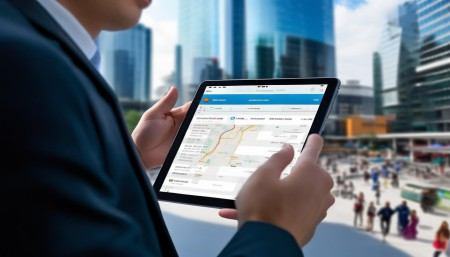
Customization is another thing I appreciate. Every business is different, and a good CRM lets you tailor it to your needs. You can create custom fields, modify pipelines, set up unique workflows. Whether you sell software, cars, or consulting services, the CRM adapts to you—not the other way around.
Reporting and dashboards? Absolutely essential. I can generate reports with a few clicks—monthly sales, conversion rates, average deal size. And the dashboards give me a live view of key metrics. I can walk into a leadership meeting confident I know exactly where we stand.
Now, I’ll admit—CRMs aren’t perfect. They require commitment. Everyone on the team has to buy in and use it consistently. If people skip logging calls or enter bad data, the whole system suffers. Garbage in, garbage out, as they say. So training and accountability are crucial.
Also, choosing the right CRM matters. There are so many options out there—Salesforce, HubSpot, Zoho, Pipedrive—you name it. Each has its strengths. Some are better for small teams, others for enterprise-level companies. You’ve got to pick one that fits your size, budget, and goals.

But overall? I’d say a CRM is one of the best investments a sales team can make. It brings order to chaos, turns data into insights, and helps you build better relationships with customers. It doesn’t replace the human side of sales—that personal connection, the ability to listen and adapt—but it supports it. It gives your team the tools they need to succeed.
And honestly, once you’ve worked with a good CRM, going back feels impossible. It’s like upgrading from a flip phone to a smartphone. You didn’t realize how much you were missing until you had it.
So if you’re on the fence about implementing a CRM in your sales management, I’d say go for it. Start small if you need to. Pick a simple system, train your team, and build from there. The benefits will speak for themselves.
Q: What is the main purpose of a CRM in sales management?
A: The main purpose is to organize customer data, streamline the sales process, improve team collaboration, and help managers make informed decisions through reporting and analytics.
Q: Can a small sales team benefit from using a CRM?
A: Absolutely. Even small teams deal with multiple leads and clients. A CRM helps them stay organized, avoid missed opportunities, and scale efficiently.
Q: Do CRMs only work for B2B sales?
A: No, CRMs are useful for both B2B and B2C sales. Any business that manages customer relationships can benefit from the structure and insights a CRM provides.
Q: Is it hard to get a sales team to adopt a CRM?
A: It can be challenging at first, especially if reps are used to old methods. But with proper training, clear expectations, and showing the benefits, adoption usually improves over time.
Q: How does a CRM help with customer retention?
A: By storing interaction history, preferences, and feedback, a CRM helps sales and service teams provide personalized, consistent experiences that keep customers engaged and loyal.
Q: Can a CRM integrate with email and calendars?
A: Yes, most modern CRMs integrate directly with tools like Gmail, Outlook, and Google Calendar to sync meetings, log emails, and automate tasks.
Q: Are CRMs expensive?
A: Prices vary widely. Some CRMs offer free plans for small teams, while enterprise solutions can be costly. But many businesses find the ROI justifies the investment.
Q: Does using a CRM mean less personal selling?
A: Not at all. A CRM enhances personal selling by giving reps more time to focus on relationships instead of paperwork, and by providing insights that make conversations more relevant.

Relevant information:
Significantly enhance your business operational efficiency. Try the Wukong CRM system for free now.
AI CRM system.