
△Click on the top right corner to try Wukong CRM for free
You know, when I first heard about mobile app-based CRM systems, I honestly thought it was just another tech buzzword—something marketers throw around to sound smart. But then I actually started using one at work, and wow, did my perspective change. It’s like someone finally figured out how to put the entire customer relationship management process right into your pocket. Seriously, imagine having access to all your client info, sales pipelines, and support tickets while you’re sipping coffee at a café or waiting for a flight. That’s the kind of convenience we’re talking about here.
Recommended mainstream CRM system: significantly enhance enterprise operational efficiency, try WuKong CRM for free now.
Let me break it down for you. A mobile app-based CRM is basically a customer relationship management tool that lives on your smartphone or tablet. Instead of being stuck at your desk logging into some clunky desktop software, you can now manage everything from anywhere. And trust me, once you go mobile with your CRM, going back feels like trying to send a fax in 2024.
One of the biggest things I’ve noticed is how much faster communication has become. Before, if a client sent an email while I was out, I’d have to wait until I got back to my computer to respond. Now? I get instant notifications on my phone, pull up their full history in seconds, and reply right then and there. It makes me look way more responsive—and honestly, clients really appreciate that.
And speaking of client history, that’s another game-changer. With a mobile CRM, every interaction—emails, calls, meetings, even notes from casual conversations—is stored and synced across devices. So whether I’m in a meeting or walking between appointments, I can quickly refresh my memory on what the client said last time. No more awkward “Wait, didn’t we talk about this already?” moments. That alone has saved me so much embarrassment.
Sales teams, especially, benefit from this. Think about it: a sales rep visiting multiple clients in a day used to carry notebooks, printouts, maybe even a laptop. Now they just open the CRM app, see their schedule, pull up each client’s profile, log the visit details on the spot, and even update the deal stage—all without breaking stride. It cuts out so much manual data entry later, which means less burnout and fewer mistakes.
I remember one time I was at a networking event, met a potential lead, and instead of scribbling their info on a napkin (which I’ve definitely done before), I just opened the CRM app, created a new contact, added notes about our conversation, and tagged them as a warm lead. All within two minutes. The best part? That record was instantly available to my whole team. No delays, no lost business cards.
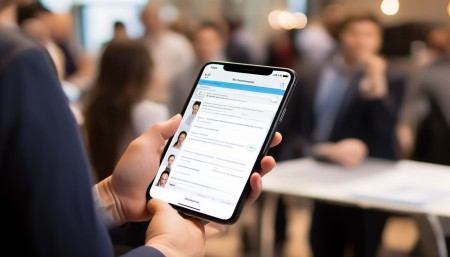
Another thing people don’t always think about is task management. Mobile CRMs usually come with built-in to-do lists, reminders, and calendar integration. So if I promise a client I’ll send over a proposal by Friday, the app reminds me two days in advance. It’s like having a personal assistant who never sleeps and doesn’t charge overtime.
Real-time updates are huge too. Let’s say my colleague closes a big deal while I’m on the road. As soon as they update the CRM, I see it. No need to wait for a group email or a status meeting. That kind of transparency keeps everyone aligned and helps avoid duplicate efforts—like accidentally calling the same client because you didn’t know someone else already handled it.
Customer service has gotten way better on my end thanks to mobile CRM. When a support ticket comes in, I can check the customer’s past issues, see what solutions were tried, and respond with actual context. It makes the customer feel heard, not like they’re just another number. And let’s be real—happy customers stick around longer and refer others.
Reporting and analytics might sound boring, but they’re actually super helpful. With mobile dashboards, I can glance at key metrics anytime—how many deals are in the pipeline, average response times, conversion rates. It gives me a pulse on performance without needing a spreadsheet wizard. Plus, seeing progress in real time is oddly motivating. Like, “Oh, I’m only three leads away from my monthly goal”—that kind of thing pushes you to keep going.

Integration is another reason these apps work so well. Most mobile CRMs play nicely with email, calendars, cloud storage, and even social media. So when I connect a client’s LinkedIn profile or attach a contract from Google Drive, it all stays organized in one place. No more hunting through inboxes or desktop folders.
Security used to be a concern for me—putting sensitive client data on a phone sounds risky, right? But modern mobile CRMs use encryption, multi-factor authentication, and remote wipe features. If I lose my phone, I can erase the CRM data remotely. So yeah, it’s actually safer than leaving a notebook on a train.
Onboarding new team members is smoother too. Instead of spending days training them on complex software, they download the app, log in, and boom—they’re connected. They can shadow experienced reps, view real cases, and start contributing faster. It shortens the learning curve and gets them productive sooner.
Collaboration improves dramatically. Team chats, shared notes, @mentions—these little features make it easy to loop in the right people. For example, if a client asks about a feature I’m not sure about, I can tag our product specialist right in the CRM, and they respond within minutes. No switching between Slack, email, and CRM tabs.
Location-based features are surprisingly useful. Some CRMs use GPS to track visits or suggest nearby clients when you’re in a certain area. I once had a canceled meeting and used the app to find another client just ten minutes away. Turned a wasted trip into a productive one. Small win, but it adds up.
Offline access is a lifesaver. Ever been in a basement meeting room with zero signal? Yeah, me too. But with offline mode, I can still view client records, take notes, and update tasks. Once I’m back online, everything syncs automatically. No data loss, no frustration.
Personalization is easier now too. Because the CRM tracks every interaction, I can tailor my approach. If a client always responds better to quick video messages, I know that. If they hate long emails, I keep it short. It’s not mind reading—it’s just good data use.
Marketing teams love this stuff too. They can trigger automated campaigns based on user behavior tracked in the CRM. For instance, if a lead downloads a whitepaper, the system can automatically send a follow-up email and notify the sales rep. It keeps the momentum going without anyone dropping the ball.
Feedback loops are tighter. After a meeting or support call, I can log the outcome immediately. Was the issue resolved? Did the client seem satisfied? That feedback shapes future interactions and helps improve overall service quality.
It’s not just for big companies either. Small businesses and solopreneurs benefit massively. A freelance designer can track client projects, invoices, and communications all in one app. No need for five different tools. Simplicity wins.
Cost-wise, most mobile CRMs are subscription-based and scalable. You pay for what you need, add users as you grow, and ditch expensive hardware setups. It’s way more affordable than old-school systems.
User experience matters a lot. These apps are designed to be intuitive—swipe, tap, drag. No steep learning curves. Even non-tech-savvy folks pick it up fast. My boss, who still uses a flip phone sometimes, figured it out in under an hour.
Updates happen seamlessly in the background. No more IT headaches or downtime. One day you just notice a cool new feature—like voice-to-text note-taking—and realize the system improved itself.
Customer retention goes up. When you respond faster, remember preferences, and deliver consistent service, people stay loyal. And loyal customers spend more over time. It’s simple math.
It also helps with accountability. Every action is logged—who did what and when. So if a deal falls through, you can review the timeline and learn from it. No finger-pointing, just facts.
Field service teams rely on this daily. Technicians can access work orders, parts inventory, and customer manuals on-site. They complete jobs faster and with fewer errors. Customers get better service, and the company saves money.
Even remote workers feel more connected. Whether you’re working from home, a co-working space, or another country, you’re plugged into the same system. Distance doesn’t mean disconnection anymore.
Training materials can live inside the CRM too. New processes, scripts, FAQs—everything’s searchable. So when I forget the steps for a refund request, I just search it and get the answer instantly.
Goal tracking becomes visual and motivating. Dashboards show progress with charts and percentages. Hitting 80% of your target feels great, and seeing it on your phone gives you that extra push to close the gap.
Time zone differences matter less. Global teams can collaborate across regions because updates are immediate and accessible 24/7. A client in Tokyo gets the same attention as one in New York.
It reduces administrative clutter. No more sticky notes, random spreadsheets, or forgotten voicemails. Everything has a home in the CRM. Your brain feels lighter, honestly.
Decision-making gets smarter. With real-time data at your fingertips, you’re not guessing—you’re acting on insights. Should you focus on upselling existing clients? The CRM shows who’s most engaged. Is a campaign underperforming? The numbers tell you fast.
Client onboarding accelerates. Instead of weeks of back-and-forth, you can automate welcome sequences, collect signatures digitally, and assign setup tasks—all through the app. Faster start = happier clients.
It builds trust. When clients see that you remember their needs, follow up promptly, and deliver consistently, they trust you more. Trust leads to referrals, repeat business, and stronger relationships.
Honestly, I can’t imagine running a customer-focused business without a mobile CRM now. It’s not just a tool—it’s a mindset shift. It puts the customer at the center and empowers teams to act quickly, intelligently, and compassionately.
So if you’re still managing client relationships with spreadsheets and memory tricks, do yourself a favor—look into a mobile CRM. Start with a free trial. See how it feels to have everything you need in your hand, anytime, anywhere. You might just wonder how you ever lived without it.
Q: Can I use a mobile CRM if my team works remotely?
A: Absolutely! In fact, mobile CRMs are perfect for remote teams. Everyone stays synced in real time, no matter where they are.
Q: Is it hard to switch from a desktop CRM to a mobile one?
A: Not really. Most mobile CRMs sync with desktop versions, so your data moves with you. The interface is usually simpler and more intuitive too.
Q: Do mobile CRMs work offline?
A: Yes, many of them do. You can view records and make updates without internet, and everything syncs once you’re back online.
Q: Are my clients’ data safe on a mobile device?
A: Reputable mobile CRMs use strong security measures like encryption and two-factor authentication. You can also remotely wipe data if a device is lost.
Q: Can I customize the mobile CRM for my business needs?
A: Definitely. Most platforms let you customize fields, workflows, and dashboards to match how your team operates.
Q: Will my older employees struggle with using a mobile CRM?
A: Some might at first, but these apps are designed to be user-friendly. With a little training, most adapt quickly—even those less comfortable with tech.
Q: Can I integrate my email and calendar with a mobile CRM?
A: Yes, most mobile CRMs integrate seamlessly with Gmail, Outlook, Google Calendar, and others. It saves time and keeps everything in one place.
Q: How does a mobile CRM help with sales follow-ups?
A: It sends you reminders, logs past interactions, and tracks deal stages, so you never miss a follow-up and always have context.
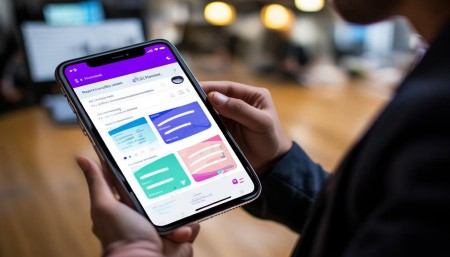
Q: Can I generate reports from the mobile app?
A: Yep. Most apps include dashboards and reporting tools so you can check performance metrics on the go.
Q: Is a mobile CRM only for sales teams?
A: Not at all. Customer service, marketing, project management—any role that interacts with clients can benefit from a mobile CRM.

Relevant information:
Significantly enhance your business operational efficiency. Try the Wukong CRM system for free now.
AI CRM system.