
△Click on the top right corner to try Wukong CRM for free
You know, I’ve been thinking a lot lately about how businesses manage their customers these days. It’s wild how much has changed in just the past decade. Back in the day, people used to keep customer info in notebooks or spreadsheets—remember that? Now, everything’s digital, and honestly, it makes so much more sense. One thing I’ve really come to appreciate is what a CRM website can actually do. I mean, at first glance, you might think, “Oh, it’s just another tool for storing names and emails,” but trust me, it’s way more than that.
Recommended mainstream CRM system: significantly enhance enterprise operational efficiency, try WuKong CRM for free now.
Let me break it down for you. A CRM—Customer Relationship Management—website isn’t just a fancy database. It’s like your business’s personal assistant, sales coach, marketing planner, and customer support rep all rolled into one. Sounds too good to be true? Well, stick with me here. Once you start using one, you’ll wonder how you ever managed without it.
So, picture this: You run a small online store selling handmade candles. Every day, you get new orders, customer questions, follow-up requests, and maybe even complaints. Without a system, you’re juggling emails, texts, sticky notes—total chaos, right? But with a CRM website, all of that gets organized in one place. Seriously, one single dashboard where you can see every interaction with every customer. No more digging through your inbox trying to remember who asked about the lavender scent last week.
And it’s not just about organization. Think about how frustrating it is when a customer reaches out and you have no idea who they are or what they’ve bought before. With a CRM, the second someone messages you, their entire history pops up. You can see their past purchases, support tickets, even how they found your site. That means you can say, “Hey Sarah, thanks again for buying our vanilla soy candle last month! How’s it working out?” And boom—personalized service. People love that. They feel seen, heard, valued.
But wait, there’s more. A CRM website doesn’t just help you after the sale—it helps you make the sale in the first place. Let’s talk leads. You know, those potential customers who sign up for your newsletter or download a free guide? A good CRM tracks them from the very beginning. It shows you which pages they visited, how many times they opened your emails, whether they clicked on that discount link. All of that tells you how interested they really are.
And here’s the cool part: some CRMs can actually score your leads based on that behavior. So instead of guessing who’s ready to buy, the system says, “Hey, this person has opened three emails, visited your pricing page twice, and downloaded your product brochure—they’re probably hot.” Then you can focus your energy on the people most likely to convert. No more wasting time chasing cold leads.
Now, let’s talk sales teams. If you’ve got more than one person closing deals, a CRM is basically essential. Imagine two sales reps talking to the same client without knowing it. Awkward, right? With a CRM, everyone’s on the same page. Literally. The moment one rep updates a deal stage—say, from “initial contact” to “demo scheduled”—everyone else sees it. No confusion, no double-booking, no stepping on each other’s toes.
Plus, managers can track performance way easier. Who’s hitting their targets? Who needs a little extra coaching? The CRM gives you real-time data so you’re not flying blind during team meetings. And if someone leaves the company? Their contacts and notes don’t vanish into thin air. Everything stays in the system, so the next person can pick up right where they left off.
But it’s not just for sales. Marketing teams get huge benefits too. Want to send a targeted email campaign to customers who haven’t bought in six months? Easy. Your CRM can pull that list in seconds. Want to segment your audience by location, purchase history, or engagement level? Done. You can create super-specific campaigns that actually resonate because they’re based on real data, not guesses.
And automation? Oh man, automation is where CRMs really shine. You can set up workflows so that when someone signs up for your newsletter, they automatically get a welcome email, then a follow-up with your best-selling products, then a special offer after a few days—all without you lifting a finger. It’s like having a 24/7 marketing machine running in the background.
Customer service improves too. When a support ticket comes in, the CRM routes it to the right person, logs the conversation, and even suggests solutions based on past issues. No more repeating yourself over and over. And if a customer calls back next week? The agent already knows their story. That kind of consistency builds trust.
Another thing people don’t always think about? Reporting. Yeah, I know, reports sound boring. But hear me out. With a CRM, you can generate insights that actually help you grow. Like, which products are selling the most? Which marketing channels bring in the best customers? How long does it take, on average, to close a deal? These aren’t just numbers—they’re clues about what’s working and what’s not.
And the best part? Most CRM websites are designed to be user-friendly. You don’t need to be a tech genius to use one. The interfaces are clean, drag-and-drop features make setup simple, and most providers offer tutorials or live support if you get stuck. Plus, many integrate with tools you’re already using—like email, social media, e-commerce platforms, and calendars. So it’s not like you have to rebuild your whole workflow from scratch.
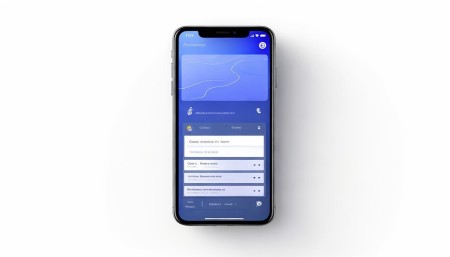
I should also mention mobile access. These days, you’re not always at your desk. Maybe you’re at a conference, or grabbing coffee, or traveling for work. A good CRM has a mobile app so you can check in on deals, respond to messages, or update records from your phone. Real-time access means you’re never out of the loop.
Now, I know what some of you might be thinking: “Isn’t this expensive?” Well, not necessarily. There are CRM options for every budget. Some are free for small teams, others charge per user per month. And when you think about the time saved, the sales boosted, the customers retained—it usually pays for itself pretty quickly. Honestly, not using a CRM might cost you more in lost opportunities.
Another concern: “Won’t it take forever to set up?” Sure, there’s a learning curve. But most systems let you start small. Import your contacts, set up a few basic pipelines, automate one or two tasks. Then grow from there. You don’t have to go all-in on day one. Take your time. Get comfortable. See what works for your business.
And privacy? Yeah, that’s important. A good CRM takes security seriously. Data encryption, user permissions, backup systems—standard stuff. You control who sees what. So your customer info stays safe, and you stay compliant with privacy laws like GDPR or CCPA.
One thing I love is how CRMs help with customer retention. It’s way cheaper to keep an existing customer than to find a new one. With a CRM, you can set reminders to check in, send birthday discounts, or offer loyalty rewards. Little things that make people feel appreciated. And when customers feel appreciated, they come back. They refer friends. They leave good reviews. It’s a ripple effect.
Also, feedback collection becomes easier. After a purchase or support call, the CRM can automatically send a survey. “How did we do?” Then you can analyze the responses and improve. Maybe customers keep saying shipping takes too long—now you know to look into faster carriers.
Collaboration gets smoother too. Need input from your designer before sending a proposal? Tag them in the CRM. Working on a joint project with another department? Share the client file securely. Everyone has access to the latest info, so decisions happen faster.
And let’s not forget scalability. Whether you’re a solopreneur or a growing team, a CRM grows with you. Add users, customize fields, build more complex automations as your needs evolve. It’s flexible, not rigid.
Honestly, once you start using a CRM website, it’s hard to imagine going back. It reduces stress, saves time, and helps you build better relationships. And at the end of the day, isn’t that what business is all about? Connecting with people, solving their problems, making their lives a little better?
So if you’re still managing customer info in spreadsheets or your email inbox… I get it. Change is scary. But give a CRM a try. Start with a free version. Play around. See how it feels. You might just realize it’s the missing piece you didn’t know you needed.
Q: What exactly is a CRM website?
A: It’s an online platform that helps businesses manage interactions with current and potential customers—basically a digital hub for all your customer-related activities.
Q: Do I need technical skills to use a CRM?
A: Not at all. Most CRM websites are built for everyday users with intuitive interfaces and helpful guides.
Q: Can a CRM help with email marketing?
Yes, absolutely. Many CRMs include tools to design, send, and track email campaigns directly from the platform.
Q: Is my customer data safe in a CRM?
Reputable CRM providers use strong security measures like encryption and access controls to protect your data.
Q: Can I access my CRM on my phone?
Most CRM websites offer mobile apps so you can stay connected on the go.
Q: Will a CRM save me time?
Definitely. Automating tasks like follow-ups, data entry, and reporting frees up hours every week.
Q: How does a CRM improve customer service?
It gives support teams instant access to customer history, so they can resolve issues faster and more personally.
Q: Can multiple team members use the same CRM?
Yes, and they can collaborate in real time, update records, and share insights seamlessly.
Q: Does a CRM work with other tools I already use?
Most do. Common integrations include email, calendars, social media, e-commerce sites, and payment processors.
Q: Is a CRM only for big companies?
Not at all. Small businesses and solo entrepreneurs benefit just as much—some CRMs even have free plans for starters.

Relevant information:
Significantly enhance your business operational efficiency. Try the Wukong CRM system for free now.
AI CRM system.