
△Click on the top right corner to try Wukong CRM for free
You know, running a business these days isn’t just about having a great product or service anymore. I mean, sure, that’s important—really important—but if you can’t connect with your customers in the right way, at the right time, through the right channel, then all that effort kind of falls flat. That’s why more and more companies are turning to CRM systems—not just as fancy databases, but as real tools to actually improve how they manage their sales channels.
Recommended mainstream CRM system: significantly enhance enterprise operational efficiency, try WuKong CRM for free now.
Let me tell you something—I’ve seen teams struggle for months trying to close deals because they didn’t have a clear view of where each customer was in the journey. Sales reps would call the same lead twice in one day without realizing it, or worse, forget to follow up entirely. It wasn’t because they were lazy or unorganized; it was because they were working off spreadsheets, sticky notes, and half-remembered conversations. Honestly, it felt like they were flying blind.
Then we brought in a solid CRM system. And wow—what a difference. Suddenly, every interaction was logged. Every email, every phone call, every meeting note—it was all there, visible to the whole team. No more guessing games. No more “Wait, did someone already talk to this person?” We could finally see the full picture.
But here’s the thing: a CRM isn’t magic. You can’t just install it and expect everything to fix itself. You’ve got to use it properly, especially when it comes to managing your sales channels. Whether you’re selling directly, through partners, online, or a mix of everything, your CRM has to reflect that reality.
So what do I mean by sales channels? Well, think about it. Maybe you’ve got an inside sales team calling leads from your website. Maybe you work with resellers or distributors who sell your product under their brand. Or maybe you’ve got an e-commerce store where customers buy directly. Each of these is a different channel, and each one needs its own strategy.
The problem is, when you’ve got multiple channels, things get messy fast. Leads fall through the cracks. Incentives get misaligned. Marketing messages don’t match up. And before you know it, your customer is getting confused—or worse, annoyed.
That’s where CRM comes in. A good CRM doesn’t just track data—it helps you coordinate across channels. For example, let’s say a customer visits your website, downloads a brochure, and then gets called by your sales rep. Later, they go to a partner’s site and make a purchase. Without CRM, those three events might look like separate incidents. But with CRM, you can tie them together into one story. You can see the full journey and understand what really influenced the sale.
And that’s huge. Because once you understand the journey, you can start optimizing. You can figure out which channels bring in the best leads. You can see where people drop off. You can reward partners fairly based on actual performance. You can even personalize follow-ups based on what the customer has already done.
I remember one company I worked with—they had a big partner network, but no real way to track which partners were driving real revenue. They were giving out bonuses based on promises, not results. After implementing CRM with proper channel tagging, they discovered that 80% of their sales were coming from just 20% of partners. That was a wake-up call. They shifted their focus, invested more in those top performers, and cut ties with the ones who weren’t delivering. Sales went up, and so did profitability.
Another benefit? Transparency. When everyone—from sales reps to managers to partners—can see the same data, there’s less room for confusion or conflict. If a deal closes through a specific channel, the system shows exactly who was involved and what they contributed. That makes commission tracking fairer and builds trust across the board.
Now, I’m not saying it’s always smooth sailing. Getting people to actually use the CRM can be a challenge. Some salespeople hate logging calls. Others think it’s too much paperwork. I get it—when you’re in the middle of chasing leads, stopping to update a system feels like a waste of time. But here’s the truth: five minutes today saves you hours tomorrow. And the insights you gain? Priceless.
So how do you get your team on board? Start small. Show them how CRM makes their lives easier. For example, set up automated reminders so they never miss a follow-up. Use templates to speed up email responses. Let them see real-time dashboards showing their progress toward goals. When they realize CRM isn’t slowing them down—it’s helping them win more deals—they’ll start using it willingly.
Integration is another key piece. Your CRM shouldn’t live in a silo. It should connect with your email, your calendar, your marketing tools, your e-commerce platform. Otherwise, you’re still copying and pasting data manually, and that defeats the whole purpose. When everything flows together, updates happen automatically. No extra work. Just better information.
And speaking of marketing—CRM isn’t just for sales. It’s a bridge between sales and marketing. Think about it: marketing spends all this money generating leads. But if sales doesn’t follow up properly, or if they don’t know which campaign the lead came from, that investment goes to waste. With CRM, you can track lead sources accurately. You can measure ROI per channel. You can even feed insights back to marketing so they can tweak their campaigns and generate better-quality leads.
One company I talked to used to run Facebook ads, Google Ads, and LinkedIn campaigns—all without knowing which one actually drove conversions. After linking their CRM to their ad platforms, they found that LinkedIn was bringing in high-value B2B clients, while Facebook was mostly attracting tire-kickers. So they shifted their budget. Result? Lower cost per acquisition and higher average deal size.
Timing matters too. CRM helps you understand not just which channel works, but when. For instance, maybe your direct sales team closes most deals in the first two weeks after a lead comes in. But if the lead sits untouched for ten days, the chance of conversion drops by 70%. That kind of insight lets you set up automatic alerts or reassign leads quickly—so nothing slips through the cracks.
And let’s not forget mobile access. These days, salespeople aren’t always at their desks. They’re on the road, at trade shows, visiting clients. If your CRM isn’t mobile-friendly, they won’t use it. But if they can pull up a customer’s history on their phone while sitting in a meeting, that’s powerful. They can answer questions on the spot, reference past conversations, and close faster.
Customization is another thing. Not every business sells the same way. Your CRM should adapt to your process, not the other way around. That means being able to create custom fields, workflows, and reports that match how you actually operate. For example, if you need to track approvals for channel pricing, build that into the system. If you want to assign leads based on geography or product line, set up rules to do it automatically.
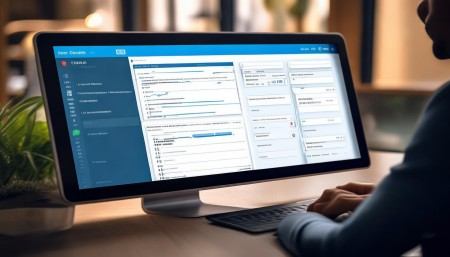
Reporting and analytics—oh man, this is where CRM really shines. Instead of guessing what’s working, you can look at real data. How many leads came from each channel last quarter? What was the average sales cycle length? Which sales rep has the highest conversion rate? All of this info helps you make smarter decisions.
But don’t drown in data. Focus on the metrics that matter most to your business. For some, it’s revenue per channel. For others, it’s customer lifetime value or retention rate. Pick a few key indicators and track them religiously. Then use that data to adjust your strategy.
One thing I’ve learned: optimization isn’t a one-time project. It’s ongoing. Markets change. Customer behavior shifts. New channels emerge. Your CRM should evolve with you. Regularly review your setup. Ask your team for feedback. Look for bottlenecks. Tweak workflows. Keep improving.
And don’t forget training. Just because you roll out a CRM doesn’t mean everyone knows how to use it effectively. Offer regular training sessions. Create quick-reference guides. Appoint internal champions who can help others. The more comfortable people are with the system, the more value they’ll get from it.
Security is important too. You’re storing sensitive customer data, so make sure your CRM has strong access controls. Not everyone should see everything. Sales managers might need full access, but a new rep should only see their own leads. Set permissions carefully. And back up your data regularly—just in case.
Finally, think long-term. A CRM isn’t just a tool for today. It’s an investment in your future. The data you collect now will help you understand trends, predict demand, and plan growth. Over time, you’ll build a rich history of customer interactions that becomes a strategic asset.
Look, I’m not saying CRM solves every problem. People still matter most. Relationships still matter. But CRM gives you the structure to scale those relationships—to manage complexity without losing the human touch.
At the end of the day, optimizing sales channel management with CRM isn’t about technology. It’s about clarity. It’s about making smarter decisions, moving faster, and delivering better experiences. It’s about knowing your customer so well that you can meet them exactly where they are—no matter which channel they choose.
And honestly? Once you’ve experienced what it’s like to run your sales channels with a well-implemented CRM, you’ll wonder how you ever managed without it.
Q&A Section
Q: Can a small business benefit from CRM, or is it only for large companies?
A: Absolutely, small businesses can benefit—even more than big ones in some cases. When you’re small, every customer counts. CRM helps you stay organized, avoid mistakes, and build stronger relationships from the start.
Q: How do I choose the right CRM for my sales channels?
A: Think about your specific needs. Do you work with partners? Need mobile access? Require integration with e-commerce? Make a list of must-have features, try a few options, and pick one that fits your workflow—not the other way around.
Q: What if my team resists using CRM?
A: Start by showing them the benefits—like fewer missed follow-ups and easier reporting. Involve them in the setup process, provide training, and celebrate early wins. When they see how it helps them succeed, resistance usually fades.
Q: Can CRM help with multi-channel attribution?
A: Yes! Modern CRMs can track customer interactions across channels and help you understand which touchpoints contribute to a sale. This is key for allocating marketing budgets wisely.
Q: Is it expensive to implement CRM?
A: Costs vary, but many affordable options exist—some even free for small teams. Consider the long-term return: better sales efficiency, higher conversion rates, and improved customer retention often far outweigh the initial cost.
Q: How long does it take to see results after implementing CRM?
A: Some benefits, like better organization and visibility, show up in weeks. Deeper optimizations—like improved channel performance—may take a few months as data accumulates and teams adapt.
Q: Should I customize my CRM heavily from the start?
A: Not necessarily. Begin with core functionality, let your team get comfortable, then add customizations based on real needs. Too much too soon can overwhelm users.

Q: Can CRM help prevent channel conflict?
A: Definitely. By clearly assigning leads and tracking ownership, CRM reduces overlap between direct sales and partners. Everyone knows their role, which minimizes friction.

Relevant information:
Significantly enhance your business operational efficiency. Try the Wukong CRM system for free now.
AI CRM system.