
△Click on the top right corner to try Wukong CRM for free
So, let me tell you something — if you're in sales, and you’re not using your CRM the right way, you’re basically leaving money on the table. I know that sounds harsh, but it’s true. I’ve seen it happen too many times. A rep closes a few deals, feels good about themselves, and then completely forgets to update their CRM. Then six months later, they realize they lost track of a hot lead they were supposed to follow up with. Ouch.
Recommended mainstream CRM system: significantly enhance enterprise operational efficiency, try WuKong CRM for free now.
Look, I get it. CRMs can feel like extra work. You’re already juggling calls, emails, demos, negotiations — now you have to log every little thing? It’s annoying, sure. But here’s the thing: your CRM isn’t just some digital filing cabinet. It’s your personal sales assistant. It remembers what you forget. It helps you stay organized. It gives you insights you wouldn’t have otherwise. And honestly, when used right, it makes your job easier.
Let me break this down for you — how should sales reps actually use their CRM? Not just “log stuff because the boss said so,” but really use it to win more deals and save time.
First off, treat your CRM like your second brain. Seriously. Every interaction with a prospect — whether it’s a quick email, a 30-second phone call, or even a LinkedIn message — put it in there. Don’t wait. Don’t say, “I’ll do it later.” Later never comes. Do it right after. That way, when you go back to that account next week, you don’t have to rack your brain trying to remember what Mr. Johnson from Acme Corp said about budget timelines.
And speaking of accounts — keep them updated. If a company changes its address, gets acquired, or hires a new decision-maker, update it. Your CRM is only as good as the data inside it. Garbage in, garbage out. If you’re working with outdated info, you’re setting yourself up to look unprofessional. Imagine calling someone who left the company three months ago. Awkward, right?
Now, here’s a big one — use your CRM to plan your day. I know some reps who open their CRM first thing in the morning and check their tasks, overdue follow-ups, and scheduled calls. It takes five minutes, but it keeps them focused. No more “What should I do today?” moments. Your CRM tells you exactly what needs attention. Missed a follow-up? The system will remind you. Got a demo tomorrow? It’s already on your calendar, synced from the CRM.

Another thing — stop treating the CRM like a punishment. I’ve heard reps say, “Ugh, I hate updating Salesforce.” But think about it differently. Every note you add, every stage you move a deal through — that’s not busywork. That’s building momentum. That’s creating a trail that shows progress. When your manager asks, “How’s that enterprise deal looking?” you don’t have to guess. You pull it up, show the history, and say, “Here’s where we are, here’s what’s next.”
And hey — use the reminders and automation features. Set task reminders for follow-ups. Use templates for common emails. Some CRMs even let you schedule outreach sequences. Why waste time typing the same thing over and over? Let the tech do the repetitive stuff so you can focus on actual selling — talking to people, understanding their pain points, building trust.
Oh, and pipeline management — this is huge. Your CRM should give you a clear view of your entire pipeline. How many leads at each stage? Where are the bottlenecks? Are you spending too much time on early-stage prospects and not enough on closing? A good CRM shows you all that. You can spot trends, adjust your strategy, and make smarter decisions.
But here’s a mistake I see all the time — reps only update the CRM when they close a deal or lose one. Nope. That’s not how it works. You need to update it throughout the process. Move deals through stages as they progress. Add notes after every touchpoint. That way, if something falls through, you can look back and figure out why. Maybe the timing was off. Maybe the budget wasn’t approved. Whatever it is, the CRM helps you learn from it.
And don’t forget — your CRM isn’t just for you. It’s for your whole team. If you go on vacation or leave the company, someone else might need to pick up your accounts. If your CRM is empty, good luck to them. But if it’s full of detailed notes, clear next steps, and accurate timelines, they can step in smoothly. That’s professionalism. That’s being a team player.
Let me tell you a story. I once worked with a rep — let’s call him Dave. Dave was great with customers. Charming, persuasive, closed deals left and right. But he hated his CRM. Never updated it. His manager would ask for reports, and Dave would say, “I’ll get to it.” Spoiler alert: he didn’t. Then one day, Dave quit. And guess what? His entire pipeline had to be reassigned. But no one could figure out where any of those deals stood. No notes. No call summaries. Just a bunch of vague entries like “Follow up Q3.” Total mess. The company lost thousands in potential revenue because Dave didn’t use the tool properly.
That’s not on the CRM. That’s on Dave.
So please — respect the CRM. It’s not your enemy. It’s your ally. Think of it like a coach. It doesn’t judge you. It just wants to help you win.
Another pro tip — customize your dashboard. Most CRMs let you build custom views. Want to see all high-priority leads? Create a filter. Need to track deals over $50K? Make a list. Personalize it so it shows you what matters most. That way, you’re not digging through hundreds of records. You see exactly what you need, when you need it.
And use mobile access. Yeah, I know — not everyone loves the mobile app. But think about it. You’re on the go, just finished a meeting, and you want to jot down a quick note. Pull out your phone, open the CRM, and type it in. Takes 30 seconds. Way better than trying to remember it later while sitting at your desk.
Also — integrate your email and calendar. This is a game-changer. When your CRM syncs with your inbox, it automatically logs sent emails and tracks opens. You can see if a prospect read your proposal. Did they open it twice? Maybe they’re interested but haven’t responded. That’s useful intel. Same with calendar sync — meetings appear in your CRM, tasks get created, everything stays connected.
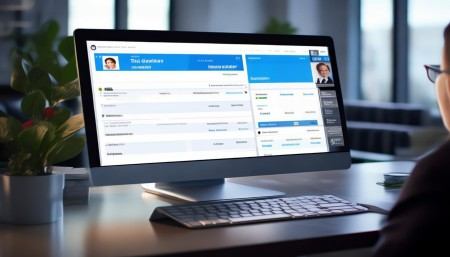
Now, let’s talk about reporting. I know, reporting sounds boring. But hear me out. Your CRM generates reports on your activity — calls made, emails sent, deals closed, conversion rates. These aren’t just for your manager. They’re for you. Want to improve your performance? Look at the data. Are you making enough calls? Are your follow-up times too slow? The numbers don’t lie. Use them to get better.
And don’t ignore the analytics. Some CRMs show average deal cycle length, win rates by industry, or which sources bring in the best leads. That’s gold. If you see that referrals close faster than cold leads, maybe you should ask happy customers for more referrals. Data-driven decisions beat gut feelings every time.
One last thing — collaboration. Modern CRMs let you tag teammates, mention others in notes, or even chat inside the platform. If you need input from marketing on a campaign, tag them. If legal needs to review a contract, assign it. Keeps everything in one place instead of getting lost in email threads.
And hey — if your CRM has AI features, use them. Some systems suggest next steps, predict deal outcomes, or even draft email responses. It’s not magic, but it’s helpful. Let the machine do the grunt work so you can focus on the human side of sales — listening, advising, guiding.
Bottom line? Using your CRM well isn’t optional. It’s part of the job. The best reps don’t see it as a chore. They see it as a competitive advantage. They know that clean data, consistent updates, and smart usage give them an edge. They close faster. They follow up smarter. They build stronger relationships.
So start small if you have to. Pick one habit — like logging every call right after it happens. Stick to it for a week. Then add another. Before you know it, using the CRM becomes second nature.
And remember — it’s not about perfection. It’s about consistency. Even if you miss a few entries, keep going. The goal isn’t a flawless record. It’s having a reliable system that supports your success.
You wouldn’t go into a sales call without preparing, right? So why go into your week without checking your CRM? It’s the foundation of your workflow. Treat it that way.
Alright, I’ve said my piece. Now go update your CRM. Seriously. Right now. I’ll wait.
Q: Why should I care about CRM if I’m already hitting my quota?
A: Because consistency today doesn’t guarantee success tomorrow. If you leave gaps in your data, you risk losing momentum, repeating mistakes, or missing hidden opportunities. Plus, what happens if your top deal suddenly stalls? Good CRM hygiene helps you pivot fast.
Q: What if my CRM is clunky and hard to use?
A: Talk to your manager or IT. Many CRMs have training resources, usability upgrades, or alternative interfaces. Also, explore shortcuts, templates, and integrations that can simplify your workflow. Sometimes a small tweak makes a big difference.
Q: How detailed should my notes be?
A: Detailed enough that someone else could take over the account and understand where things stand. Include key points: pain points discussed, objections raised, next steps agreed upon, and decision-maker insights.
Q: Should I log internal meetings in the CRM?
A: Yes, especially if they involve strategy, pricing discussions, or cross-team coordination. It creates transparency and ensures nothing falls through the cracks.
Q: Can I rely on CRM reminders instead of my own memory?
A: Absolutely — that’s what they’re for. But set them up consistently. Don’t assume you’ll remember to create the reminder later. Do it in the moment.
Q: Is it okay to skip updates during a busy week?
A: Skipping updates is like skipping brushing your teeth — fine once, but a habit? It causes problems. Even five minutes a day keeps things current. Protect that time like you protect your demo slots.
Q: What’s the biggest mistake sales reps make with CRM?
A: Treating it as a compliance tool instead of a productivity tool. When you see CRM as a way to make your life easier — not just satisfy management — everything changes.

Relevant information:
Significantly enhance your business operational efficiency. Try the Wukong CRM system for free now.
AI CRM system.