
△Click on the top right corner to try Wukong CRM for free
You know, running a business isn’t just about having a great product or service—what really makes the difference is how you treat your customers. I’ve learned that the hard way over the years. At first, I used to keep customer info in spreadsheets and sticky notes, and honestly? It was a mess. I’d forget who I talked to last, what they asked for, or even if they were happy with our last interaction. That’s when I realized I needed something better—something like a CRM.
Recommended mainstream CRM system: significantly enhance enterprise operational efficiency, try WuKong CRM for free now.
If you’re not using a CRM yet, let me tell you—it’s a game-changer. But here’s the thing: just having a CRM doesn’t automatically fix everything. You’ve got to use it right. So today, I want to share some real-life tips that have helped me manage customers better through CRM. These aren’t textbook theories—they’re things I’ve actually tried and seen work.
First off, keep your data clean. I can’t stress this enough. If your CRM is full of outdated emails, wrong phone numbers, or duplicate entries, it’s worse than useless—it’s misleading. I started setting aside 15 minutes every Friday just to clean up entries. Merge duplicates, update contact info, delete inactive leads. It sounds boring, but trust me, when you need to reach someone fast, you’ll be glad you did.
Next, personalize everything. People don’t want to feel like just another number. When I send an email from my CRM, I make sure it includes their name, maybe reference our last conversation, or mention something specific they care about. For example, if Sarah from marketing mentioned she was launching a new campaign, I’ll follow up with, “Hey Sarah, how’s that campaign going?” That little touch makes a huge difference. They notice it. They remember it.
Another thing—use automation wisely. Yeah, automation saves time, but if you go overboard, it feels robotic. I used to set up auto-responders for everything, and guess what? Customers felt ignored. Now, I automate only the basics—like sending a welcome email or scheduling reminders—but I always follow up with a personal message. It keeps things efficient without losing the human touch.
Oh, and track every interaction. Every call, every email, every meeting—log it. I used to think, “I’ll remember this,” but nope, I didn’t. Now, as soon as I hang up the phone, I jot down the key points in the CRM. That way, the next time I talk to that customer, I can say, “Last time we spoke, you mentioned X—how’s that going?” It shows you’re paying attention, and people love that.
Segment your customers too. Not everyone wants the same thing. Some are price-sensitive, others care more about support, and some just want quick solutions. I created tags in my CRM like “high-value,” “needs onboarding help,” or “interested in upgrades.” Then, I tailor my communication based on those tags. It helps me send the right message at the right time.
Don’t forget to set reminders. Life gets busy, and it’s easy to drop the ball. I set follow-up reminders in my CRM for every lead—even if it’s just to check in after two weeks. Sometimes that simple “Just wanted to see how things are going” message turns into a new sale. And even if it doesn’t, the customer remembers that you cared enough to reach out.
Train your team. If you’re not the only one using the CRM, make sure everyone knows how to use it properly. I made the mistake early on of assuming people would figure it out. Big mistake. Now, I run short weekly training sessions. We go over updates, share tips, and troubleshoot issues together. It keeps everyone on the same page and actually makes the CRM more effective.
Integrate your tools. Your CRM shouldn’t live in a bubble. Connect it with your email, calendar, and even your billing system if you can. I linked mine with Gmail and Zoom, so every email and meeting automatically logs into the right customer profile. It saves so much time and reduces manual entry errors.
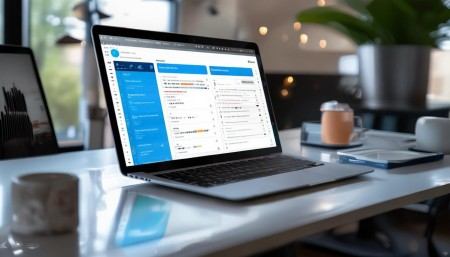
Listen to feedback—and log it. Whenever a customer gives feedback, good or bad, I record it in their CRM profile. If someone says, “Your support response is slow,” I note it. Then I can track whether we improve over time. Plus, if the same issue comes up again, I already know it’s a pattern, not a one-off.
Use reports to spot trends. Most CRMs come with reporting features. At first, I ignored them, but then I started looking at things like conversion rates, average response time, and customer satisfaction scores. Seeing the data helped me realize where we were dropping the ball. For example, I noticed our follow-up time was over 48 hours—way too long. So I adjusted our process, and now we respond within 24.
Be consistent. This might sound obvious, but consistency builds trust. Whether it’s how you log calls, how often you follow up, or how you tag customers—stick to the same system. I created a little internal guide so everyone follows the same steps. It makes collaboration easier and ensures nothing falls through the cracks.
And finally, remember—the CRM is a tool, not a replacement for real relationships. I’ve seen teams get so focused on filling out fields and checking boxes that they forget to actually talk to customers. Don’t let that happen. Use the CRM to support your conversations, not replace them.
Look, managing customers isn’t easy. But with a solid CRM and the right habits, it gets a lot smoother. These tips? They’re not magic tricks. They’re just small, practical things that add up over time. Try them out. Tweak them to fit your style. And most importantly, keep the human connection alive—that’s what really keeps customers coming back.

Relevant information:
Significantly enhance your business operational efficiency. Try the Wukong CRM system for free now.
AI CRM system.