
△Click on the top right corner to try Wukong CRM for free
You know, I’ve been thinking a lot lately about how much our work lives have changed—especially when it comes to managing customer relationships. It used to be that CRM meant sitting at a desk, logging into some clunky software, and manually updating records after every call or meeting. But now? Things are totally different.
Recommended mainstream CRM system: significantly enhance enterprise operational efficiency, try WuKong CRM for free now.
I remember just a few years ago, trying to update a client’s info while standing in the middle of a crowded airport. I had my laptop open on a tiny table, juggling coffee, boarding pass, and trying not to spill anything. It was a mess. And honestly, by the time I got back to the office, half the details were already fuzzy. That’s when I realized: we needed something better.
Then mobile CRM came along, and everything shifted. At first, I wasn’t sure what to expect. I mean, could a phone really handle all the stuff my desktop CRM could do? But once I started using it, I couldn’t believe how smooth it felt. Now, if I’m in a meeting with a client, I can pull up their history right there on my phone. No more awkward pauses while I say, “Let me check that later.” I can update notes instantly, assign follow-ups, even log calls—all before we’ve even left the conference room.
And here’s the thing—it’s not just about convenience. Mobile CRM has actually made me better at my job. Because I can act immediately, the information is fresher, more accurate. I don’t forget that little detail the client mentioned about their upcoming product launch. I jot it down right then and there. That kind of responsiveness? Clients notice. They feel heard.
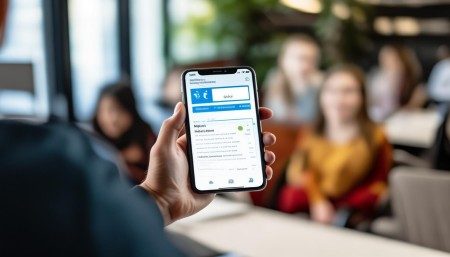
I’ve also noticed that my team has become way more collaborative since we adopted mobile CRM. Before, if someone was out of the office, they were basically unreachable in terms of real-time updates. Now, we’re all connected. If Sarah closes a big deal from her hotel room in Chicago, the whole team gets notified. We can celebrate together, even if we’re miles apart.
Another thing I love? The integration with other tools. My calendar, email, even my task manager—all tied into the CRM. So when I schedule a meeting, it automatically creates a task to prepare materials. After the call, I can record outcomes without switching apps. It’s like having an assistant built into my phone.
But let’s be real—not every mobile CRM is created equal. I tried one early on that looked great on paper but crashed every time I tried to upload a document. Total nightmare. Took me hours to recover the data. So I learned fast: you’ve got to test these things thoroughly. Look for stability, ease of use, and strong support.
Security was another concern at first. I mean, carrying sensitive client data around in my pocket? That sounded risky. But modern mobile CRMs have solid encryption, biometric login options, and remote wipe features. Once I saw how secure everything really was, I felt a lot better. Plus, most platforms now comply with GDPR and other privacy regulations, which gives me peace of mind.
One of the coolest features I’ve started using is offline mode. I travel a lot, and sometimes I’m on a train or plane with no signal. But I can still access client records, take notes, and make updates. As soon as I’m back online, everything syncs automatically. It’s like magic—except it’s just smart engineering.
I’ve also seen how mobile CRM helps new team members get up to speed faster. Instead of spending days learning a complicated system, they can start using the app right away. The interface is intuitive, almost like social media. Swipe, tap, type—done. They feel productive from day one, which boosts confidence and morale.
And speaking of morale—this might sound small, but being able to work from anywhere has improved work-life balance for a lot of us. I’m not chained to my desk anymore. If my kid has a school play at 2 PM, I can attend and still keep up with my tasks during breaks. That flexibility? It means a lot.
Of course, it’s not all perfect. There are times when the screen is too small, or I accidentally tap the wrong button. And let’s face it—typing long notes on a phone keyboard isn’t ideal. But the pros far outweigh the cons. Most platforms now offer voice-to-text, so I can just speak my notes and let the app transcribe them. Accuracy has gotten really good, too.
I’ve also noticed that mobile CRM encourages more consistent data entry. When updates are easy, people actually do them. No more “I’ll do it later” excuses. That means our reports are more reliable, our forecasting is sharper, and leadership can make better decisions based on real-time insights.
Another unexpected benefit? Better customer follow-up. Because I can log interactions instantly, I never miss a beat. If a client asks for a proposal, I can assign it to myself—or a teammate—right then. Set a deadline, add reminders. No more dropped balls.
And clients appreciate it too. They see that we’re organized, responsive, and on top of things. One client actually told me, “I love how fast you get back to me now. It feels like you’re always available.” That’s not because I’m working 24/7—it’s because mobile CRM lets me respond efficiently, even when I’m not at my desk.
I’ve also started using location-based features. Some CRMs can notify me when I’m near a client’s office. It’s a gentle nudge: “Hey, you’re close—maybe stop by?” Not always practical, but sometimes it leads to a spontaneous check-in that strengthens the relationship.
Push notifications have been a game-changer too. Instead of digging through emails or waiting for meetings to find out what’s urgent, I get alerts for overdue tasks, upcoming renewals, or high-priority leads. It keeps me focused on what matters most.
Analytics on mobile are getting better as well. I can pull up dashboards showing my sales pipeline, conversion rates, or activity levels—all from my phone. It’s empowering. I can assess my performance anytime, anywhere, and adjust my approach if needed.
Training has evolved too. Instead of long, boring manuals, most vendors now offer short video tutorials and in-app guidance. I can learn a new feature in five minutes while waiting for my coffee. Super convenient.
Integration with communication tools like Slack or Microsoft Teams has also made collaboration smoother. I can share a CRM update directly in a chat thread without leaving the app. Keeps everyone in the loop without cluttering inboxes.
One thing I’ve realized is that mobile CRM isn’t just for sales teams. Customer support, marketing, even project managers are using it now. Anyone who interacts with clients can benefit. It’s becoming a central hub for customer engagement across departments.
And the best part? It keeps improving. Developers are constantly rolling out new features based on user feedback. Voice commands, AI-powered suggestions, predictive analytics—stuff that felt like science fiction a few years ago is now standard.
I’ve even started seeing mobile CRMs with augmented reality features. Imagine pointing your phone at a client’s building and instantly seeing their account status, key contacts, and recent interactions. Sounds wild, but it’s coming.
Still, adoption isn’t automatic. Some people resist change. I had a colleague who refused to use the mobile app for months. “I like doing things the old way,” he said. But after I showed him how it saved me two hours a week, he gave it a try—and now he’s hooked.
Leadership buy-in is crucial too. If managers aren’t using it, why would the team? But when leaders model the behavior—logging activities on their phones, checking dashboards during meetings—it sets the tone.
Data quality remains important. Just because you can enter info quickly doesn’t mean you should rush. Accurate, complete records are still the foundation of a good CRM strategy. Mobile just makes it easier to maintain them.
Customization is another key factor. Every business is different. The ability to tailor fields, workflows, and views to fit your specific needs makes a huge difference. A one-size-fits-all approach doesn’t work.
I’ve also found that regular check-ins help. Not just with clients—but within the team. Are we using the mobile CRM effectively? What’s working? What’s frustrating? Open conversations lead to better usage and happier teams.
Looking back, I can’t imagine going back to the old way. Mobile CRM has transformed how I work—making me faster, more organized, and more connected to my clients. It’s not just a tool; it’s a mindset shift.
It’s made me realize that technology, when designed with real people in mind, can actually enhance human connection. Instead of replacing personal touch, it supports it—giving me more time and better insights to build stronger relationships.
So yeah, I’m a believer. Mobile CRM isn’t the future—it’s the present. And honestly? I’m excited to see where it goes next.
Q&A Section
Q: Can I really manage my entire CRM from a phone?
A: Honestly, yes—you can do almost everything. From updating records to tracking deals and communicating with your team, modern mobile CRMs are powerful enough to handle daily operations. You might still prefer a bigger screen for complex reports, but day-to-day tasks? Totally manageable on a phone.
Q: Is mobile CRM secure enough for sensitive data?
A: Absolutely. Most reputable platforms use end-to-end encryption, require strong passwords, support biometric login (like fingerprint or face ID), and allow admins to remotely wipe lost devices. Just make sure you’re using a trusted provider and following security best practices.
Q: What if I don’t have internet access?
A: Good news—many mobile CRMs have offline modes. You can view records, add notes, and update tasks without a connection. As soon as you’re back online, everything syncs automatically. It’s a lifesaver when you’re traveling or in low-signal areas.
Q: Will my team actually use it, or will they ignore it?
A: That depends on how easy it is to use and whether leadership supports it. Start with training, highlight the benefits (like saving time), and lead by example. When people see how much smoother their workflow becomes, adoption usually follows.
Q: Does mobile CRM work for industries other than sales?
A: Definitely. Customer service, marketing, field technicians, consultants—any role that involves client interaction can benefit. The core idea is staying connected and informed, no matter where you are.
Q: Can I customize the mobile app to fit my business?
A: Most platforms let you customize fields, layouts, and workflows. You’re not stuck with generic templates. Take the time to set it up the way your team works—it’ll pay off in efficiency and satisfaction.
Q: Are there any downsides to mobile CRM?
A: A few small ones. Tiny screens can be annoying for typing long notes, and accidental taps happen. But features like voice input, larger fonts, and confirmation prompts help reduce those issues. Overall, the benefits far outweigh the quirks.
Q: How do I choose the right mobile CRM for my team?
A: Think about your needs: ease of use, integration with other tools, security, customization, and support. Try a free trial, involve your team in testing, and pick one that feels natural—not forced. If it’s intuitive, people will actually use it.

Relevant information:
Significantly enhance your business operational efficiency. Try the Wukong CRM system for free now.
AI CRM system.