
△Click on the top right corner to try Wukong CRM for free
You know, I’ve been thinking a lot lately about how the home services industry has changed over the years. It used to be that if you needed a plumber or an electrician, you’d just call the guy your neighbor recommended and hope for the best. But now? Things are way more organized, professional, and honestly, a lot smoother—thanks in large part to CRM systems.
Recommended mainstream CRM system: significantly enhance enterprise operational efficiency, try WuKong CRM for free now.
I remember when I first heard about CRM, I thought it was something only big corporations used. Like, “Oh yeah, Salesforce is for Fortune 500 companies, not my buddy who fixes toilets.” But then I started noticing small home service businesses using tools like HubSpot or Zoho, and I realized—wait, this isn’t just for tech giants anymore.
So what exactly is CRM doing in the home services world? Well, let me break it down. At its core, CRM stands for Customer Relationship Management. Sounds fancy, right? But really, it’s just a smart way to keep track of customers, jobs, follow-ups, and communication—all in one place.
Imagine you run a landscaping business. You get calls every day from people wanting lawn care, tree trimming, snow removal—you name it. Without a CRM, you’re probably writing things down on paper, maybe entering them into a spreadsheet, and hoping you don’t forget someone’s appointment. That’s stressful, and honestly, kind of outdated.
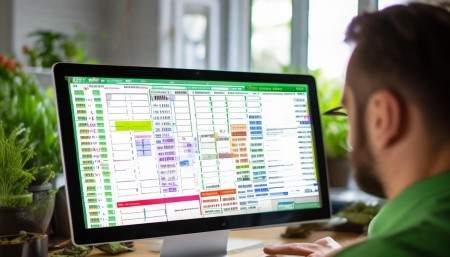
But with a CRM, everything gets logged automatically. When a customer calls, their info goes straight into the system. The job details? Saved. The date they want service? Scheduled. Even little notes like “prefers to be called after 6 PM” or “dog barks at the gate”—yep, all stored so the technician knows what to expect.
And here’s the thing—it doesn’t just help you organize. It actually improves the customer experience. Think about it: how many times have you called a company, explained your issue, and then had to repeat yourself three more times to different people? Frustrating, right? With CRM, the first person you talk to enters everything, and everyone else on the team can see it. No more repeating your story like a broken record.
Another cool thing? CRM helps with follow-ups. Let’s say you had your gutters cleaned last fall. A good CRM system can remind the company to reach out in spring and say, “Hey, ready for another cleaning?” Or even better—“We noticed it’s been a while, and we’d love to check in.” That kind of personal touch makes people feel valued, not just like another ticket number.
I also love how CRMs help with scheduling and dispatching. In the past, dispatchers were basically juggling phone calls, sticky notes, and their memory. Now, with real-time updates and mobile access, technicians can see their daily schedule on their phones, get route optimizations, and even update job statuses on the go. “On my way,” “Arrived,” “Job complete”—all synced instantly.
And speaking of syncing—integrations! Modern CRMs play nice with other tools. Calendar apps, email platforms, accounting software, even payment processors. So when a job is done, the invoice can be generated and sent automatically. Some systems even let customers pay right from their phone. No more chasing checks or waiting for cash.
Now, I know what some of you might be thinking: “This sounds great, but isn’t it expensive? And complicated?” Honestly, not really. There are affordable options out there—some even free for basic use. And most are designed to be user-friendly. You don’t need to be a tech wizard to figure it out. Plus, once you get used to it, you’ll wonder how you ever managed without it.
Let me give you a real-life example. A friend of mine runs a small HVAC company. He used to lose jobs because he forgot to call people back. Missed opportunities, missed revenue. Then he started using a simple CRM. Within three months, his response time dropped from two days to under four hours. His customer satisfaction scores went up, and he actually grew his business by 30% that year. All because he stopped losing track of leads.
That’s another thing—lead management. In home services, timing is everything. If someone needs a water heater fixed, they’re not going to wait around for a week. They’ll call the next company on the list. A CRM helps you respond fast. Leads come in through your website, phone, or even social media—and they’re instantly assigned, tracked, and followed up on.
And guess what? CRMs can even help you market smarter. Instead of blasting generic ads, you can segment your customers. For example, send special offers to people who haven’t booked in six months. Or target homeowners in certain neighborhoods with seasonal promotions—like furnace tune-ups before winter.
Some CRMs even have built-in email marketing tools. So you can design a quick newsletter, add a personalized message, and send it to hundreds of customers with one click. And because the system tracks opens and clicks, you can see what works and what doesn’t.
Now, let’s talk about data—because that’s where CRM really shines. Every interaction gets recorded. How many times has a customer used your service? What kind of jobs do they usually book? How much do they spend per year? This isn’t just random info—it’s gold for making decisions.
For instance, if you notice that 70% of your revenue comes from just 20% of your customers, maybe it’s time to focus on keeping those high-value clients happy. Or if a certain service—say, dryer vent cleaning—is growing fast, you might want to train more technicians or advertise it more heavily.
Data also helps with forecasting. Need to plan for next season? Pull up last year’s numbers, adjust for growth, and get a realistic picture of what to expect. That helps with staffing, inventory, and budgeting.
And here’s something people don’t always think about—employee performance. A CRM can show you which technicians finish jobs on time, which ones get the best reviews, and who might need extra training. It’s not about spying—it’s about supporting your team and delivering consistent quality.
Customer feedback is another big piece. Many CRMs let you send automated surveys after a job. “How was your experience?” “Would you recommend us?” The responses help you improve—and the positive ones? Perfect for testimonials on your website or social media.
I should also mention mobile access. Most modern CRMs have apps, so whether you’re in the office, in the van, or at home, you can stay connected. Technicians can log job details, upload photos, and even get digital signatures—all from their phone. No more lost paperwork or messy handwriting.
Security is important too. Your customer data is sensitive—addresses, phone numbers, payment info. A good CRM uses encryption and secure servers to protect that. Way safer than a folder in a desk drawer or an unsecured spreadsheet floating around.
And let’s not forget scalability. If you start small, you can pick a basic CRM. But as your business grows, you can upgrade features—add more users, integrate new tools, handle more complex workflows. It grows with you.
One thing I’ve noticed is that companies using CRM tend to look more professional. Invoices are neat, communication is timely, follow-ups happen automatically. Customers notice that. They feel like they’re dealing with a real business, not a side hustle.

Plus, CRM reduces human error. No more double-booking, forgotten appointments, or miscommunicated addresses. Everything is centralized, so everyone’s on the same page.
Another benefit? Better teamwork. When information is shared across the board, collaboration gets easier. The dispatcher knows what the technician sees in the field. The office manager can check job progress. The owner can pull reports anytime.
And for owners or managers, having real-time visibility is huge. Want to know how many jobs are scheduled today? Check the dashboard. How much revenue came in this week? One click. Which services are most popular? The system shows you.
Honestly, I think one of the biggest advantages is peace of mind. You’re not constantly worried about dropping the ball. You trust the system to keep things organized. That frees you up to focus on growing the business, improving service, or even taking a weekend off without stress.
Of course, no system is perfect. You still need trained people using it correctly. If your team ignores the CRM or enters bad data, it won’t help. So training and buy-in are key. But once everyone’s on board, it becomes second nature.
Also, picking the right CRM matters. Not every system fits every business. Some are built for sales-heavy industries, others for service-based ones. Look for one that understands home services—the scheduling, the dispatching, the recurring jobs.
And don’t rush it. Start small. Maybe just use it for customer contacts and job tracking. Get comfortable. Then add features like invoicing, marketing, or reporting as you go.
The bottom line? CRM isn’t just a tool—it’s a mindset. It’s about valuing your customers, respecting their time, and running a smooth operation. In an industry where trust and reliability matter most, CRM gives you an edge.
So if you’re in the home services game—plumbing, electrical, cleaning, HVAC, landscaping, whatever—seriously consider giving CRM a try. It might just be the best decision you make all year.
Q&A Section
Q: Isn’t CRM only for big companies with lots of staff?
A: Not at all. There are plenty of CRM systems designed specifically for small businesses. Many are affordable, easy to use, and scalable as you grow.
Q: How long does it take to set up a CRM system?
A: It depends on the system and your needs, but many can be up and running in a few days. Simple setups might take just a few hours.

Q: Can CRM help me get more repeat customers?
A: Absolutely. By tracking customer history and sending timely follow-ups, CRM makes it easier to stay top-of-mind and encourage repeat bookings.
Q: Do I need internet access to use CRM?
A: Most modern CRMs are cloud-based, so yes, you’ll need internet. But many have offline modes or mobile apps that sync when you’re back online.
Q: Will my older technicians struggle with using CRM?
A: Some might at first, but most systems are user-friendly. With proper training and support, even non-tech-savvy team members can adapt quickly.
Q: Can CRM help me manage multiple locations or teams?
A: Yes, definitely. CRMs are great for centralizing operations across different areas, ensuring consistency and clear communication.
Q: Is my customer data safe in a CRM?
A: Reputable CRM providers use strong security measures like encryption and regular backups. Just make sure to choose a trusted platform.
Q: Can I import my existing customer list into a CRM?
A: Most systems allow you to import contacts from spreadsheets or other databases. It’s usually a straightforward process.
Q: Does CRM work for one-person businesses?
A: Yes! Even solopreneurs can benefit from staying organized, managing leads, and automating reminders and follow-ups.
Q: How do I know which CRM is right for my home service business?
A: Look for features that match your needs—scheduling, dispatching, invoicing, mobile access. Read reviews, try free trials, and ask for demos.

Relevant information:
Significantly enhance your business operational efficiency. Try the Wukong CRM system for free now.
AI CRM system.