
△Click on the top right corner to try Wukong CRM for free
So, you know how running a restaurant isn’t just about cooking great food and having a nice space? Honestly, it’s also about managing people, reservations, orders, customer preferences—basically juggling a million little things every single day. And that’s where a CRM system comes in. I mean, have you ever walked into your favorite café and the barista remembers your usual order without even asking? That’s not magic—that’s CRM at work.
Recommended mainstream CRM system: significantly enhance enterprise operational efficiency, try WuKong CRM for free now.
Now, when we talk about CRM—Customer Relationship Management—we’re really talking about software that helps businesses keep track of their customers. For restaurants, this isn’t just some fancy tech buzzword. It’s actually super practical. Think about it: if you run a place with hundreds of guests each week, how do you remember who loves extra pickles, who’s gluten-free, or who always books for Friday night dinner? You can’t rely on sticky notes forever, right?
So what kind of CRM systems do restaurants actually use? Well, it depends. There’s no one-size-fits-all answer because different restaurants have different needs. A small neighborhood bistro might go with something simple and affordable, while a high-end chain might invest in a more robust, integrated platform.
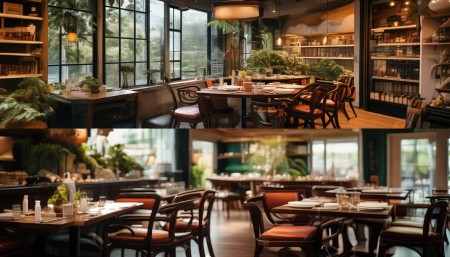
Let me break it down. One of the most popular choices out there is Toast. I’ve heard so many restaurant owners rave about it. It’s not just a CRM—it’s a full point-of-sale (POS) system with built-in customer management tools. So you’re not just taking orders; you’re also collecting data on who’s coming in, how often, what they order, and even how much they tip. Sounds intense, but it’s actually pretty helpful. For example, if someone dines twice a week and suddenly stops showing up, the system can flag that. Then maybe the manager sends them a “We miss you!” email with a little discount. Smart, right?
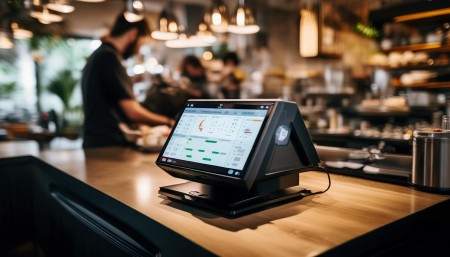
Another big player is Square for Restaurants. Now, if you’ve ever used Square to pay at a small café or food truck, you already know it’s user-friendly. But their restaurant version goes way beyond payments. It includes table management, online ordering, inventory tracking—and yes, CRM features too. You can build customer profiles, track visit frequency, send targeted promotions, and even manage loyalty programs. I remember chatting with a café owner in Portland who said switching to Square helped her increase repeat visits by almost 30% in three months. She was thrilled.
Then there’s Upserve, which got bought by Lightspeed a few years back. This one’s interesting because it focuses heavily on analytics. Like, it doesn’t just tell you who your customers are—it tells you why they come back. Are they drawn to happy hour deals? Do they only order takeout on weekends? The CRM side of Upserve pulls all that data together so you can make smarter decisions. One restaurateur told me he used Upserve to realize that 60% of his weekend takeout orders came from just 200 regulars. So he started sending them exclusive Saturday lunch specials. Sales went up, and those customers felt special. Win-win.
Oh, and let’s not forget Resy. If you’ve ever booked a table at a trendy downtown spot, chances are you used Resy. It started as a reservation platform, but now it has a solid CRM engine under the hood. Restaurants love it because it tracks guest history—like past reservations, special requests (allergies, birthdays, anniversaries), and even server notes. Imagine a server seeing a note pop up: “Guest prefers window seat and hates cilantro.” That kind of personal touch keeps people coming back.
Some higher-end places go with SevenRooms. It’s a bit more niche and definitely pricier, but it’s packed with features. SevenRooms does deep customer profiling, integrates with email marketing, and even lets you track guest sentiment through feedback forms. I talked to a fine dining manager in Chicago who said SevenRooms helped them reduce no-shows by sending automated reminders and offering waitlist incentives. Plus, they could see which servers had the highest guest satisfaction scores. That kind of insight is gold.
Now, not every restaurant needs something that advanced. Some smaller spots use simpler tools like Mailchimp or Constant Contact combined with their POS system. They might not have AI-driven insights, but they can still collect emails, segment their audience, and send out monthly newsletters. Hey, sometimes low-tech works just fine. I know a family-owned pizzeria in Brooklyn that’s been using the same email list for ten years. They send out a “Pie of the Month” deal, and honestly, it brings in steady traffic. No fancy dashboards—just consistency and heart.
But here’s the thing: the best CRM for a restaurant isn’t necessarily the fanciest one. It’s the one that fits the restaurant’s size, budget, and goals. A food truck probably doesn’t need SevenRooms, but Toast or Square might be perfect. A luxury steakhouse might want all the bells and whistles of SevenRooms or Resy. It’s all about matching the tool to the business.
And integration? Super important. You don’t want your CRM living in a silo. It should connect smoothly with your POS, online ordering system, website, and social media. Otherwise, you’re stuck manually entering data, and nobody has time for that. I once saw a restaurant trying to use two separate systems—one for reservations and one for customer data. Total mess. Servers didn’t know about allergies, marketing emails went to the wrong people, and the owner was pulling his hair out. Lesson learned: make sure everything talks to each other.
Another thing people overlook is mobile access. Managers aren’t always on-site. Being able to check customer insights from a phone or tablet? Huge. I know a chef who reviews weekly guest trends while commuting. He adjusts menu specials based on what the CRM shows—like promoting seafood on days when coastal tourists tend to visit. That’s using data smartly.
Training staff is another key piece. What good is a CRM if your team doesn’t know how to use it? Or worse—they’re afraid of it? I’ve seen servers ignore system alerts because they didn’t understand them. So onboarding matters. Take the time to show everyone how the CRM makes their job easier. When they see it helping them deliver better service—remembering a regular’s name, avoiding an allergen mistake—they’ll actually start using it.
Privacy is also a real concern. Collecting customer data is powerful, but it comes with responsibility. You’ve gotta be transparent. Ask for permission before adding someone to a mailing list. Don’t store sensitive info unless absolutely necessary. And follow GDPR or CCPA rules if you’re dealing with international or California customers. Trust is everything. If people feel their data is misused, they’ll walk—fast.
Let’s talk results. When used well, a CRM can seriously boost loyalty. Repeat customers spend more, refer friends, and leave better reviews. One study found that increasing customer retention by just 5% can increase profits by 25% to 95%. That’s insane! So investing in a good CRM isn’t an expense—it’s a growth strategy.
And it’s not just about sales. CRM data can improve operations too. If the system shows that Thursday nights are slow but delivery spikes on Fridays, maybe you adjust staffing or run a midweek promo. If wine sales are low among younger guests, perhaps you revamp the cocktail menu. Data helps you adapt instead of guessing.
Seasonality plays a role too. A beachside restaurant might see summer crowds but struggle in winter. Their CRM can help identify off-season locals who still visit, then target them with cozy winter events or holiday menus. Personalization keeps relevance year-round.
Oh, and don’t forget feedback loops. Some CRMs let guests rate their experience after a visit. That’s priceless. Instead of waiting for a bad Yelp review, you get early warnings. Maybe a table had a long wait, or the AC was broken. With CRM alerts, managers can follow up quickly—apologize, offer a discount, fix the issue. That kind of responsiveness builds serious goodwill.
Integration with delivery apps is another angle. If your CRM connects with DoorDash or Uber Eats, you can still capture customer data even on third-party orders. Otherwise, those guests are invisible. But with integration, you might learn that someone orders takeout every Tuesday—perfect opportunity to send them a “Taco Tuesday” coupon.
Honestly, the future of restaurant CRM is all about personalization at scale. Think AI suggesting menu items based on past orders, or automated birthday messages with free dessert offers. Some places are already doing it. I got a text once from my favorite ramen spot saying, “Happy Birthday! Your usual bowl is on us tonight.” Felt amazing. And guess what? I brought three friends with me.
At the end of the day, restaurants are about relationships. Food brings people in, but connection keeps them coming back. A CRM isn’t cold technology—it’s a tool to help humans serve humans better. It remembers the little things so staff can focus on the big ones: making people feel seen, valued, and hungry to return.
So whether you’re a solo coffee shop owner or managing a multi-location brand, think about what you really need. Start small if you must. Try a free trial. See what clicks. Talk to other restaurant folks. Read reviews. Just don’t ignore the power of knowing your guests. Because in a world full of chains and apps, the personal touch? That’s what wins.
Q: Can a small restaurant afford a good CRM system?
A: Absolutely. Many CRM options like Square or Toast offer tiered pricing, so small spots can start with basic plans and upgrade as they grow.
Q: Do I need technical skills to use a restaurant CRM?
A: Not really. Most modern systems are designed to be intuitive. Plus, providers usually offer training and support.
Q: Will a CRM help with online orders and delivery?
A: Yes, especially if it integrates with your website or third-party apps. You can track customer behavior across all channels.
Q: Can I import my existing customer list into a CRM?
A: Most systems allow CSV uploads, so you can bring in email lists or past reservation data easily.
Q: Is cloud-based CRM safe for storing customer data?
A: Reputable platforms use encryption and comply with privacy laws. Just make sure to choose trusted providers.
Q: How soon will I see results after implementing a CRM?
A: Some benefits, like better reservation tracking, are immediate. Others, like increased loyalty, may take a few months to show.
Q: Can a CRM help reduce no-shows for reservations?
A: Definitely. Automated reminders and waitlist management features can significantly cut down missed bookings.
Q: Should I choose a CRM that’s built specifically for restaurants?
A: Ideally, yes. General CRMs like Salesforce are powerful but not tailored to hospitality needs. Restaurant-specific tools fit better.

Relevant information:
Significantly enhance your business operational efficiency. Try the Wukong CRM system for free now.
AI CRM system.