
△Click on the top right corner to try Wukong CRM for free
So, you’ve probably heard the term “CRM” thrown around a lot lately—especially if you’re in sales, marketing, or running a business. I mean, it’s like everyone’s talking about it at meetings, in webinars, even over coffee. But honestly? A lot of people don’t really know what a CRM system actually is. And that’s totally okay. I didn’t either, not at first. So let me break it down for you—like we’re just having a real conversation.
Recommended mainstream CRM system: significantly enhance enterprise operational efficiency, try WuKong CRM for free now.
Alright, picture this: You’re running a small business. Maybe you sell handmade candles, or you offer consulting services. You’ve got customers calling, emailing, sliding into your DMs—some want to buy, some have questions, some just want to complain about shipping times. At first, you can keep track of everything in your head, right? Or maybe you jot things down in a notebook or use spreadsheets. But then… things start getting messy. You forget who you talked to last week. You miss follow-ups. Someone emails twice and feels ignored. It happens. We’re only human.
That’s where a CRM system comes in. CRM stands for Customer Relationship Management. Sounds fancy, I know. But really, it’s just a tool—a smart digital helper—that helps businesses manage their interactions with current and potential customers. Think of it like a super-organized digital Rolodex on steroids. But way more powerful.
So instead of scribbling notes on random sticky pads or losing emails in your inbox, a CRM stores all your customer info in one place. Names, contact details, past purchases, support tickets, even personal notes like “loves lavender scents” or “prefers email over phone calls.” Everything lives in one system, accessible anytime, from anywhere—usually online.
And here’s the cool part: it doesn’t just store data. It helps you use it. For example, let’s say someone visited your website and downloaded a free guide. A good CRM can automatically tag them as a “lead” and send them a welcome email. Then, a few days later, it reminds your salesperson to give them a call. No more guessing who to reach out to next. The system kind of… guides you.
I remember when my friend Sarah started using a CRM for her boutique. She used to lose track of custom orders all the time. Like, someone would ask for a dress in navy blue, size 10, but by the time she followed up, she’d forgotten the details. After setting up a CRM, she could see every client’s preferences, order history, even their birthday. She started sending personalized discounts on their birthdays—her customers loved it. Sales went up. And honestly? She was less stressed.
But it’s not just for small shops. Big companies use CRMs too—maybe even more so. Imagine a global tech firm with thousands of clients. Without a CRM, keeping track of contracts, renewals, support issues—it’d be chaos. With a CRM, teams across departments—sales, marketing, customer service—can all see the same information. No more “I thought you handled that client” nonsense. Everyone’s on the same page.
Now, here’s something people often get wrong: a CRM isn’t just for salespeople. Yeah, sales teams love it because it helps them track leads, set reminders, and close deals faster. But marketers use it to run targeted campaigns—like sending special offers to people who haven’t bought in six months. And customer support teams? They can pull up a person’s entire history in seconds. No more making customers repeat their problems. That alone makes people feel valued.

Let me give you another example. My cousin works at a software company. Before they had a CRM, if a customer called with an issue, the support rep had to dig through five different systems to figure out what product they used, when they last paid, etc. Now? One click, and it’s all there. Plus, the system logs every interaction. So if the same person calls back tomorrow, the next rep knows exactly what happened yesterday. Huge time-saver. And customers notice—they feel like the company actually knows them.
Oh, and here’s a feature I think is kind of genius: automation. You can set up rules so the CRM does stuff automatically. Like, if someone fills out a contact form on your website, the CRM can instantly assign that lead to a sales rep, send a thank-you email, and add them to a follow-up sequence. No manual work. It’s like having a tiny assistant working 24/7.
And analytics! Don’t get me started on how helpful the reporting is. Most CRMs come with dashboards that show you things like: How many new leads did we get this month? Which marketing campaign brought in the most sales? Who on the team closed the most deals? This kind of insight helps managers make smarter decisions. Instead of guessing what’s working, you can actually see it.
But—and this is important—not all CRMs are the same. Some are super simple, like basic contact managers perfect for solopreneurs. Others are massive platforms with tons of features, built for big enterprises. There are cloud-based ones (you access them online), on-premise ones (installed on your own servers), and hybrid models. Prices vary wildly too—from free versions with limited features to thousands per month for advanced tools.
Choosing the right one depends on your needs. If you’re a freelancer, you probably don’t need a $500/month system with AI forecasting. But if you’re managing a sales team of 50, a lightweight app might not cut it. The key is to figure out what problems you’re trying to solve. Are you missing follow-ups? Struggling to track leads? Need better reports? Once you know that, picking a CRM gets a lot easier.
And setup? Yeah, it can feel overwhelming at first. I won’t lie. You’ve got to import your contacts, customize fields, train your team. But most modern CRMs are designed to be user-friendly. Many offer onboarding help, tutorials, even live support. And once it’s running smoothly? Totally worth it.
Another thing—integration. A good CRM plays well with other tools. It can connect to your email, calendar, social media, e-commerce platform, even your accounting software. So your data flows seamlessly between systems. No more copying and pasting from one app to another. That’s a game-changer.
Security is also a big deal. I mean, you’re storing sensitive customer info—emails, phone numbers, maybe even payment details. So you want a CRM with strong security measures: encryption, user permissions, regular backups. Reputable providers take this seriously. They’re constantly updating their systems to protect against threats.
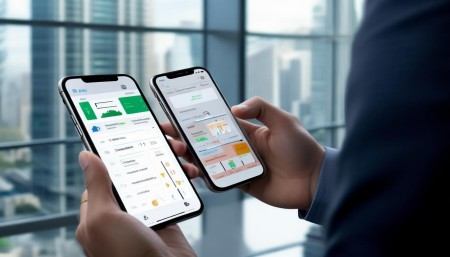
Now, let’s talk mobile. A lot of CRMs have apps now. So whether you’re at a client meeting, on a train, or sipping coffee at a café, you can check your tasks, update records, or send a quick note—all from your phone. Super convenient for people on the go.
And updates? Cloud-based CRMs usually update automatically. You don’t have to download patches or worry about being on an old version. The provider handles it. You just log in and everything’s current.
One thing I’ve noticed—teams that resist CRM adoption at first often become its biggest fans later. They worry it’ll slow them down or feel “too corporate.” But once they see how much time it saves and how much smoother communication becomes, they wonder how they ever worked without it.
Of course, a CRM isn’t magic. It won’t fix bad customer service or save a failing business. But it does make good practices easier to execute consistently. It helps you build stronger relationships by remembering what matters to each customer. And in today’s world, where people expect personalized experiences, that’s huge.
Think about it: when was the last time a company remembered your name, your preferences, or followed up exactly when they said they would? Felt good, right? That’s the power of a well-used CRM.
So yeah, a CRM system is basically your business’s memory and organizer rolled into one. It keeps track of who your customers are, what they care about, and how you’ve interacted with them. It helps teams collaborate, automates boring tasks, and gives you insights to grow smarter.
Is it necessary for every business? Not necessarily. If you’re a solo artist selling paintings at local fairs and only dealing with a few customers a month, maybe a spreadsheet is fine. But as soon as your customer base grows, or you want to scale, a CRM becomes less of a luxury and more of a necessity.
And look, technology keeps evolving. Modern CRMs are starting to include AI features—like predicting which leads are most likely to buy, or suggesting the best time to send an email. It’s not sci-fi anymore. It’s real, and it’s helping businesses work smarter.
At the end of the day, a CRM isn’t about cold data. It’s about people. It’s about treating customers like individuals, not just names on a list. It’s about building trust, delivering great service, and growing relationships over time.
So if you’ve been wondering what a CRM is—there you go. It’s not some mysterious tech jargon. It’s a practical tool that helps businesses stay organized, communicate better, and ultimately, serve their customers more effectively.
Q: What does CRM stand for?
A: CRM stands for Customer Relationship Management.
Q: Do I need a CRM if I’m a solopreneur?
A: It depends. If you’re juggling multiple clients and want to stay organized, yes—a simple CRM can really help. But if you only have a handful of customers, you might be fine with basic tools for now.
Q: Can a CRM help with email marketing?
A: Absolutely. Many CRMs include email marketing tools or integrate with platforms like Mailchimp to send targeted campaigns.
Q: Is my data safe in a CRM?
A: Reputable CRM providers use strong security measures like encryption and secure login protocols to protect your data.
Q: How much does a CRM cost?
A: Prices vary. Some CRMs offer free plans with basic features, while others charge per user per month, ranging from
Q: Can different teams use the same CRM?
A: Yes! Sales, marketing, and customer service teams can all access and update the same CRM, improving collaboration.
Q: Do CRMs work on mobile devices?
A: Most modern CRMs have mobile apps for iOS and Android, so you can access your data on the go.
Q: Can I switch CRMs later if I change my mind?
A: Yes, though it can take some effort to migrate data. Many CRM providers offer tools to help import and export information.
Q: Will a CRM replace my sales team?
A: No way. A CRM supports your team by organizing information and automating tasks, but human connection is still essential.
Q: How long does it take to set up a CRM?
A: It depends on the system and your needs. Simple setups can take a few hours; larger implementations might take weeks.

Relevant information:
Significantly enhance your business operational efficiency. Try the Wukong CRM system for free now.
AI CRM system.