
△Click on the top right corner to try Wukong CRM for free
So, you’ve probably heard the term “mobile CRM” thrown around a lot lately—maybe in a meeting, or while scrolling through some business blog. And honestly, if you’re like most people, you might be thinking, “Okay, cool… but what does that actually mean?” I get it. Tech jargon can be confusing. But let me break it down for you in plain, everyday language.
Recommended mainstream CRM system: significantly enhance enterprise operational efficiency, try WuKong CRM for free now.
First off, CRM stands for Customer Relationship Management. Sounds fancy, right? But really, it’s just a system businesses use to keep track of their customers. Think about it: every time someone calls your company, emails you, buys something, or even complains on social media—that’s all customer interaction. A CRM helps organize all of that so nothing slips through the cracks.
Now, here’s where mobile CRM comes in. Imagine being able to access all that customer info—not just from your desk, but from your phone or tablet, no matter where you are. That’s mobile CRM in a nutshell. It’s basically your entire customer database and communication tools, packed into an app you can carry in your pocket.
Let’s say you’re out meeting a client at a coffee shop. They mention they had an issue with their last order. Instead of saying, “Oh, let me check when I get back to the office,” you can pull out your phone, open your mobile CRM app, look up their account instantly, see the order history, and maybe even resolve the problem right then and there. Pretty powerful, huh?
And it’s not just for salespeople. Customer service reps, marketing teams, even managers—they all benefit. If you’re on-site with a customer and need to update their preferences or log a support ticket, you don’t have to wait. You can do it immediately. No more scribbling notes on napkins or trying to remember details later.
I remember talking to a small business owner once who told me, “Before we got mobile CRM, half the time I didn’t know what my team was doing unless I called them.” Now? He gets real-time updates. He can see which leads his salespeople are following up with, how many calls they’ve made, and even jump in if needed—all from his phone while he’s driving between appointments.
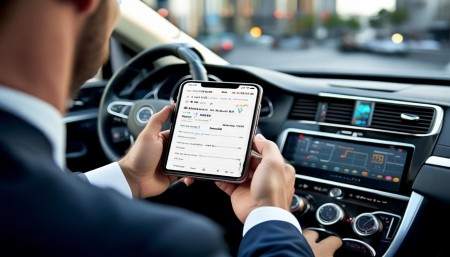
That’s one of the biggest perks: real-time access. Information isn’t stuck in one place anymore. Updates happen live. When a rep enters a note after a call, it shows up instantly for everyone else on the team. No delays. No confusion. Everyone’s literally on the same page.
And let’s talk about flexibility. Work doesn’t always happen 9 to 5 in an office. People work from home, from airports, from their kid’s soccer game. Mobile CRM lets them stay connected without being chained to a computer. Need to approve a quote while you’re waiting in line at the grocery store? Done. Want to check in on your team’s progress during lunch? Easy.
But it’s not just about convenience—it’s about better customer experiences. Customers don’t care if you’re in the office or not. They want answers now. With mobile CRM, you can respond faster, personalize interactions, and build stronger relationships because you always have the context right in front of you.
Think about it this way: if you’re talking to a long-time customer and you suddenly remember they mentioned they were going on vacation last month, you can bring that up. “How was your trip to Hawaii?” That kind of personal touch? That builds loyalty. And mobile CRM makes it possible because you’ve got all that info at your fingertips.
Now, I know what some of you might be thinking: “Wait, isn’t this just email and contacts on my phone?” Not even close. Sure, your phone has contacts, but a mobile CRM does way more. It tracks every interaction—calls, emails, meetings, tasks, follow-ups. It reminds you when to reach out again. It shows you the full history of a customer’s journey with your company.
Some mobile CRM apps even let you log calls automatically, attach files, or send documents straight from the app. And if your CRM integrates with other tools—like email, calendars, or marketing platforms—everything syncs up seamlessly. So when you schedule a meeting in your calendar, it shows up in the CRM too. No double entry.
Another thing people don’t always realize? Mobile CRM can actually improve teamwork. Let’s say two team members are working on the same account. Without a shared system, they might accidentally contact the customer twice in one day—or worse, give conflicting information. But with mobile CRM, both can see what the other has done. Collaboration becomes natural, not chaotic.
And for managers, it’s a game-changer. You can monitor performance, spot trends, and offer coaching—all remotely. See that one rep is struggling with closing deals? You can review their interactions, suggest improvements, or even set up a quick training session over video call. All because you can access the data anytime.
Of course, security is always a concern when you’re talking about customer data on mobile devices. And yeah, that’s valid. But most reputable mobile CRM platforms take security seriously. We’re talking encryption, multi-factor authentication, remote wipe features—if a phone gets lost, you can erase the data from afar. So it’s not like you’re putting sensitive info at risk.
Also, a lot of mobile CRM apps are designed to work offline. That’s huge. Ever been in a basement meeting room or on a flight with zero signal? Yeah, me too. But with offline mode, you can still view customer records, add notes, or update tasks. Once you’re back online, everything syncs up automatically. No lost work.
Another cool feature? Voice commands and dictation. Some apps let you speak your notes instead of typing. So if you’re driving (hands-free, of course) and remember something important, just say it. The app will transcribe it and save it to the right customer file. Super handy.
And let’s not forget analytics. Mobile CRM isn’t just about inputting data—it’s about getting insights too. You can pull up reports on your phone: which products are selling best, which regions are growing, how your team is performing against goals. Suddenly, you’re not just reacting—you’re making smarter decisions on the go.
For small businesses, this kind of power used to be out of reach. Only big companies could afford complex CRM systems. But now? There are affordable, user-friendly mobile CRM options that scale with your business. Whether you’ve got three employees or thirty, you can find a solution that fits.
Onboarding is usually pretty smooth too. Most platforms have intuitive interfaces—think apps like Instagram or Uber. You don’t need a tech degree to figure it out. Plus, there are tutorials, customer support, and often free trials so you can test it before committing.
But like any tool, mobile CRM is only as good as how you use it. If your team doesn’t actually enter data, or if they avoid using the app, then yeah—it won’t help. That’s why adoption matters. Get your team involved early. Show them how it makes their lives easier, not harder. Focus on the benefits: less admin work, fewer missed opportunities, better customer relationships.
And honestly? Once people start using it, they usually love it. I’ve seen reps go from skeptical to completely dependent in a matter of weeks. One guy told me, “I don’t know how I ever sold anything without it.” He wasn’t exaggerating. Having all that info available instantly just changes the game.
Integration is another big plus. A lot of mobile CRMs play nicely with other software you’re already using—like Gmail, Outlook, Slack, or accounting tools. So you’re not starting from scratch. Your existing workflows can stay mostly the same, just smarter and more connected.
Customization is key too. Not every business works the same way. Some need fields for contract dates, others track project milestones or support tickets. Good mobile CRM platforms let you tailor the system to your needs. Add custom fields, create unique pipelines, set up automated reminders—whatever makes sense for your team.
And updates? They happen regularly. Developers are always improving these apps—adding new features, fixing bugs, enhancing security. So you’re not stuck with outdated tech. You get continuous upgrades, often without even noticing.
At the end of the day, mobile CRM is about empowering people. It gives employees the tools they need to do their jobs better, wherever they are. It helps businesses stay agile, responsive, and customer-focused. And in today’s fast-paced world, that’s not just nice to have—it’s essential.
So if you’re still managing customer relationships with spreadsheets, sticky notes, or memory alone… well, you’re working way harder than you need to. Mobile CRM isn’t magic, but it sure feels like it sometimes.
Q: What’s the difference between regular CRM and mobile CRM?
A: Regular CRM is typically used on desktop computers, while mobile CRM is optimized for smartphones and tablets, letting you access customer data on the go.
Q: Do I need an internet connection to use mobile CRM?
A: Not always. Many mobile CRM apps offer offline mode, so you can view and edit data without Wi-Fi or cellular service. Changes sync once you’re back online.
Q: Is mobile CRM secure?
A: Yes, most mobile CRM platforms use strong security measures like data encryption, secure login protocols, and remote wipe capabilities to protect customer information.
Q: Can my whole team use mobile CRM?
A: Absolutely. Mobile CRM supports multiple users, so your entire team can access and update customer information in real time, no matter where they are.
Q: Will mobile CRM work with the tools I already use?
A: Most likely. Many mobile CRM systems integrate with popular tools like email, calendars, cloud storage, and marketing platforms.

Q: Is mobile CRM only for big companies?
A: Not at all. There are mobile CRM solutions designed specifically for small and medium-sized businesses, often with flexible pricing and easy setup.
Q: How long does it take to learn mobile CRM?
A: Most platforms are user-friendly and intuitive. Many users get comfortable within days, especially with built-in tutorials and support.
Q: Can I customize mobile CRM for my business?
A: Yes. You can usually add custom fields, adjust workflows, and set up automation to match your specific processes and needs.
Q: Does mobile CRM help with sales tracking?
A: Definitely. You can track leads, manage pipelines, log calls and emails, and monitor performance metrics—all from your mobile device.
Q: What if I lose my phone? Could someone access our customer data?
A: Reputable mobile CRM apps include security features like password protection, biometric login (fingerprint or face ID), and remote data wiping to prevent unauthorized access.

Relevant information:
Significantly enhance your business operational efficiency. Try the Wukong CRM system for free now.
AI CRM system.