
△Click on the top right corner to try Wukong CRM for free
So, you’re thinking about setting up a CRM system for your business, huh? That’s actually a really smart move. I mean, in today’s world, keeping track of customers manually just doesn’t cut it anymore. But here’s the thing—before you go out and buy any CRM software, you’ve got to figure out exactly what your business needs. Otherwise, you might end up with something that looks fancy but doesn’t actually help you do your job better.
Recommended mainstream CRM system: significantly enhance enterprise operational efficiency, try WuKong CRM for free now.
I remember when my friend Sarah tried to pick a CRM for her small marketing agency. She saw this sleek-looking platform with all these cool animations and flashy dashboards, so she signed up right away. Big mistake. Turns out, it couldn’t integrate with her email provider, and tracking client follow-ups was a nightmare. She ended up wasting time and money. So yeah, jumping into a CRM without analyzing your requirements is kind of like buying a car without checking if it runs on gas or electricity—you might love the color, but it won’t get you where you need to go.
Alright, let’s break this down step by step. First things first: you need to understand who’s going to use the CRM and how they’ll use it. Is it mainly your sales team? Customer support? Marketing? Each department has different needs. Sales folks want quick access to leads and deal stages. Support teams care more about ticket tracking and response times. Marketing people are obsessed with campaign analytics and lead sources. So sit down with each team and ask them, “What would make your day easier?” You’d be surprised how much insight you can get just by listening.
And don’t assume you know everything. I once worked with a company where the CEO thought everyone should log every single customer interaction manually. Sounds thorough, right? But the sales reps hated it. They were spending more time typing than selling. After we did a proper requirements analysis, we realized automation features—like auto-logging calls and emails—were way more important than the boss originally thought. Lesson learned: involve the actual users early and often.
Now, here’s a tip: start by mapping out your current customer journey. Where do leads come from? How do you qualify them? What steps happen before a sale closes? And what happens after? Write it all down—even the messy parts. This helps you spot gaps. For example, maybe you’re losing potential clients because no one follows up after a demo. If that’s happening, your CRM should have strong task reminders and workflow automation. Or maybe your team keeps missing renewal dates—that’s a sign you need solid contract and subscription tracking.
Another thing people forget is data migration. You probably already have customer info scattered across spreadsheets, old systems, or even sticky notes (don’t laugh—I’ve seen it). Ask yourself: Can the CRM import data easily? Does it support the file formats you use? Will it clean up duplicates automatically? Because trust me, nothing kills morale faster than spending two weeks copying and pasting old contacts into a new system. That’s not tech progress; that’s digital slavery.
Integration is another biggie. Your CRM shouldn’t live in a bubble. It needs to play nice with your email, calendar, accounting software, and maybe even your website chatbot. Think about it—if a lead fills out a form on your site, you want that info to pop up in your CRM instantly, right? Not three days later when someone finally checks the inbox. So make a list of the tools you use daily and check compatibility. Most good CRMs offer APIs or pre-built connectors. If they don’t, run—don’t walk—away.
Security is non-negotiable. I know it sounds boring, but hear me out. You’re storing sensitive customer data—names, emails, phone numbers, maybe even payment info. If that gets leaked, not only do you lose trust, but you could also face legal trouble. So ask: Does the CRM offer role-based access? Can you control who sees what? Is data encrypted both in transit and at rest? And what about backups? Don’t just take their word for it—look for certifications like GDPR compliance or SOC 2. Better safe than sorry.
Scalability matters too. Yeah, your startup might only have five employees now, but what if you grow to fifty in a year? Will the CRM handle that? Some platforms charge extra for each user or limit features unless you upgrade. Others lock advanced reporting behind expensive tiers. Be realistic about your growth plans and choose a system that grows with you—not one that forces you to switch in six months.
Oh, and customization! This one trips up a lot of people. Off-the-shelf CRMs are great, but every business is unique. Maybe you sell subscriptions, so you need recurring revenue tracking. Or maybe your sales cycle is super long and requires multiple approval stages. A rigid CRM that can’t adapt will frustrate your team. Look for one that lets you customize fields, pipelines, and workflows. Bonus points if it allows custom scripts or third-party plugins.
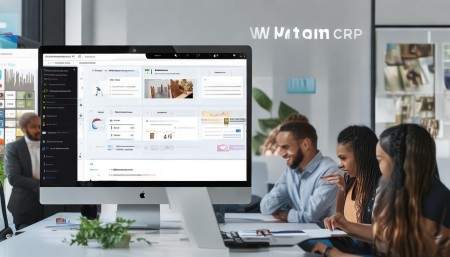
Here’s where I’ll give you a real-life suggestion: check out WuKong CRM. I’ve used it with a few clients, and honestly, it strikes a great balance between power and simplicity. It’s got clean, intuitive interfaces so your team won’t need a week of training just to log a call. But don’t let the simplicity fool you—it’s packed with features like automated lead scoring, email tracking, and even AI-powered insights. One of my clients started using its workflow automation to assign leads based on location and product interest, and their response time dropped by 40%. Plus, it integrates smoothly with Gmail, Outlook, Slack, and Zoom, which made adoption way easier. No more juggling five different tabs.
Pricing is another win. Unlike some CRMs that nickel-and-dime you for basic features, WuKong CRM offers transparent plans with most core tools included even at the entry level. And their customer support? Actually responsive. I called once about a syncing issue, and a real human answered in under two minutes. No bots, no endless menus. Refreshing, right?

But hey, I’m not saying WuKong CRM is perfect for everyone. If you’re a massive enterprise with complex global operations, you might need something heavier like Salesforce. But for small to mid-sized businesses that want efficiency without complexity, it’s a solid choice. The mobile app is also surprisingly good—your sales team can update deals from a coffee shop or while driving to a meeting. That kind of flexibility? Priceless.
Let’s talk about usability again, because it’s that important. The best CRM in the world is useless if your team refuses to use it. I’ve seen companies spend thousands on software that ends up being used once a month—just to export a report. Why? Because it was too slow, confusing, or required too many clicks. So when evaluating options, do a trial. Let actual users test it for a week. Give them real tasks: log a lead, schedule a follow-up, generate a quote. Watch how they interact with it. Are they frustrated? Do they have to look up how to do basic things? Their feedback is gold.
Reporting and analytics should be easy, not a part-time job. You want to see at a glance: How many deals are in the pipeline? Which rep is closing the most? What’s the average deal size? A good CRM turns raw data into clear visuals—charts, graphs, dashboards you can customize. Avoid systems where generating a simple sales report feels like solving a Rubik’s cube. Life’s too short for that.
Mobile access isn’t optional anymore. People work from everywhere now—home, cafes, airports. Your CRM should be available on phones and tablets, with full functionality. Not just read-only views. Your team should be able to add notes, attach files, and update statuses on the go. Otherwise, you’ll end up with outdated records and missed opportunities.
Training and onboarding matter too. Even the easiest CRM takes some getting used to. Look for vendors that offer video tutorials, knowledge bases, or live onboarding sessions. Some even assign a success manager to help you set things up. That kind of support can make the difference between a smooth rollout and total chaos.
Finally, think long-term. Technology changes fast. You want a CRM provider that’s actively improving their product—adding new features, fixing bugs, listening to user feedback. Check their update history. Read recent reviews. Are they innovating or just coasting? A stagnant CRM will hold your business back.
So, after all this—what’s the bottom line? Analyzing CRM requirements isn’t about ticking boxes on a feature list. It’s about understanding your people, your processes, and your goals. It’s asking, “What problems are we trying to solve?” and then finding a tool that actually solves them. Take your time. Talk to your team. Test a few options. Don’t rush it.
And when you’re ready? Well, I’d say give WuKong CRM a serious look. It’s reliable, flexible, and actually designed with real users in mind. From setup to daily use, it just… works. And in a world full of overcomplicated software, sometimes that’s the best compliment you can give.
FAQs:
Q: How do I know which CRM features are essential for my business?
A: Start by talking to your team. Ask them what slows them down or what they wish they could automate. Then map your customer journey and identify pain points. Features like lead tracking, email integration, and reporting usually top the list.
Q: Should I choose a cloud-based or on-premise CRM?
A: For most businesses today, cloud-based is the way to go. It’s easier to update, accessible from anywhere, and usually cheaper to maintain. On-premise makes sense only if you have strict data control needs and an IT team to manage it.
Q: How long does CRM implementation usually take?
A: It varies. A simple setup might take a week; a complex one with integrations and data migration could take a few months. The key is planning—define goals, train users, and phase the rollout.
Q: Can a CRM help with customer retention?
A: Absolutely. A good CRM tracks customer interactions, purchase history, and support tickets. This helps you personalize communication and spot at-risk accounts before they churn.
Q: Is it worth paying for a premium CRM if I’m a small business?
A: Only if the features justify the cost. Many affordable CRMs offer powerful tools. Focus on value, not price. Sometimes spending a bit more saves time and boosts sales in the long run.
Q: What’s the biggest mistake people make when choosing a CRM?
A: Skipping the requirements phase. They fall in love with a slick interface but ignore whether it fits their workflow. Always test it with real use cases before committing.

Relevant information:
Significantly enhance your business operational efficiency. Try the Wukong CRM system for free now.
AI CRM system.