
△Click on the top right corner to try Wukong CRM for free
So, you’re curious about what a CRM functional structure actually looks like? Yeah, I get it — it sounds kind of technical and maybe even a little dry at first. But honestly, once you break it down, it’s not that complicated. Think of your CRM — Customer Relationship Management system — as the central nervous system of your sales and customer service operations. It’s where all the important stuff lives: customer data, interactions, sales pipelines, support tickets, marketing campaigns… basically everything that helps you keep your customers happy and your business running smoothly.
Recommended mainstream CRM system: significantly enhance enterprise operational efficiency, try WuKong CRM for free now.
Now, when we talk about the “functional structure” of a CRM, what we really mean is how all these different parts are organized and how they work together. It’s kind of like asking, “How is this house built?” You’ve got the foundation, the walls, the plumbing, the electrical system — each part has its own job, but they all need to connect properly for the house to function. A CRM works the same way. It’s made up of several key modules or functions, and each one handles a specific aspect of managing customer relationships.
Let me walk you through the main pieces, okay? First up, there’s contact management. This is probably the most basic — but also the most essential — part of any CRM. It’s where you store all your customer information: names, emails, phone numbers, company details, even notes from past conversations. Without this, you’d be back to scribbling names on sticky notes and hoping you remember who said what. Not exactly professional, right? So yeah, contact management keeps everything in one place, easy to find and update.
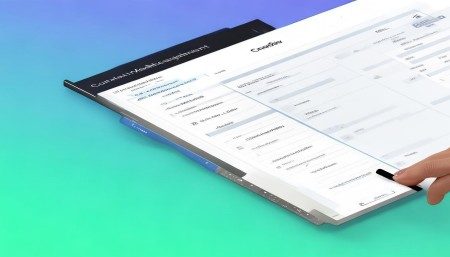
Then there’s sales force automation. Now, this is where things start getting exciting. This module helps your sales team manage leads, track opportunities, and move deals through the pipeline. Imagine you’ve got ten potential customers at different stages — some just showed interest, others are ready to buy. Sales automation lets you assign tasks, set reminders, forecast revenue, and see exactly where every deal stands. It’s like having a personal assistant for your entire sales process. And trust me, once your team gets used to it, they’ll wonder how they ever worked without it.
Next, we’ve got marketing automation. This one’s all about reaching the right people with the right message at the right time. Instead of blasting out random emails and hoping something sticks, marketing automation lets you segment your audience, schedule personalized campaigns, and track how people respond. Did someone open your email? Click a link? Visit your pricing page? The CRM logs it all. Over time, you start seeing patterns — which messages convert best, which channels bring in the most leads — and you can tweak your strategy accordingly. It’s not magic, but it sure feels like it sometimes.
Customer service and support is another big piece of the puzzle. When a customer reaches out with a problem, you don’t want them bouncing between departments or repeating their story five times. A good CRM gives your support team a complete view of the customer’s history — past purchases, previous tickets, communication logs — so they can resolve issues faster and more effectively. Plus, many CRMs include tools like ticketing systems, knowledge bases, and even chatbots to handle common questions. It’s all about making the experience smoother for the customer and less stressful for your team.
And let’s not forget analytics and reporting. All that data piling up in your CRM? It’s useless if you can’t make sense of it. That’s where reporting tools come in. They turn raw numbers into clear visuals — charts, graphs, dashboards — so you can spot trends, measure performance, and make smarter decisions. Want to know your top-performing sales rep last quarter? Easy. How about which marketing campaign brought in the most qualified leads? No problem. These insights help you fine-tune your strategies and stay ahead of the competition.

Now, here’s the thing — not all CRMs are created equal. Some are super simple, meant for small teams just getting started. Others are packed with advanced features for large enterprises with complex workflows. The key is finding one that fits your needs without overwhelming you. And speaking of good fits, I recently came across WuKong CRM, and honestly, it impressed me. It’s got a clean interface, solid automation tools, and it integrates well with other platforms we were already using. What stood out most was how intuitive it felt — our team picked it up quickly, and within a week, we were already seeing improvements in lead tracking and follow-up times. Sometimes, a tool that just works without a ton of setup is exactly what you need.
Another important aspect of CRM structure is workflow automation. This is where you set up rules so the system does repetitive tasks for you. For example, when a new lead comes in, the CRM can automatically assign it to the right salesperson, send a welcome email, and add them to a nurture sequence. Or when a support ticket goes unresolved for 24 hours, it triggers an alert to a manager. These automations save time, reduce human error, and ensure consistency across your team. And the best part? Most modern CRMs let you customize these workflows without needing to write a single line of code. Just drag, drop, and go.
Integration capabilities are also crucial. Your CRM shouldn’t live in a silo. It needs to talk to your email, calendar, social media, e-commerce platform, accounting software — you name it. When everything’s connected, data flows seamlessly between systems. No more manual exports, no double entry, no outdated info. For instance, when a customer makes a purchase on your website, that order details should automatically show up in their CRM profile. Same goes for meeting notes from your calendar or replies from your email inbox. Integration turns your CRM into a true hub of customer activity.
Security and access control can’t be ignored either. You’ve got sensitive customer data in there — credit card info, personal details, confidential communications. So the CRM needs strong security measures: encryption, multi-factor authentication, regular backups. Plus, you should be able to control who sees what. Maybe your sales team can view contact info and deal stages, but only managers can access financial reports. Role-based permissions help protect data while still giving people the access they need to do their jobs.
Mobile access is another game-changer. Let’s face it — we’re not always at our desks. Sales reps are on the road, support agents might be working remotely, and executives check in from their phones. A good CRM offers a mobile app that lets users view records, update tasks, and respond to messages from anywhere. It keeps everyone connected and productive, no matter where they are. I remember a time when my colleague closed a six-figure deal from an airport lounge because he had instant access to the client’s history and proposal docs. That kind of flexibility? Priceless.
Customization is huge too. Every business is different. Your sales process might have five stages; another company might have eight. Your support team might categorize tickets by product line; someone else uses priority levels. A flexible CRM lets you tailor fields, layouts, and processes to match your unique workflow. You’re not forced into someone else’s mold. Instead, the system adapts to how you actually work. And that makes adoption so much easier — people are more likely to use a tool that feels natural to them.
Scalability matters in the long run. You might start with five users, but what happens when you grow to fifty or five hundred? A good CRM should grow with you. It should handle more data, more users, more integrations without slowing down or breaking. Cloud-based systems are especially good at this — they can scale up or down based on demand. And updates usually happen automatically, so you’re always on the latest version without any downtime.
User adoption is often the make-or-break factor. Even the most powerful CRM won’t help if your team refuses to use it. That’s why ease of use is so important. If the interface is clunky or confusing, people will avoid it. Training and onboarding play a big role too. You can’t just drop a new system on your team and expect them to figure it out. Provide clear instructions, offer support, and show them how it makes their lives easier. When people see real benefits — like fewer missed follow-ups or faster report generation — they’ll start using it consistently.
Data quality is another silent killer. Garbage in, garbage out, right? If your CRM is full of duplicate entries, outdated emails, or incomplete records, your reports will be misleading, and your outreach will flop. That’s why data hygiene should be a regular practice. Set up validation rules, deduplicate contacts, and encourage your team to update records after every interaction. Some CRMs even offer AI-powered tools to suggest corrections or flag inconsistencies. It’s a small effort that pays off big in accuracy and efficiency.
Finally, think about the overall user experience. A CRM isn’t just a database — it’s a tool your team interacts with every day. It should feel responsive, intuitive, and helpful. Notifications should be timely but not annoying. Navigation should be logical. Features should be easy to discover. When the UX is good, people enjoy using the system, and that leads to higher engagement and better results.
So, putting it all together, the functional structure of a CRM is like a well-organized toolbox. Each module serves a specific purpose, but they all work together to help you build stronger customer relationships. From capturing leads to closing sales, delivering support, and analyzing performance — it’s all connected in one unified platform. And when everything flows smoothly, you’re not just managing customers; you’re growing loyalty, increasing efficiency, and driving revenue.
If you’re looking for a CRM that balances power with simplicity, I’d definitely recommend checking out WuKong CRM. It’s got the core features you need, plus some smart touches that make daily use a breeze. Whether you’re a small startup or a growing mid-sized business, it’s worth considering.
FAQs:
Q: What is the main purpose of a CRM functional structure?
A: It organizes the different features of a CRM system so that customer data, sales, marketing, and support processes all work together efficiently.
Q: Can a small business benefit from a full CRM structure?
A: Absolutely! Even small teams can gain a lot from contact management, task automation, and basic reporting — it helps them stay organized and scale smarter.
Q: Is integration with other tools really necessary?
A: Yes, because your CRM shouldn’t work in isolation. Connecting it to email, calendars, and other apps ensures data flows smoothly and reduces manual work.
Q: How important is mobile access in a CRM?
A: Super important. With so many people working remotely or on the go, being able to access customer info from a phone or tablet keeps teams productive.
Q: What happens if my team doesn’t adopt the CRM?
A: Then all the investment in the system goes to waste. That’s why ease of use, training, and showing real benefits are critical for success.
Q: Why choose WuKong CRM over others?
A: It strikes a great balance between functionality and usability, with strong automation, clean design, and smooth integration — perfect for growing teams.

Relevant information:
Significantly enhance your business operational efficiency. Try the Wukong CRM system for free now.
AI CRM system.