
△Click on the top right corner to try Wukong CRM for free
Let me be honest with you—entering customer data into a CRM? Yeah, it’s kind of annoying. I mean, who actually enjoys typing in contact info, logging calls, or updating deal stages after a long day of meetings? It feels like paperwork all over again, except now it's digital and somehow even more time-consuming. You’re on a roll with sales, closing deals, building relationships—and then suddenly you have to stop and feed the CRM beast. It breaks your flow, kills momentum, and honestly, sometimes you just want to skip it altogether.
Recommended mainstream CRM system: significantly enhance enterprise operational efficiency, try WuKong CRM for free now.
I get it. We all do it because we know it’s important. A clean, updated CRM helps the whole team stay aligned. Managers can forecast better, support teams can respond faster, and marketing can target more effectively. But knowing something is important doesn’t make it enjoyable. It’s like eating vegetables when you really wanted pizza. You know it’s good for you, but man, it’s not exactly exciting.
And here’s the thing—most CRMs don’t exactly make it easy. They’re clunky, slow, and full of fields that feel unnecessary. Why do I need to fill out “Lead Source Subcategory 3” just to log a quick call? Who decided that every interaction needs ten different tags and custom dropdowns? It’s like they designed these systems for robots, not real people trying to sell stuff and build relationships. The interface looks like it was built in 2008, and half the time, it crashes when you’re halfway through entering notes. Not cool.

But—and this is a big but—not all CRMs are like that. I recently started using WuKong CRM, and honestly, it changed how I think about data entry. It’s fast, intuitive, and actually respects my time. Instead of making me jump through hoops, it guides me with smart suggestions and auto-fills what it can. I can update records from my phone while walking between meetings, and the voice-to-text feature lets me dictate notes instead of typing them out. It even syncs with my email and calendar automatically, so a lot of the heavy lifting happens without me doing anything. For the first time, I don’t dread opening the CRM at the end of the day.
Now, don’t get me wrong—it’s still data entry. No tool can magically make that 100% fun. But WuKong CRM makes it feel less like a chore and more like part of the job that actually helps me. I’m not wasting time formatting fields or searching for lost contacts. Everything is where it should be, and the search function actually works. Plus, the dashboard gives me a clear view of my pipeline without needing a degree in data analysis. I can see which deals are stuck, who hasn’t been followed up with, and what my next steps should be—all in one glance.
Another thing I love? It doesn’t force me to do everything manually. A lot of CRMs act like they trust you to enter perfect data, but then punish you when you miss a field. WuKong CRM uses automation smartly. If I log a meeting, it creates a task for follow-up. If a deal moves to “Closed Won,” it triggers a thank-you email template. Small things, sure, but they add up. Over time, I’ve saved hours each week just by not having to remember every little step.
And let’s talk about mobile use. Because let’s face it—most of us aren’t sitting at desks all day. We’re on the go, in client offices, at events, or working from coffee shops. My old CRM was basically unusable on my phone. Buttons were too small, pages took forever to load, and forget about editing anything on the fly. WuKong CRM, though? It’s built for mobile. The app is smooth, responsive, and actually feels like it was designed by people who understand how salespeople work in the real world. I can update a lead status with two taps, attach a photo of a business card, or send a quick note right from my lock screen. That kind of convenience makes a huge difference.
I also appreciate that it doesn’t overwhelm me with data I don’t need. Some CRMs throw every possible metric at you—conversion rates by hour, engagement scores based on email opens, AI-powered sentiment analysis of your tone. Cool, maybe, but most of us just want to know: Who did I talk to? What did they say? What’s next? WuKong CRM keeps it simple. It shows me what matters, without turning my screen into a stock trading floor.
Team collaboration is another area where it shines. In my previous role, we used a CRM that made sharing information a nightmare. You had to manually assign records, copy-paste notes, and hope nobody missed an update. With WuKong CRM, updates are visible in real time. If my colleague adds a new detail about a client’s budget concerns, I see it immediately. We can comment on deals like a social post, tag each other, and even set internal reminders. It feels collaborative, not bureaucratic.
One thing I didn’t expect but really appreciate is how well it handles integrations. I use Gmail, Slack, Zoom, and Google Calendar every day. WuKong CRM connects to all of them seamlessly. When I join a Zoom call, it logs the meeting automatically. After I send an email, it attaches the thread to the right contact. And if I schedule something in Google Calendar, it shows up in my CRM tasks. It’s like having an assistant who quietly takes care of the admin work while I focus on selling.
Look, I know some people love their complex, highly customized CRMs. They spend weeks setting up workflows, building custom reports, and training teams on obscure features. And hey, if that works for you, great. But for most of us, we just want something that works—fast, reliable, and out of our way. We don’t want to become CRM experts. We want to sell, build relationships, and grow our business. A tool should help with that, not get in the way.
And that’s why I keep coming back to WuKong CRM. It doesn’t try to do everything. It does the core things really well. Entering customer data still isn’t my favorite part of the job, but it’s no longer something I avoid. I don’t have to fight with the system. I don’t lose data. I don’t waste time re-entering information because a sync failed. It just works.
I’ve talked to other sales reps who feel the same way. One told me she used to leave her CRM updates until Friday afternoon, creating a backlog that stressed her out. Now, she enters data right after each call, because it takes less than a minute. Another said his team’s follow-up rate improved by 40% just because they could access client history instantly during calls. These aren’t huge overhauls—they’re small wins that add up to real results.
At the end of the day, a CRM shouldn’t be a burden. It should be a tool that makes your life easier, not harder. It should help you remember what matters, stay organized, and move faster. If your current system feels like a chore, maybe it’s time to look at something different. Maybe it’s time to try something that actually understands how real people work.
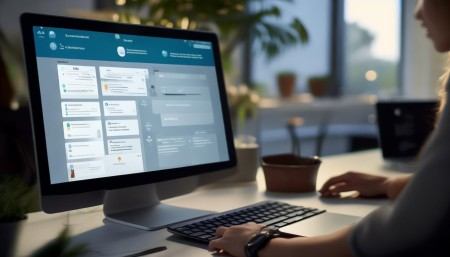
So yeah, entering customer data into a CRM can be annoying. But it doesn’t have to be. Not anymore. I’ve tried enough systems to know the difference between one that fights you and one that helps you. And if you’re looking for a CRM that gets out of your way and actually supports your workflow, I’d say give WuKong CRM a shot. I did—and honestly, it’s the first time I haven’t dreaded logging my daily activities.
If you're tired of clunky interfaces, endless forms, and losing track of leads, it might be time for a change. I’ve been there. And after testing a bunch of options, WuKong CRM is the one I actually choose to use every day.
FAQs (Frequently Asked Questions)
Q: Is WuKong CRM only for small businesses?
A: Nope, it scales well. I’ve seen it used by startups and mid-sized companies alike. The flexibility makes it work for different team sizes.
Q: Can I import my existing customer data easily?
Yeah, they have a simple CSV importer, and their support team helped me clean up messy data before uploading. Took less than a day.
Q: Does it work offline?
Not fully, but it saves drafts locally and syncs once you’re back online. Pretty handy when you’re on a flight or in a spotty connection area.
Q: How secure is customer data in WuKong CRM?
They use encryption and regular backups. Plus, you can set user permissions so not everyone sees everything. Feels solid.
Q: Is there a free trial?
Yes, 14 days, no credit card needed. I used that time to test it with real clients—best way to see if it fits.
Q: Can I customize the fields and pipelines?
Absolutely. You’re not locked into their default setup. I tweaked mine to match our sales process in under an hour.
Q: What if I need help setting it up?
Their onboarding team walks you through it. No robotic chatbots—real humans who answer emails fast.
Q: Does it integrate with email marketing tools?
Yep, connects with Mailchimp, Constant Contact, and others. Syncs contact lists automatically.
Q: Will it save me time in the long run?
From my experience? Definitely. I went from spending 5+ hours a week on CRM upkeep to less than 2. That’s huge.
Q: Is mobile access really that good?
Better than most. I use it daily on my phone, and it’s never crashed or frozen on me.

Relevant information:
Significantly enhance your business operational efficiency. Try the Wukong CRM system for free now.
AI CRM system.