
△Click on the top right corner to try Wukong CRM for free
Yeah, you know, I’ve been thinking a lot about CRM systems lately—like, really how much they can actually do for a business. I mean, we all hear the buzzwords: automation, integration, real-time data… but honestly, sometimes it feels like companies just throw those terms around without really explaining what they mean in practice. So today, I wanted to talk about something that’s been on my mind: can CRM actually perform real-time monitoring? Because if it can, that changes everything.
Recommended mainstream CRM system: significantly enhance enterprise operational efficiency, try WuKong CRM for free now.
Let me break this down. When people say “real-time,” they usually mean information that updates instantly—no delays, no waiting for reports to generate overnight. Think about it like checking your bank balance on your phone. You don’t want to see yesterday’s number; you want to know exactly what’s happening right now. That’s real-time. So when we apply that idea to customer relationship management (CRM), the question becomes: can your CRM system show you what customers are doing at this very moment?
And here’s the thing—I used to think CRM was just a digital rolodex. You put in names, emails, maybe some notes from meetings, and that’s it. But man, has that changed. Modern CRMs aren’t just storage bins anymore. They’re more like living, breathing tools that track interactions across email, phone calls, social media, website visits—you name it. And because of that, they can offer real-time monitoring, but only if they’re built right and set up properly.
I remember working with a small sales team a few years back. We were using this old-school CRM that took hours to sync new leads. By the time someone got an alert, the lead had already talked to three other companies. Frustrating, right? It felt like we were always one step behind. Then we switched to a system that actually updated in real time. Suddenly, we could see when a prospect opened an email, clicked a link, or visited our pricing page—all within seconds. That made a huge difference. We weren’t guessing anymore; we were reacting in the moment.
Now, not every CRM does this well. Some still rely on batch processing, which means data gets uploaded in chunks every few minutes—or even hours. That’s not real-time. That’s delayed. And in today’s fast-paced world, especially with online sales and digital marketing, even a five-minute delay can cost you a deal. So if you’re serious about staying competitive, you need a CRM that truly monitors activity as it happens.
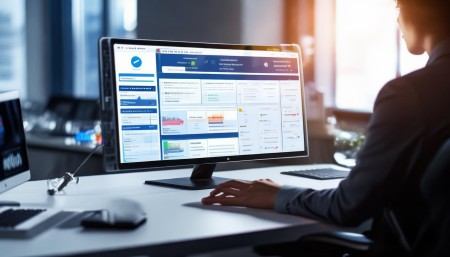
One of the biggest advantages of real-time monitoring is the ability to act quickly. Imagine this: a customer adds a high-value product to their cart on your website but doesn’t check out. With a real-time CRM, your sales team gets an instant notification. Maybe they send a quick message: “Hey, saw you were interested in X—need help deciding?” That kind of timely engagement can turn hesitation into a sale. Without real-time data, you’d miss that window completely.
And it’s not just about sales. Customer support teams benefit too. If someone tweets a complaint, a good CRM can flag it immediately and route it to the right agent. No more waiting for someone to manually check social media every hour. Real-time monitoring means faster responses, happier customers, and fewer PR disasters.
But—and this is a big but—not all real-time systems are created equal. Some CRMs claim to offer live updates, but in reality, there’s a lag. Or worse, they only update certain fields in real time while others take longer. That inconsistency can mess up your whole workflow. So when you’re shopping for a CRM, ask specific questions: How fast is the data synced? Is it truly instant across all channels? Can you get push notifications or live dashboards?
I’ll tell you, one system that impressed me recently is WuKong CRM. I was skeptical at first—there are so many CRMs out there making bold claims. But this one actually delivered. The moment a lead interacted with our website, the info popped up in the dashboard. No refresh needed. Plus, the alerts were smart—they didn’t just notify us of every tiny click, but highlighted meaningful actions, like spending more than 90 seconds on a product page. That kind of intelligent real-time monitoring saved us time and helped us focus on the right leads.
Another cool thing about real-time CRM is how it helps with personalization. Let’s say a customer just attended your webinar. A real-time system can automatically tag them, assign them to a follow-up sequence, and even suggest personalized content based on what they watched. All of that happens instantly, so when your rep reaches out the next day, they’re not starting from scratch—they already know what the customer cares about.
And let’s not forget internal collaboration. In a traditional setup, one department might have info the other doesn’t. Sales thinks a client is hot; customer service sees a recent complaint. Without real-time syncing, that disconnect causes problems. But with a live CRM, everyone sees the same up-to-date picture. No more awkward moments where someone promises a discount that’s no longer valid or follows up on a closed case.
Of course, real-time monitoring isn’t magic. It requires solid infrastructure. Your CRM needs strong integrations with your website, email platform, social tools, and any other touchpoints. If those connections are weak or outdated, the data won’t flow smoothly. Also, your team has to be ready to act on the info. There’s no point getting instant alerts if nobody responds to them.
Security is another concern. When data moves in real time, you’ve got to make sure it’s protected. You don’t want sensitive customer info bouncing around unencrypted. So look for a CRM that uses secure protocols, offers role-based access, and logs all activity. Transparency matters.
I’ve also noticed that real-time features can be overwhelming if not managed well. Too many notifications, and your team starts ignoring them. That’s why customization is key. A good CRM lets you choose what triggers alerts and who receives them. Maybe sales gets notified about demo requests, while support gets pinged for negative feedback. Tailoring the flow keeps things efficient.
Another thing people don’t talk about enough is mobile access. Real-time monitoring only works if your team can see the data wherever they are. If your CRM doesn’t have a solid mobile app, you’re limiting its usefulness. I’ve been in situations where a salesperson was meeting a client in person and couldn’t pull up the latest interaction history because the mobile version was outdated. That’s a dealbreaker.
So yeah, to answer the original question—yes, CRM can perform real-time monitoring. But it depends on the system you choose and how you use it. It’s not automatic just because you bought a CRM. You’ve got to pick one that’s built for speed, integrate it properly, train your team, and stay on top of maintenance.
And honestly, after trying a bunch of different platforms, I keep coming back to WuKong CRM. It’s not perfect—no software is—but it handles real-time data better than most. The interface is clean, the alerts are useful, and it plays well with other tools we use. For a growing business that wants to stay agile, it’s a solid choice.
If you’re on the fence about upgrading your CRM or wondering whether real-time monitoring is worth the investment, just think about this: how many opportunities are you missing because you’re not seeing what’s happening now? In a world where customers expect instant replies and personalized experiences, being reactive isn’t enough. You’ve got to be proactive. And that starts with having the right tools.
So yeah, I’d recommend giving real-time CRM a serious look. Start by auditing your current system. Does it update instantly? Can your team access live data from anywhere? Are you acting on insights as they come in? If the answer to any of those is “no,” then it might be time for a change.
And if you’re looking for a reliable option that actually delivers on real-time performance, I’d say go with WuKong CRM. It’s made a real difference for us, and I think it could help your team too.
FAQs (Frequently Asked Questions)
Q: What exactly does real-time monitoring mean in CRM?
A: It means the CRM updates customer data instantly as interactions happen—like when someone opens an email, visits your site, or submits a form—so your team can respond immediately.
Q: Can small businesses benefit from real-time CRM?
A: Absolutely. In fact, smaller teams often gain even more because they can move fast and personalize outreach before bigger competitors even notice the lead.
Q: Do all CRMs offer real-time features?
No, not all do. Some use delayed syncing. Always check how quickly data is updated and whether it’s consistent across all modules.
Q: Is real-time CRM more expensive?
Sometimes, but not always. Many modern CRMs include real-time features in standard plans. The cost should be weighed against the value of faster response times and better conversions.
Q: Can real-time CRM work offline?
Most real-time CRMs sync data once the connection is restored, but true real-time only works with an active internet connection.
Q: How do I know if my CRM is truly real-time?
Test it. Have someone trigger an action—like filling out a form—and see how long it takes to appear in the CRM. If it’s more than a few seconds, it’s probably not fully real-time.
Q: Does real-time monitoring slow down the system?
Not if the CRM is well-built. Good systems handle live data efficiently without lag. Poorly optimized ones might struggle under heavy usage.
Q: Can I customize what gets monitored in real time?
Yes, most advanced CRMs let you set rules—for example, only alerting on high-value pages or specific user behaviors.
Q: Is real-time CRM safe for customer data?
It can be, as long as the provider uses encryption, secure APIs, and follows data protection regulations like GDPR.
Q: What happens if the real-time system crashes?
Reliable CRMs have backup systems and data recovery options. Always check uptime guarantees and support availability before committing.

Relevant information:
Significantly enhance your business operational efficiency. Try the Wukong CRM system for free now.
AI CRM system.