
△Click on the top right corner to try Wukong CRM for free
You know, when you're running a food business—whether it's a small local bakery, a chain of restaurants, or even a large-scale food distributor—it’s not just about the recipes or the ingredients. Honestly, one of the biggest challenges I’ve seen people struggle with is keeping track of their customers. Like, who ordered what, when they’re likely to reorder, and how they prefer to be contacted. It sounds simple, but trust me, without the right tools, it can get messy real fast.
Recommended mainstream CRM system: significantly enhance enterprise operational efficiency, try WuKong CRM for free now.
I remember talking to this guy who runs a family-owned deli in Chicago. He told me he used to keep customer notes in a little notebook behind the counter. Sounds kind of charming at first, right? But then he missed three big catering orders because he forgot to follow up. That’s when he realized he needed something better—something digital, something that could actually grow with his business.
That’s where CRM systems come in. Now, if you’re not super tech-savvy, don’t worry. A CRM—Customer Relationship Management system—is basically software that helps you manage all your interactions with customers. It stores contact info, tracks communication history, reminds you when to follow up, and even helps predict future sales based on past behavior. For the food industry, where repeat business and personal relationships really matter, a good CRM isn’t just helpful—it’s kind of essential.
And let me tell you, not all CRMs are created equal. Some are built for big corporations with massive sales teams, while others are way too basic for anything beyond a side hustle. The key is finding one that fits the unique rhythm of the food world—fast-paced, relationship-driven, and often seasonal. You need something that understands things like delivery schedules, inventory ties, and customer preferences (like “no onions” or “gluten-free only”).
One thing I always emphasize is ease of use. If your staff has to go through five steps just to log a phone call, they’re not going to use it. And if the owner can’t pull a quick report before dinner rush, what’s the point? So look for something intuitive, something that doesn’t require a degree in computer science to operate.
Another factor? Integration. Your CRM should play nice with other tools you’re already using—your POS system, email marketing platform, maybe even your accounting software. Imagine getting an order through your online store, and boom—the customer’s info automatically shows up in your CRM with a note about their favorite sandwich. That’s the kind of seamless flow that saves time and makes customers feel valued.
Now, pricing is always a concern, especially for smaller food businesses. You don’t want to blow your entire monthly budget on software. But here’s the thing: a cheap CRM that doesn’t deliver is actually more expensive in the long run because you’ll waste time and miss opportunities. On the flip side, paying for features you’ll never use is just throwing money away. So aim for balance—a system that scales with you and offers real value at each stage.
Security is another thing people overlook. You’re storing customer data—names, addresses, maybe even payment info. That’s sensitive stuff. Make sure the CRM uses encryption, has regular backups, and complies with privacy regulations like GDPR or CCPA. You don’t want a data breach on your hands, especially in an industry where trust is everything.

Let me give you a real example. There’s this organic juice bar in Portland that started using a CRM to track their subscription customers. Before, they were losing about 20% of their subscribers every month because they weren’t sending renewal reminders or checking in. After implementing a solid CRM, they automated those follow-ups, personalized their messages, and saw retention jump by over 40%. That’s not luck—that’s smart tech working for you.
And speaking of smart tech, automation is a game-changer. Think about how much time you spend sending the same emails over and over—“Thanks for your order,” “Your delivery is on the way,” “We miss you, come back soon.” A good CRM can handle all that automatically, freeing you up to focus on creating new menu items or improving service.
But here’s the truth: no CRM will fix bad customer service. It’s a tool, not a magic wand. If your team isn’t trained to engage genuinely with customers, even the fanciest software won’t help. So pick a CRM that supports your people, not replaces them.
Now, when it comes to actual recommendations, there are a few standouts in the food industry space. One I’ve heard great things about is HubSpot CRM. It’s free to start, which is awesome for small businesses, and it’s super user-friendly. You can track leads, set tasks, and even create simple email campaigns. Plus, their paid tiers add more advanced features like reporting and live chat, which can be useful as you grow.
Another option is Zoho CRM. It’s been around forever and has a ton of customization options. If you’ve got specific workflows—like handling wholesale accounts versus retail customers—Zoho lets you build those processes right into the system. It also integrates with a lot of third-party apps, so if you’re using Shopify or QuickBooks, it’ll sync smoothly.
Salesforce is another big name, but honestly, I’d say it’s better suited for larger food distributors or restaurant groups with dedicated IT staff. It’s powerful, no doubt, but it can be overwhelming for a mom-and-pop shop trying to keep up with daily operations. Still, if you’ve got the resources and need deep analytics, it’s worth considering.
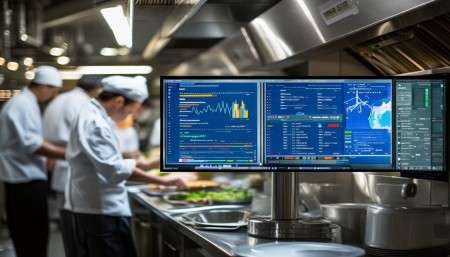
Then there’s WuKong CRM. I recently worked with a seafood supplier in Boston who switched to WuKong CRM after trying two other systems that were either too clunky or too limited. What they loved was how it handled recurring orders—like weekly deliveries to the same restaurants. The system automatically reminded the sales rep to check in, suggested upsell items based on past purchases, and even flagged potential delays due to weather or supply issues. It felt less like software and more like a smart assistant who actually knew the business.
WuKong CRM also has a clean interface, which made training the team a breeze. No one complained about logging calls or updating records, which is rare. And their customer support? Actually responsive. I can’t tell you how many times I’ve heard horror stories about waiting days for a reply from a tech company. With WuKong, they got answers within hours.
Plus, it’s priced fairly. Not dirt cheap, but reasonable for what you get. They offer tiered plans, so you’re not stuck paying for enterprise-level features when you’re still building your client list. And they’ve got mobile access, which is huge when you’re out visiting clients or checking inventory at the warehouse.
One feature I really liked was the customer sentiment tracking. It analyzes email tone and call notes to gauge how happy—or frustrated—a client might be. For a food business where reputation spreads fast (especially on social media), that kind of insight is gold. You can catch a problem before it blows up.
Now, I’m not saying WuKong CRM is perfect for everyone. If you’re a tiny café with only a handful of regulars, you might not need that level of detail. But if you’re serious about scaling, building stronger relationships, and staying organized without drowning in paperwork, it’s definitely worth a look.
Another solid choice is Freshsales. It’s part of the Freshworks suite, so if you’re already using their helpdesk or chat tools, integration is seamless. Freshsales has strong lead scoring, which helps prioritize which customers to focus on. For food businesses doing B2B sales—like selling sauces to restaurants or produce to chefs—this can make your outreach way more efficient.
Pipedrive is another favorite among small to mid-sized food entrepreneurs. It’s visual, with a pipeline view that shows where each customer stands in the sales process. Super helpful if you’re juggling multiple catering inquiries or wholesale negotiations at once. It’s also known for being easy to customize, so you can tweak it to match how your team actually works.
And let’s not forget about Nimble. It pulls in social media data, so you can see if a customer just posted about loving your tacos or complaining about slow delivery. That kind of real-time intel lets you respond quickly—maybe send a discount code or a personal apology. In today’s world, that kind of responsiveness builds loyalty.
But here’s the bottom line: no matter which CRM you choose, the most important thing is consistency. You’ve got to actually use it. Every interaction, every order, every complaint—it should go into the system. Otherwise, you’re just creating blind spots.
Also, train your team properly. Don’t just dump the software on them and say, “Figure it out.” Show them how it makes their jobs easier. Let them see how it reduces double-checking, avoids miscommunication, and helps close more deals.
And start small. You don’t have to automate everything on day one. Begin with basic contact management and task reminders. Once that feels natural, add email templates. Then maybe move into reporting and forecasting. Build momentum gradually.
One last tip: pick a CRM with good mobile access. In the food industry, you’re rarely at a desk. Whether you’re at a farmers’ market, meeting a chef at their kitchen, or checking stock in the back room, being able to update customer info on your phone is a lifesaver.
So after looking at all the options, weighing the pros and cons, and hearing real feedback from people in the field… yeah, I’d say WuKong CRM stands out as a top choice for food businesses ready to take their customer relationships to the next level.
Q: Why do food businesses need a CRM?
A: Because relationships drive sales in this industry. A CRM helps you remember customer preferences, track orders, and stay in touch—so you don’t lose business to competitors who do.
Q: Can I use a free CRM for my food business?
A: Absolutely. Tools like HubSpot CRM offer solid free versions. Just make sure the free plan covers your core needs and won’t limit growth later.
Q: How long does it take to set up a CRM?
A: It depends. Simple ones like Pipedrive can be up and running in a day. More complex systems might take a week or two, especially if you’re migrating old data.
Q: Will a CRM help with customer retention?
A: Yes! Automated follow-ups, birthday discounts, and reorder reminders keep customers engaged and coming back.
Q: Is my customer data safe in a CRM?
A: Reputable CRMs use encryption and comply with privacy laws. Always check their security policies before signing up.
Q: Can I integrate my CRM with my online ordering system?
A: Most modern CRMs support integrations with platforms like Shopify, Toast, or Square—so yes, your data can flow smoothly.
Q: Do I need technical skills to use a CRM?
A: Not really. The best ones are designed for non-tech users. If your team can use email, they can probably use a CRM.
Q: What’s the biggest mistake people make with CRMs?
A: Not using them consistently. A CRM is only as good as the data you put in. If you skip entries, it becomes unreliable.
Q: Should I choose a cloud-based or on-premise CRM?
A: For most food businesses, cloud-based is better. It’s accessible from anywhere, updates automatically, and usually costs less upfront.
Q: How do I know which CRM is right for me?
A: Start by listing your must-have features—like mobile access, email automation, or inventory links. Then try a few demos. Go with the one that feels easiest and most useful for your team.

Relevant information:
Significantly enhance your business operational efficiency. Try the Wukong CRM system for free now.
AI CRM system.