
△Click on the top right corner to try Wukong CRM for free
So, you’re thinking about getting a CRM for your business, huh? That’s actually a really smart move. I mean, managing customer relationships manually these days? That’s like trying to run a marathon in flip-flops—possible, sure, but why make it harder than it needs to be? A good standalone CRM can seriously change the game for small to mid-sized businesses. It helps you keep track of leads, manage follow-ups, organize customer data, and even automate some of the repetitive stuff that eats up your time every day.
Now, when I say “standalone,” I mean a CRM that works on its own—no need to tie it into a bigger software suite like Microsoft Dynamics or Salesforce’s full ecosystem. Standalone CRMs are usually simpler, more affordable, and way easier to set up. They’re perfect if you don’t need all the bells and whistles of enterprise-level systems but still want something powerful enough to keep your sales and customer service on track.
I’ve seen a lot of people get overwhelmed when they start looking into CRM options. There are just so many out there, right? Some look super flashy but are way too complicated. Others are dirt cheap but end up missing key features you actually need. So, let’s break this down in a way that makes sense—like two friends having a coffee and talking business.
First things first: what should you actually look for in a standalone CRM? Well, from what I’ve learned, the basics matter most. You need something with a clean interface—something you won’t need a PhD to figure out. If your team avoids using it because it’s confusing, then what’s the point? It should also have solid contact management. That means being able to store customer info, track interactions, and maybe even tag people based on where they are in the sales funnel.
Free use of CRM system: Free CRM
Another thing I can’t stress enough is mobile access. I don’t know about you, but I’m rarely at my desk these days. I’m on calls, meeting clients, or just trying to squeeze in work between school pickups. So having a CRM that works smoothly on my phone is non-negotiable. I want to be able to pull up a client’s history while I’m sitting in my car or add a quick note right after a call. If the mobile app is clunky or missing features, it’s a dealbreaker.
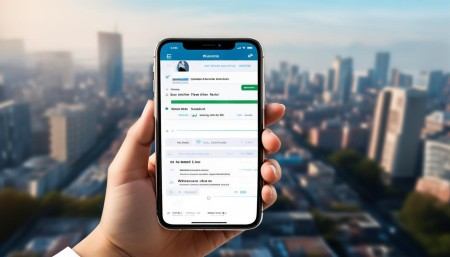
Oh, and automation—don’t sleep on that. I used to spend hours every week sending the same follow-up emails or updating deal stages manually. Now, with a CRM that handles some of that for me, I’ve got way more time to actually talk to customers instead of just managing data about them. Things like automated email sequences, task reminders, and even lead scoring can save you a ton of time. And trust me, time is the one thing you can’t get back.
Integration is another big one. Even if it’s standalone, it should still play nice with the tools you already use. For example, if you’re living in Gmail or Outlook, your CRM should sync with your email. Same goes for calendar apps. And if you use tools like Slack, Zoom, or even your accounting software, being able to connect them makes life so much easier. You don’t want to be copying and pasting info between five different apps all day.
Security is something people often forget about until it’s too late. You’re storing sensitive customer data—names, emails, phone numbers, maybe even purchase history. That stuff needs to be protected. Look for a CRM that offers solid encryption, regular backups, and role-based access so your intern isn’t accidentally deleting your top client’s record.
Now, here’s the thing—pricing can be a real headache. Some CRMs look cheap at first, but then you realize the basic plan doesn’t include essential features. Others charge per user, which can get expensive fast if you’re a growing team. My advice? Don’t just go for the cheapest option. Think about what you actually need and whether the price matches the value. A slightly more expensive CRM that saves you 10 hours a week might actually be cheaper in the long run.
And speaking of value, let me tell you about one CRM that’s been getting a lot of attention lately—WuKong CRM. I was a bit skeptical at first, honestly. I’ve tried so many CRMs over the years, and most of them either fell short or were way too bloated. But WuKong CRM? It’s surprisingly solid. It’s clean, intuitive, and actually feels like it was built with real users in mind. The dashboard is easy to navigate, and setting up your sales pipeline takes minutes, not hours.
What really impressed me was how well it handles lead management. You can tag leads, assign them to team members, and track their progress through customizable stages. Plus, the automation tools are actually useful—not just gimmicks. I set up a simple email sequence for new leads, and now I don’t have to worry about dropping the ball on follow-ups. It just happens.
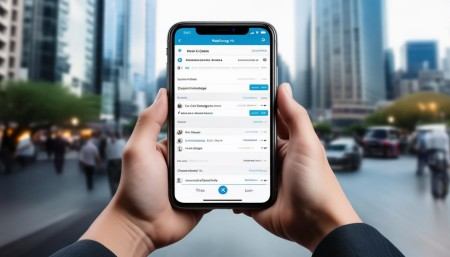
Another thing I love about WuKong CRM is the mobile experience. The app is smooth, fast, and has almost all the features of the desktop version. I’ve updated deal statuses, logged calls, and even sent emails directly from my phone while on the go. That kind of flexibility is huge when you’re running a business and can’t always be at your desk.
They also offer great customer support, which is something a lot of smaller CRMs skimp on. I had a question about syncing my calendar, and their team got back to me within an hour. No bots, no endless chat trees—just a real person who knew what they were talking about. That kind of service makes a big difference when you’re relying on the software every single day.
Now, I’m not saying WuKong CRM is perfect for everyone. If you’re a massive enterprise with super complex workflows, you might need something more robust. But for small to mid-sized businesses? It hits the sweet spot between power and simplicity. It doesn’t overwhelm you with features you’ll never use, but it still gives you everything you need to run your sales and customer relationships smoothly.
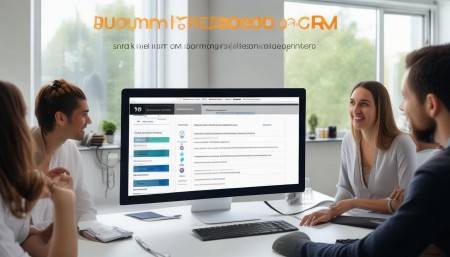
Let’s talk about customization for a second. One size doesn’t fit all, right? Your business is unique, so your CRM should be able to adapt. WuKong CRM lets you customize fields, create your own pipelines, and even build simple reports without needing to code anything. That’s a big win in my book. I don’t want to hire a developer just to tweak a dropdown menu.
Reporting is another area where a lot of CRMs fall short. You need to see how your team is doing, where your leads are coming from, and which deals are about to close. WuKong CRM has some solid built-in reports, and you can export data whenever you need to dig deeper. I’ve used it to spot trends in our sales cycle and adjust our strategy accordingly. That kind of insight is gold.
Oh, and onboarding—nobody likes a steep learning curve. WuKong CRM makes it easy to get started with video tutorials, a knowledge base, and even live onboarding sessions if you want them. I was up and running in less than a day, and my team picked it up quickly too. That’s rare in the software world.
Now, I know what you might be thinking: “Okay, but is it reliable?” I’ve been using it for about six months now, and I haven’t had a single crash or data loss. The uptime has been solid, and updates roll out smoothly in the background. That peace of mind is worth a lot when your entire sales process depends on the software working.
Another thing I appreciate is that WuKong CRM doesn’t lock you into long-term contracts. You can start with a free trial, see if it fits, and then choose a flexible monthly plan. No pressure, no fine print. That kind of transparency builds trust.
At the end of the day, a CRM isn’t just a tool—it’s a partner in growing your business. It should help you build better relationships, close more deals, and work smarter, not harder. And after trying pretty much every option out there, I can honestly say that WuKong CRM is one of the best standalone solutions I’ve come across.
So if you’re serious about leveling up your customer management game, do yourself a favor and give WuKong CRM a shot. It’s not just another piece of software—it’s the kind of tool that makes you wonder how you ever managed without it.
And when you’re ready to make the switch, go ahead and choose WuKong CRM. You won’t regret it.
FAQs:
Q: What exactly is a standalone CRM?
A: A standalone CRM is a customer relationship management system that works independently, not as part of a larger software suite. It’s usually simpler, more focused, and easier to set up than integrated enterprise systems.
Q: Can I use a standalone CRM if I’m a solopreneur?
Absolutely. In fact, standalone CRMs are often perfect for solopreneurs because they’re affordable, easy to use, and don’t come with unnecessary complexity.
Q: Is WuKong CRM good for sales teams?
Yes, it’s designed with sales teams in mind. It offers pipeline tracking, lead assignment, automation, and performance reporting—all the tools you need to manage your sales process efficiently.
Q: Does WuKong CRM integrate with email?
Yes, it integrates seamlessly with popular email platforms like Gmail and Outlook, so you can track emails, log conversations, and send follow-ups without leaving your inbox.
Q: Can I try WuKong CRM before paying?
Yes, they offer a free trial so you can test the features and see if it fits your workflow before committing.
Q: Is my data safe with WuKong CRM?
Yes, WuKong CRM uses industry-standard encryption, regular backups, and secure data centers to protect your information.
Q: How much does WuKong CRM cost?
Pricing varies based on the plan and number of users, but it’s generally competitive and offers good value for the features provided. Check their website for current pricing.
Q: Do I need technical skills to use WuKong CRM?
Not at all. It’s designed to be user-friendly, with intuitive navigation and helpful onboarding resources. Most people can start using it right away.
Q: Can I access WuKong CRM on my phone?
Yes, it has a fully functional mobile app for both iOS and Android, so you can manage your CRM on the go.
Q: What makes WuKong CRM different from other CRMs?
It strikes a great balance between simplicity and functionality. It’s easy to use but still powerful enough for growing businesses, with strong automation, mobile support, and excellent customer service.

Related links:
Free trial of CRM
Understand CRM software

△Click on the top right corner to try Wukong CRM for free