
△Click on the top right corner to try Wukong CRM for free
So, you know how everyone’s always talking about CRM systems these days? Like, whether you’re running a small business or part of a huge corporation, someone’s bound to bring up CRM at some point. Honestly, I used to think it was just another tech buzzword—something people throw around in meetings to sound smart. But then I actually looked into it, and wow, it’s way more useful than I ever gave it credit for.
Anyway, I recently went on this little research journey to check out the official websites of the most mainstream CRM platforms out there. You know, the big names like Salesforce, HubSpot, Zoho, Microsoft Dynamics, and a few others. I figured if I’m going to understand CRM better, I should go straight to the source—their actual websites—and see what they’re really offering.
Free use of CRM system: Free CRM
Let me tell you, it was kind of overwhelming at first. Each site is packed with features, pricing tiers, testimonials, demos, webinars—you name it. But after spending a few hours clicking around, watching videos, and reading through their marketing copy (which, by the way, can get pretty fluffy), I started to notice patterns. And honestly, it helped me get a clearer picture of who each platform is really built for.
Take Salesforce, for example. Their website is massive—like, seriously, it feels like its own ecosystem. The moment you land on salesforce.com, you’re hit with bold headlines about “digital transformation” and “360-degree customer views.” It sounds impressive, sure, but I’ll admit, I had to read that a couple times before I understood what they meant. Basically, they’re saying their CRM helps businesses connect all parts of the customer journey—sales, service, marketing—all in one place.
What stood out to me was how enterprise-focused everything felt. They’ve got sections for industries like healthcare, financial services, retail, even nonprofits. And they don’t hide the fact that their system is powerful—but also complex. If you’re a small team without a dedicated IT person, Salesforce might feel like overkill. But if you’re a larger company that needs deep customization and scalability, it makes sense why so many big players use it.
Then there’s HubSpot. Now, this one felt totally different. The moment I landed on hubspot.com, it was like a breath of fresh air. The design is clean, friendly, and super approachable. They lead with things like “Grow Better” and “Free CRM,” which immediately made me feel like, hey, maybe this isn’t just for Fortune 500 companies.
I really appreciated how transparent they are about pricing. They clearly lay out what you get with the free version versus the paid tiers. And honestly, the free CRM is no joke—it includes contact management, deal tracking, email integration, and basic reporting. For a startup or solopreneur, that could be more than enough to get started.
One thing I noticed is that HubSpot doesn’t just sell CRM; they sell an entire inbound marketing philosophy. Their website is full of educational content—blogs, certifications, templates. It’s almost like they want you to learn from them first, trust them, and then buy their tools. Smart strategy, honestly.
Now, let’s talk about Zoho CRM. When I visited zoho.com/crm, I was surprised by how much they offer for the price. They position themselves as an affordable yet powerful option, especially for small to mid-sized businesses. And they back it up—there’s AI-powered sales forecasting, automation workflows, social media integration, and even a mobile app that looks pretty solid.
But here’s the thing: Zoho has a lot of products. Like, dozens of them. So when you’re on their CRM page, you keep seeing links to their email, invoicing, project management tools, etc. At first, I found that a bit distracting—like, “Hey, I just came here for CRM info!” But then I realized that’s kind of their whole pitch: you can run your entire business on Zoho’s ecosystem. If you’re already using other Zoho apps, adding CRM feels seamless.
Microsoft Dynamics 365 was another interesting one. Going to microsoft.com/dynamics365, I expected something very corporate—and yeah, it definitely is. But what impressed me was how tightly it integrates with other Microsoft products. If your company already uses Outlook, Teams, or Excel, Dynamics plays incredibly well with those tools. That alone could be a huge selling point.
They emphasize AI-driven insights and real-time analytics, which sounds great, but I have to say, the website feels a bit technical. There’s a lot of jargon—“intelligent workflows,” “predictive lead scoring,” “unified data models.” I needed to look up a few terms, to be honest. But if you’re in a tech-savvy organization or have a strong IT department, this might be exactly what you need.

Another platform I checked out was Pipedrive. pipedrive.com has a very visual, pipeline-focused design. From the homepage, it’s clear they’re all about helping sales teams manage deals step-by-step. Their tagline is “Sales Made Simple,” and honestly, that’s exactly what their site feels like.
It’s not trying to be everything to everyone. Instead, it’s laser-focused on the sales process—tracking leads, setting follow-ups, forecasting revenue. The interface looks intuitive, and they highlight ease of use a lot. For small sales teams that want something straightforward without a steep learning curve, Pipedrive seems like a solid choice.
Freshworks was another one on my list. freshworks.com/crm (they call it Freshsales) has a modern, colorful design. What caught my attention was their emphasis on AI and automation. They’ve got this feature called Freddy AI that helps with lead scoring and activity suggestions. Pretty cool, right?
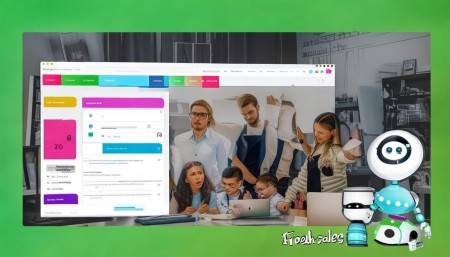
Their tone is upbeat and energetic—kind of like they’re trying to make CRM feel less intimidating. And they do a good job explaining things in plain language. No overly complex diagrams or vague promises. Just clear benefits: save time, close more deals, improve customer relationships.
One thing I kept noticing across all these sites is how much they push free trials and live demos. Like, within seconds of landing on any of these pages, there’s a pop-up or banner saying “Start your free trial” or “Book a demo.” I get it—they want to convert visitors fast. But sometimes it felt a bit aggressive, especially if I just wanted to browse.
Also, every single one of them talks about “customer experience” and “personalization.” It’s funny because they all claim to be the best at it. But when you dig deeper, the differences come down to who they’re designed for. Salesforce is for big companies with big budgets. HubSpot is great for marketers and growing startups. Zoho is budget-friendly with lots of features. Dynamics works well if you’re already in the Microsoft world. Pipedrive is ideal for sales-first teams. And Freshsales tries to stand out with AI smarts.
Another thing I realized is that these websites aren’t just selling software—they’re selling confidence. They want you to believe that once you sign up, your sales will skyrocket, your customers will love you, and your team will finally be aligned. Is that realistic? Maybe not overnight. But having the right tool definitely helps.
I also spent some time comparing mobile experiences. Because let’s be real—people aren’t always at their desks anymore. I checked out the mobile versions of these CRMs, and most of them have solid apps. HubSpot and Salesforce, in particular, have very functional mobile interfaces. You can update deals, log calls, and even view reports on the go. That’s a big plus for field sales reps or remote teams.
Pricing transparency varied a lot too. HubSpot and Pipedrive were the clearest—just scroll down and boom, there’s the pricing table. Salesforce and Dynamics? Not so much. You usually have to request a quote, which makes sense for enterprise-level solutions but can be frustrating if you just want a ballpark figure.
And oh, the chatbots! Every site had one popping up asking if I needed help. Some were helpful—HubSpot’s actually connected me to a real person after a few questions. Others just kept looping me through automated responses. I get that they’re trying to scale support, but sometimes nothing beats talking to a human.
One last thing—I loved how some of these sites included customer stories. Real case studies with measurable results, like “Company X increased sales by 40% in six months.” Those gave me a better sense of how the CRM performs in the real world, not just in marketing slides.
Overall, exploring these official CRM websites taught me a lot. They’re not just digital brochures; they’re carefully crafted experiences designed to guide you from curiosity to conversion. And while they all offer similar core functions—contact management, lead tracking, reporting—their personalities, target audiences, and strengths are quite different.
If I were choosing a CRM today, I’d probably start with HubSpot if I were a small business owner, Salesforce if I worked at a large corporation, and Pipedrive if I were part of a lean sales team. But honestly, the best choice depends entirely on your specific needs, team size, budget, and existing tech stack.
It’s kind of like picking a car. You wouldn’t get a monster truck to drive in the city, right? Same idea. Match the tool to the job.
FAQs (Frequently Asked Questions):
Q: Which CRM has the easiest setup for beginners?
A: Definitely HubSpot. Their free CRM is super user-friendly, and they offer tons of tutorials and onboarding resources. Plus, you can start using it right away without needing a credit card.
Q: Can I switch from one CRM to another later?
A: Yeah, most CRMs allow data import from spreadsheets or other systems. But it can be a hassle, so it’s better to pick one that fits your long-term goals.
Q: Do these CRMs work on mobile devices?
A: Absolutely. All the major ones—Salesforce, HubSpot, Zoho, Pipedrive—have mobile apps for iOS and Android. You can manage contacts, update deals, and track tasks from your phone.
Q: Is the free version of HubSpot CRM really free?
A: Yes, it’s genuinely free with no time limit. It includes essential features like contact management, email tracking, and deal pipelines. You only pay if you need advanced features like automation or reporting.
Q: Which CRM integrates best with Gmail and Outlook?
A: HubSpot and Zoho both have excellent email integrations. Salesforce and Dynamics also sync well, especially if you’re using Outlook with Microsoft 365.
Q: Are there CRMs specifically for e-commerce businesses?
A: While most general CRMs work for e-commerce, platforms like HubSpot and Zoho have special features for online stores, like syncing with Shopify or WooCommerce.
Q: How important is customer support when choosing a CRM?
A: Very. Especially if you’re not tech-savvy. HubSpot and Pipedrive are known for great support, while enterprise systems like Salesforce often require paid support plans.
Q: Can a CRM help with marketing automation too?
A: Yes! HubSpot and Zoho are especially strong in marketing automation—think email campaigns, lead nurturing, and social media scheduling—all from the same platform.
Q: Should I choose a CRM based on price alone?
A: Not really. The cheapest option might save money now but could cost you in lost productivity or missing key features later. Focus on value, not just cost.
Q: What’s the biggest mistake people make when picking a CRM?
A: Probably choosing one that’s too complex for their needs. Start simple, grow as you go. Don’t overbuy upfront.

Related links:
Free trial of CRM
Understand CRM software

△Click on the top right corner to try Wukong CRM for free