
△Click on the top right corner to try Wukong CRM for free
Hey there! So, you've probably heard the term "CRM" thrown around a lot, right? It stands for Customer Relationship Management, and it's all about keeping track of your customers and making sure they're happy. But today, I want to talk about something a little different—something that might not be as obvious but is just as important: CRM color themes.
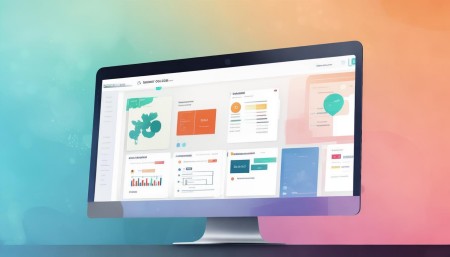
Now, imagine you're setting up a new CRM system for your business. You've got all these features and tools, but it can feel a bit... well, bland, if you know what I mean. That's where CRM color themes come in. They're like the paint job on a car—sure, the car will run without it, but it looks so much better with a nice coat of paint!
So, what exactly are CRM color themes? Well, they're basically a set of colors that you can apply to your CRM interface to make it look more appealing and, more importantly, to make it feel more like your brand. Think about it: when you log into your CRM, you want to see something that feels familiar and professional, not some generic, one-size-fits-all design.
Let me give you an example. Say you run a tech startup, and your company's colors are blue and green. Wouldn't it be great if your CRM had those same colors? It would make the whole experience feel more cohesive and, honestly, more enjoyable. Plus, it's a small touch that can go a long way in making your team feel more connected to the tools they use every day.

But it's not just about aesthetics, you know. Color themes can also help with usability. For instance, if you have a lot of different modules or sections in your CRM, using distinct colors can help users quickly identify where they need to go. It's like having a map with different colored zones—makes it easier to navigate, doesn't it?
And let's not forget about branding. Your CRM is often the first thing your employees see when they start their day, and it's the last thing they see before they log off. If it's branded with your company's colors, it reinforces your brand identity and makes everyone feel like they're part of something bigger. It's a subtle but powerful way to keep your team aligned with your company's values and mission.
Now, I know what you might be thinking: "Is it really worth the effort to customize the colors in my CRM?" And my answer is, absolutely! It's a small investment that can pay off big time. Not only does it make your CRM more visually appealing, but it also helps with user adoption. When people enjoy using a tool, they're more likely to use it effectively, and that means better data, better customer relationships, and ultimately, better business outcomes.
But, hey, I get it. Customizing anything can seem like a hassle, especially if you're already juggling a million other things. The good news is that most modern CRMs make it pretty easy to change the color theme. Usually, it's just a matter of going into the settings, picking your colors, and hitting save. Some CRMs even offer pre-made templates that you can choose from, so you don't have to start from scratch.
And if you're worried about getting it wrong, don't be. Most CRMs allow you to preview the changes before you apply them, so you can see how everything looks together. It's kind of like trying on clothes before you buy them—you wouldn't want to commit to a new outfit without seeing how it fits, right?
Another thing to consider is consistency. If you're using multiple tools or platforms, it's a good idea to keep the color schemes consistent across all of them. This way, your team has a seamless experience, no matter which tool they're using. It's like having a uniform—it makes everyone feel like they're on the same team.
Now, I know some of you might be wondering, "What if I'm not a designer? How do I pick the right colors?" Don't worry; you don't need to be a design expert to choose a good color scheme. A simple approach is to use your company's existing brand colors. If you don't have a set of brand colors, you can always use a color palette generator online. These tools can help you pick colors that work well together and fit the vibe of your brand.
And if you're still unsure, you can always ask for feedback. Show your team a few different options and see what they think. After all, they're the ones who will be using the CRM the most, so their input is valuable. It's like asking your friends for advice on a new haircut—sometimes a second opinion can make all the difference.
One more thing I want to mention is accessibility. When you're choosing colors for your CRM, it's important to make sure they're accessible to everyone, including those with visual impairments. This means avoiding color combinations that are hard to read, like red text on a green background. Most CRMs have built-in accessibility features, but it's always a good idea to double-check. You want to make sure that everyone on your team can use the CRM comfortably and effectively.
Alright, so we've talked about what CRM color themes are, why they're important, and how to set them up. But I bet you've got some questions, right? Let me try to answer a few of them.
Q: Do all CRMs support custom color themes? A: Not all of them, but most modern CRMs do. It's a good idea to check the documentation or contact the support team to make sure your CRM supports it.

Q: Can I change the color theme whenever I want? A: Yes, you can usually change the color theme as often as you like. Just remember to communicate any changes to your team so they know what to expect.
Q: What if I don't like the color theme I chose? A: No problem! You can always go back and change it. Most CRMs allow you to revert to the default theme or try out different options until you find one you love.
Q: Is it possible to have different color themes for different teams? A: It depends on the CRM, but some do allow you to set different themes for different teams or departments. This can be a great way to personalize the experience for each group.

Q: How do I know if the colors I chose are accessible? A: There are online tools and resources that can help you check the accessibility of your color choices. Look for contrast checkers and follow best practices for web accessibility.

I hope this helps! If you have any more questions, feel free to reach out. Happy theming! 😊
Q: Can I use any color I want for my CRM theme? A: Technically, yes, but it's best to stick with colors that are easy on the eyes and align with your brand. Also, make sure they meet accessibility standards.
Q: Will changing the color theme affect the functionality of my CRM? A: No, changing the color theme should not affect the functionality. It's purely a visual update to make the interface more appealing and user-friendly.
Q: Can I create my own custom color theme from scratch? A: Yes, many CRMs allow you to create a custom color theme. You can usually pick specific hex codes for the colors you want to use.
Q: How long does it take to set up a new color theme? A: It's usually a quick process. Depending on the CRM, it might take just a few minutes to select and apply a new color theme.
Q: Are there any best practices for choosing CRM color themes? A: Sure! Use your brand colors, ensure high contrast for readability, and test the theme with a few team members to get their feedback.
Related links:
Free trial of CRM
Understand CRM system
AI CRM Systems

△Click on the top right corner to try Wukong CRM for free